

Custom Payload Support for Apple MDM
You can now deploy custom Apple MDM configuration profiles to macOS, iOS, and iPadOS devices by uploading a .mobileconfig file or pasting plist XML directly into SuperOps. Unlike standard MDM solutions, SuperOps lets you reference both built-in and custom asset fields inside payloads, automatically populating device-specific values during deployment.
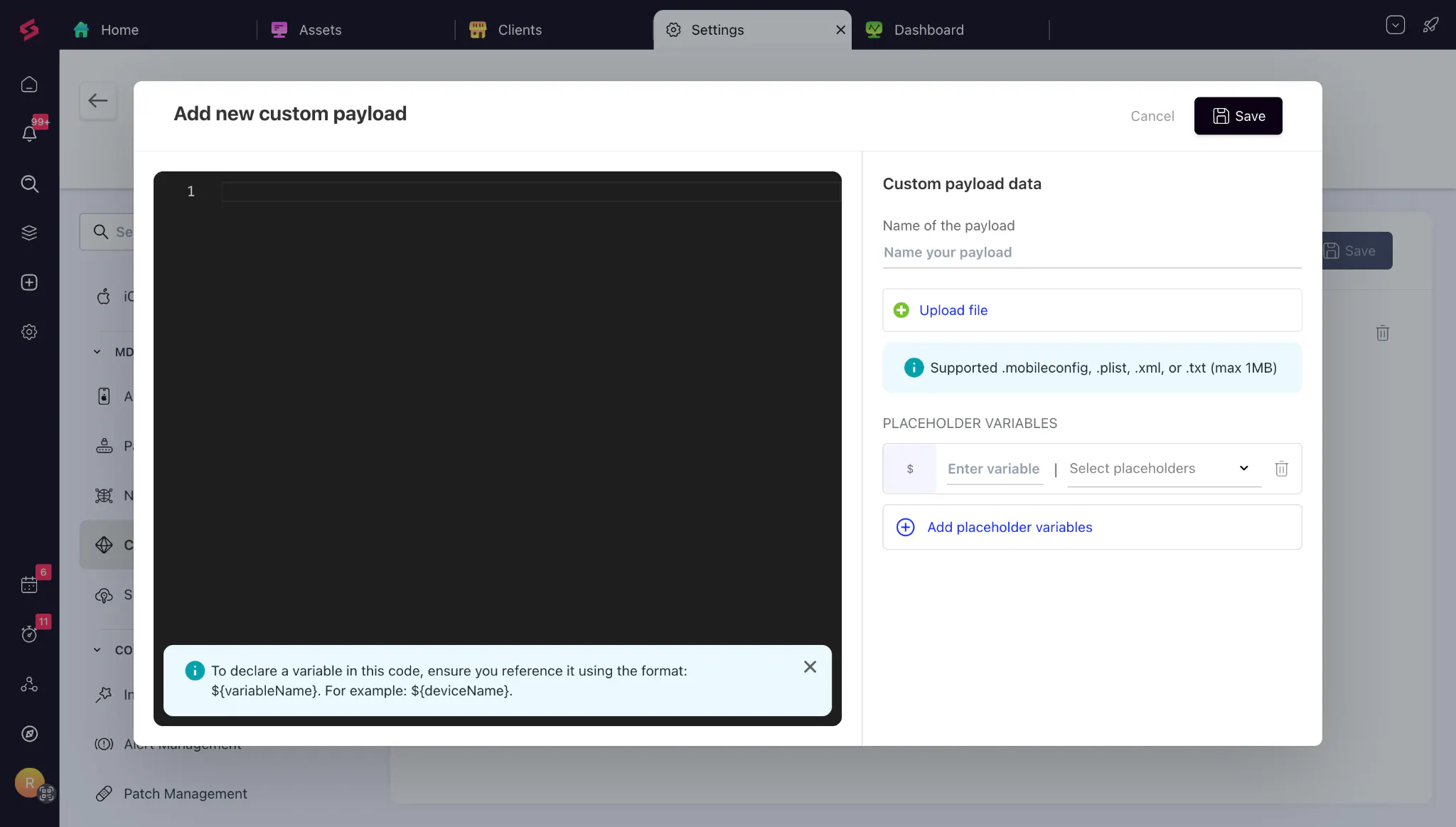
This gives you the flexibility to deploy reusable payloads across multiple clients, silently configure Privacy Preferences Policy Control (PPPC) settings for security tools, and immediately take advantage of new Apple MDM capabilities without waiting for product updates.
Pin and Unpin Android Kiosk Apps
Managing Android kiosk devices is now much easier. You can pin or unpin kiosk apps directly from the asset page or list view without removing or reconfiguring kiosk policies.
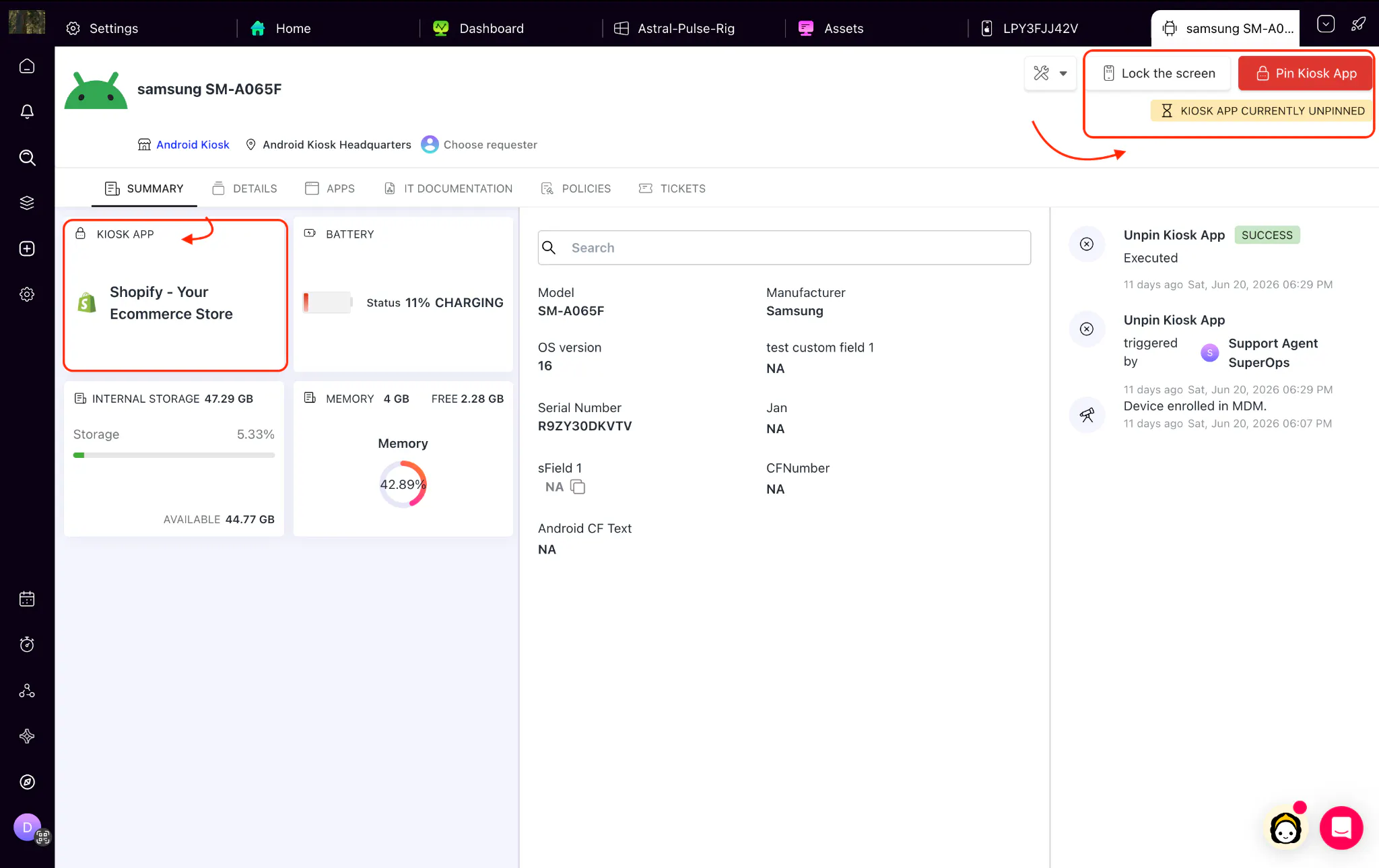
Whether you're troubleshooting devices, pushing updates, fixing connectivity issues, or preparing new hardware, you can temporarily unlock devices and restore kiosk mode in a single click. The current kiosk status is also visible from both the asset details page and the asset list.
Remote Desktop Privacy Permissions for macOS
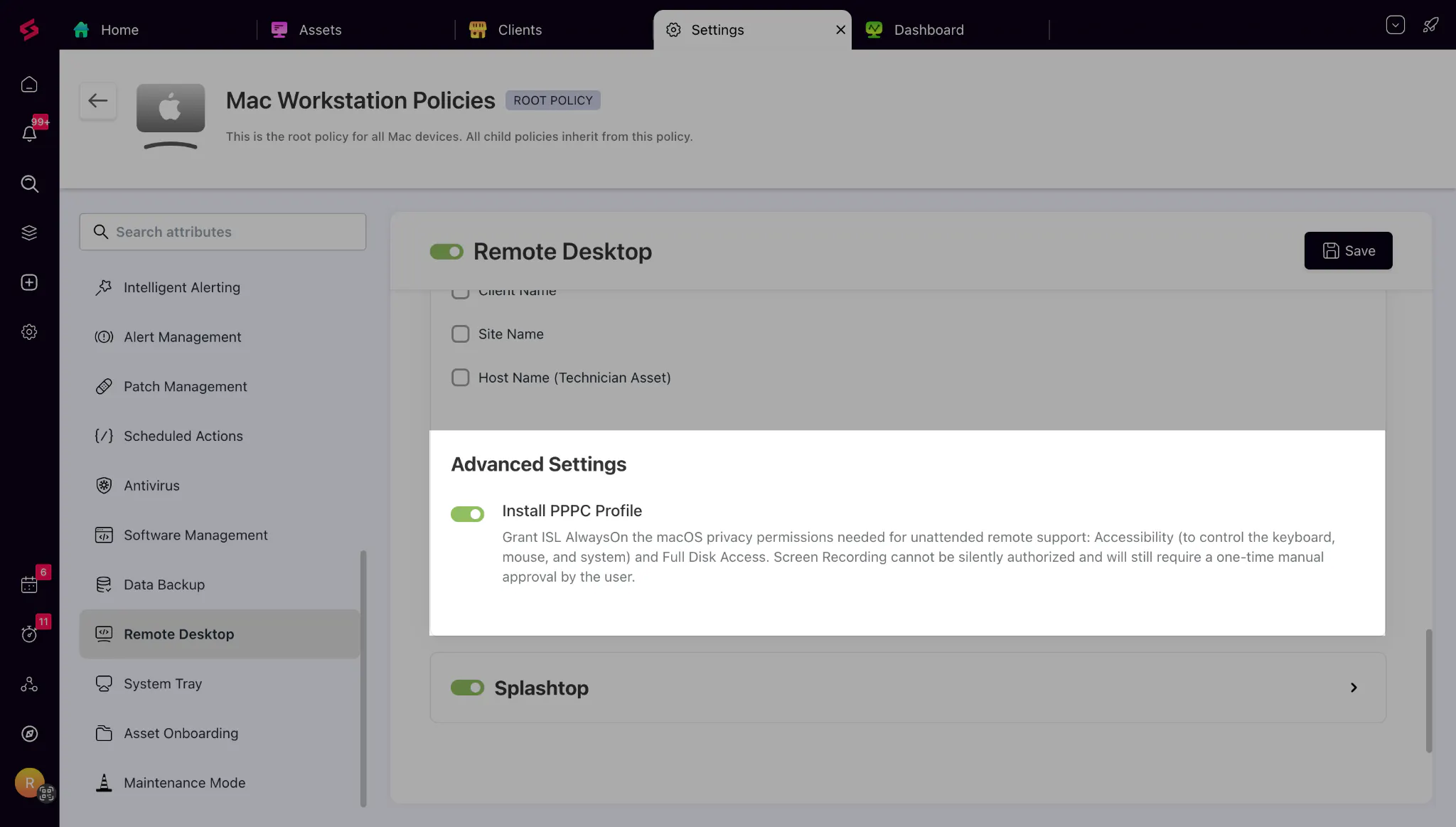
Configuring remote access on managed Macs is now much simpler. SuperOps can automatically deploy the required macOS privacy permissions for Splashtop and ISLOnline directly through Remote Desktop policies. This enables remote support to work seamlessly without requiring technicians or end users to approve permissions on every device.
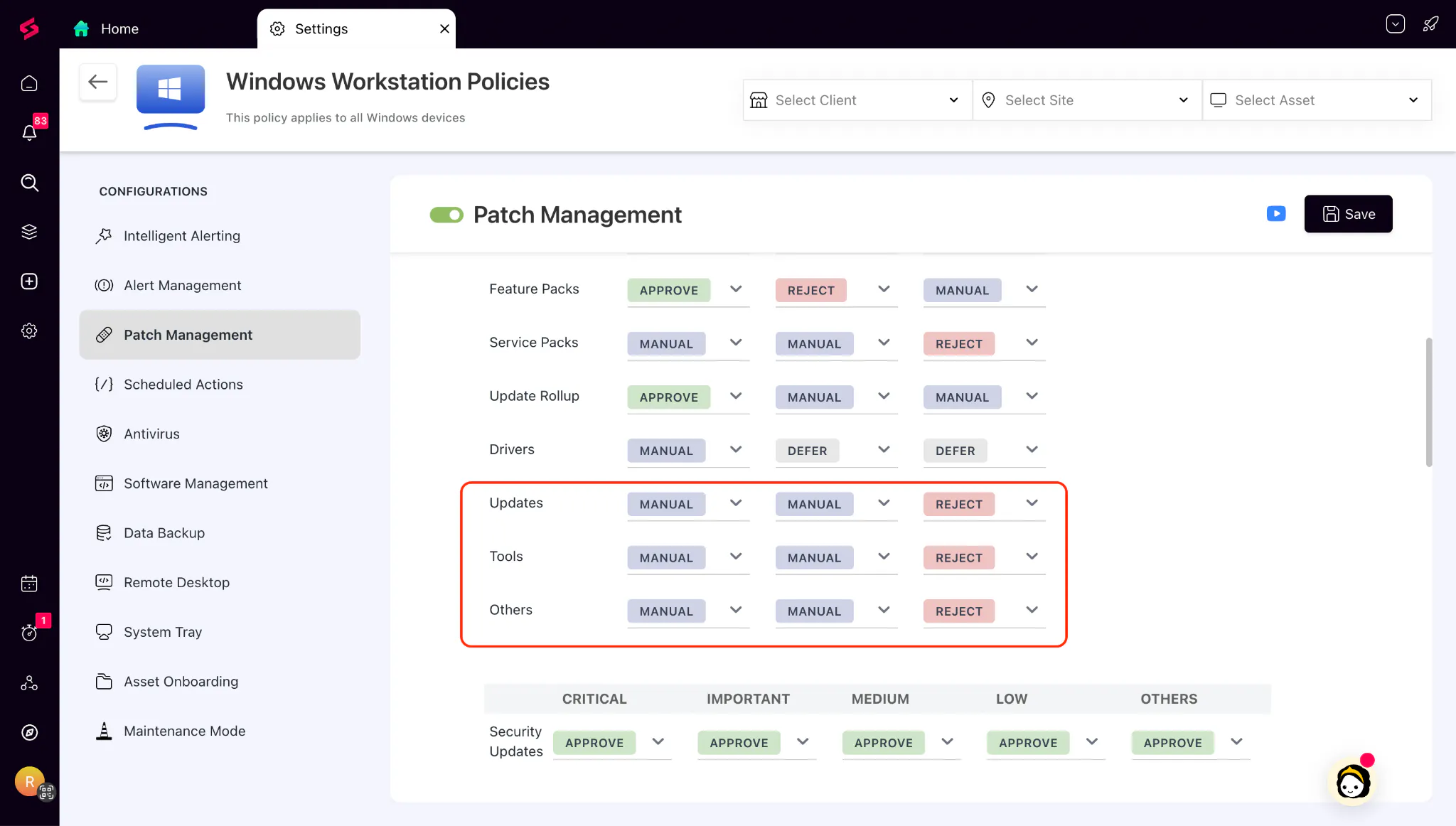
New Windows Patch Categories
Windows patches are now categorized more accurately with two new patch classifications: Updates and Tools. These categories are available across the Approval Matrix, Filters, and Schedule Conditions, giving you more granular control over patch approvals and automation. Existing patches previously classified under Others will automatically move to their appropriate category during patch scans.
Hide Conversations in Ticket Threads
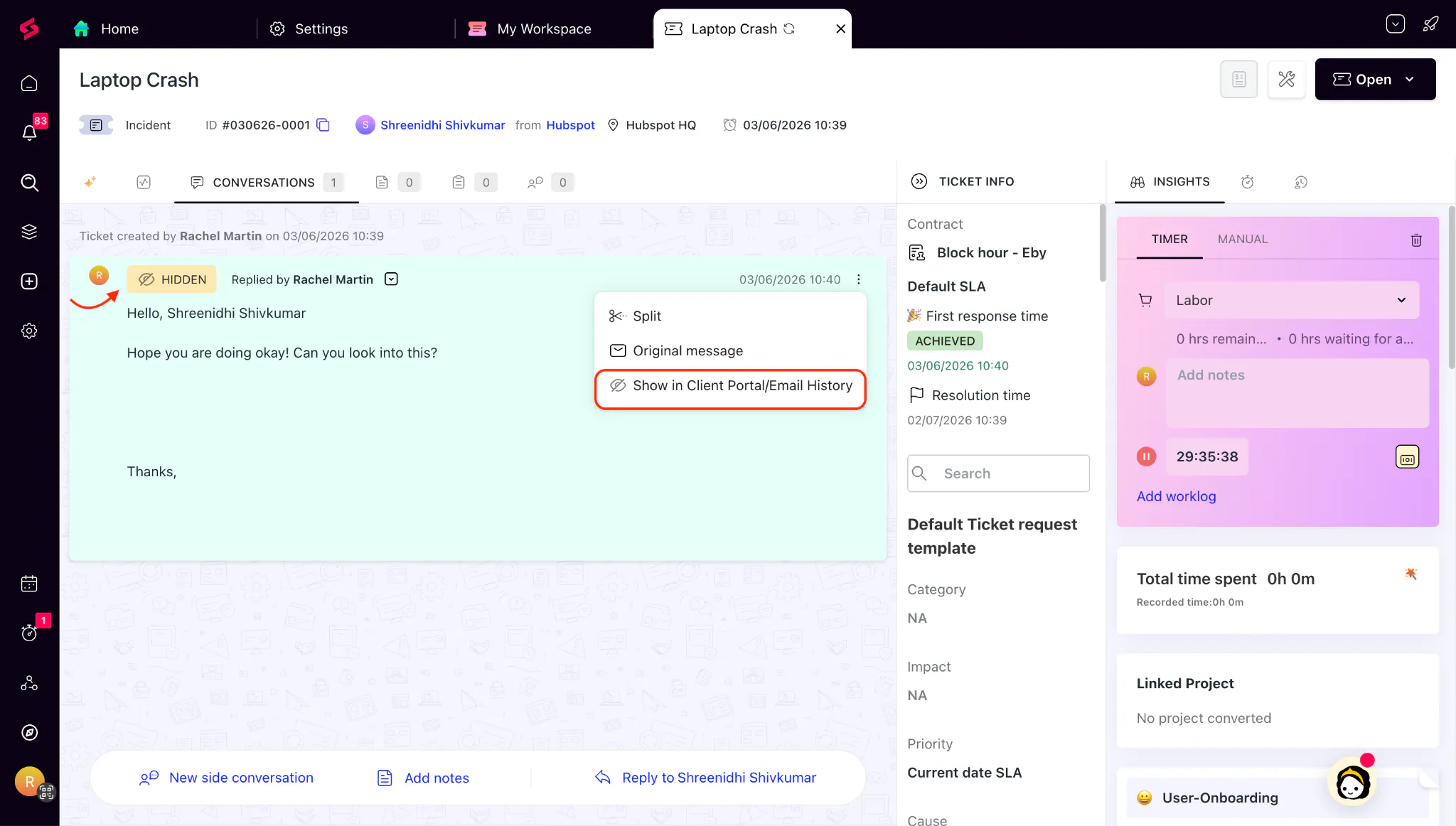
You can now hide specific conversation blocks from email threads and the Customer Portal while keeping them visible to authorized technicians. This helps teams selectively withhold customer-facing conversations from requesters when necessary, maintain internal context, and ensure only the intended information is shared externally.
Expanded Support for Dependent Fields
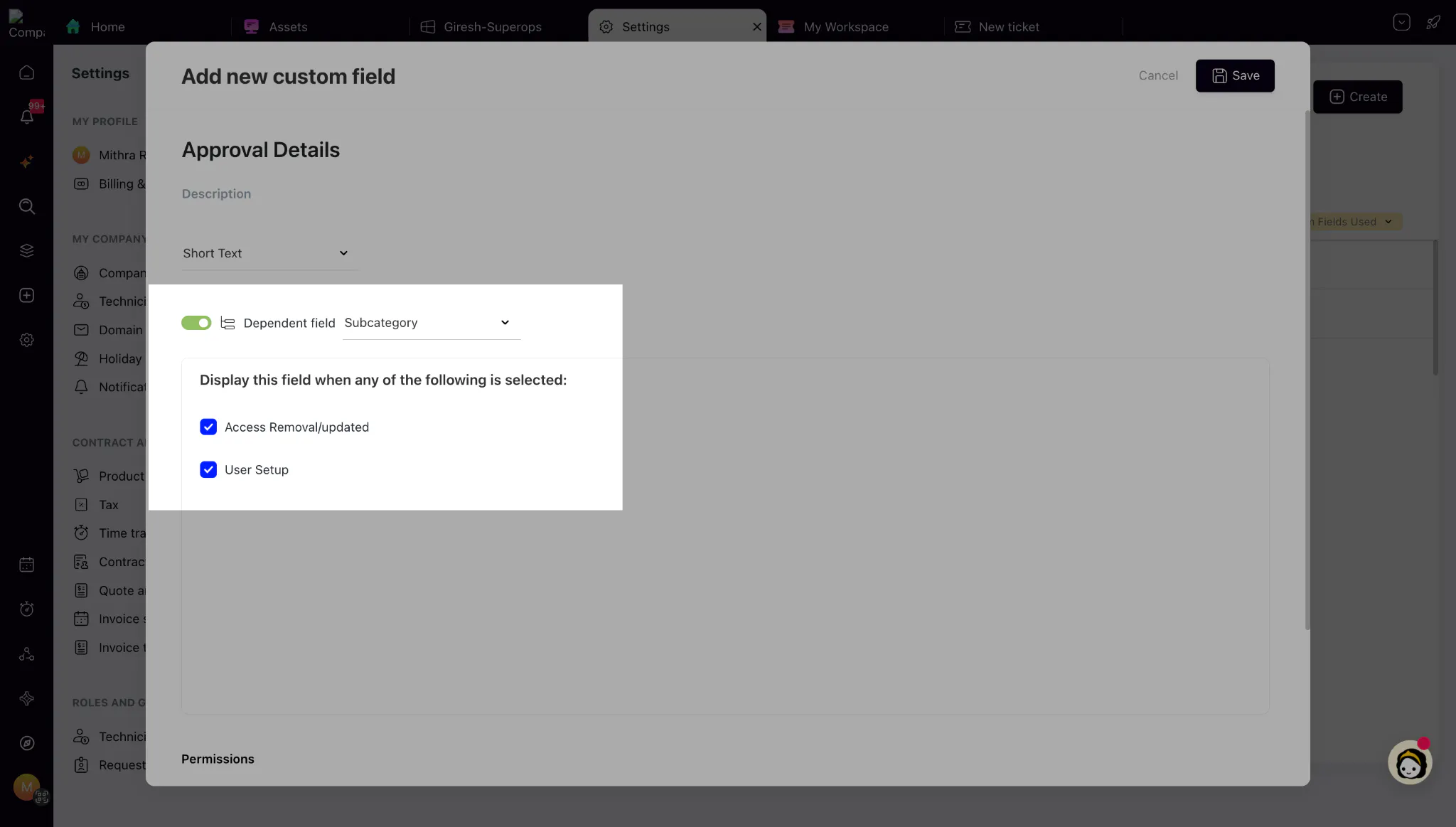
Dependent Fields are now more flexible, allowing Multi-select and Checkbox fields to act as parent fields, while virtually any supported custom field can be configured as a dependent field. Hidden dependent fields are automatically cleared when they no longer apply, and mandatory fields are validated only while they're visible. Together, these enhancements make it easier to build dynamic ticket forms that display only relevant fields, simplify ticket creation, and improve data accuracy.
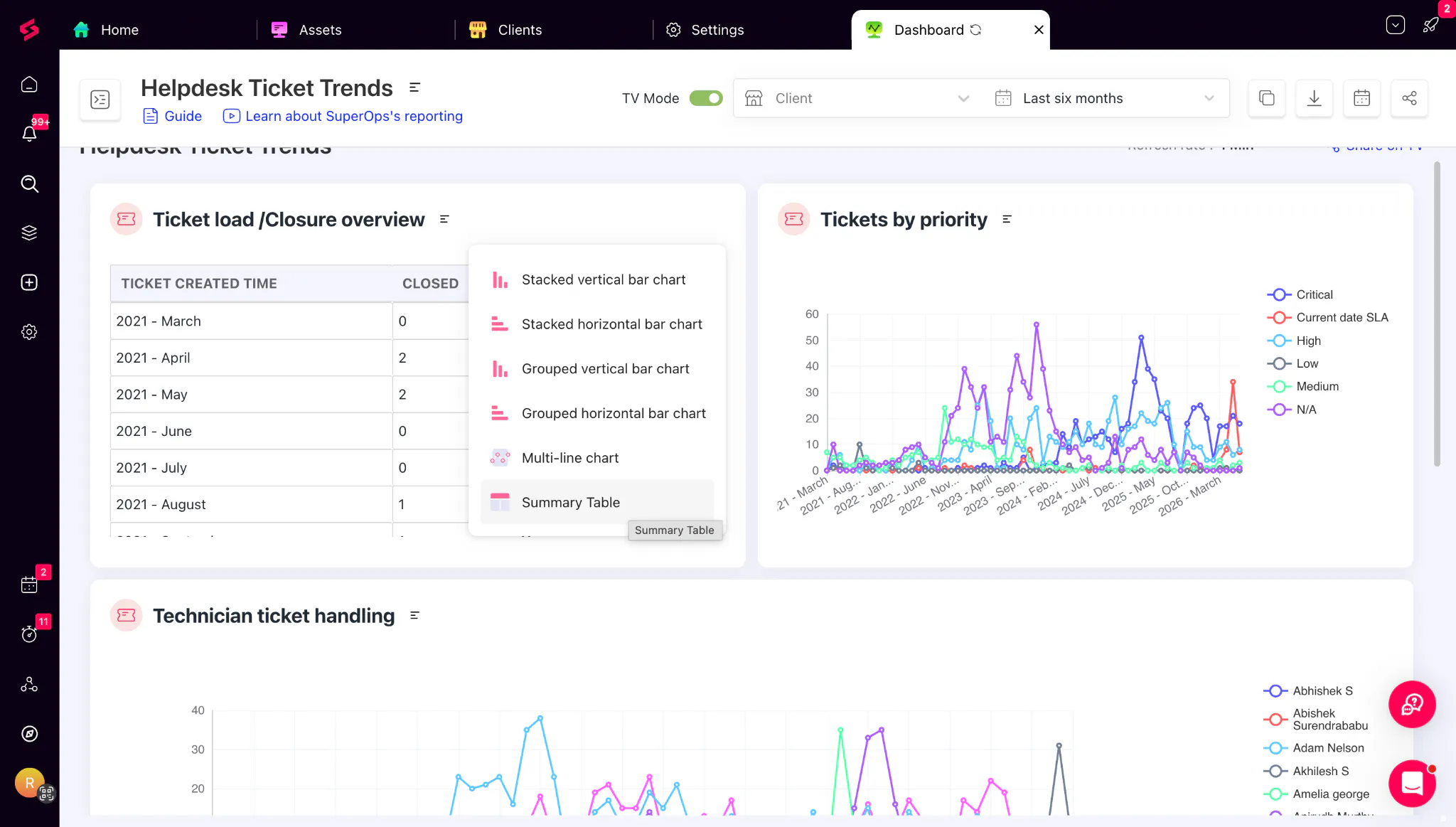
Persistent Dashboard Chart Visualisation
Dashboard visualisation preferences now stay exactly the way you set them. You can choose whether a chart displays as a graph or a summary table, and that preference is saved at the dashboard level for everyone viewing it. This also improves PDF exports, ensuring reports retain the intended visualisation without requiring additional edits.