

What’s New:
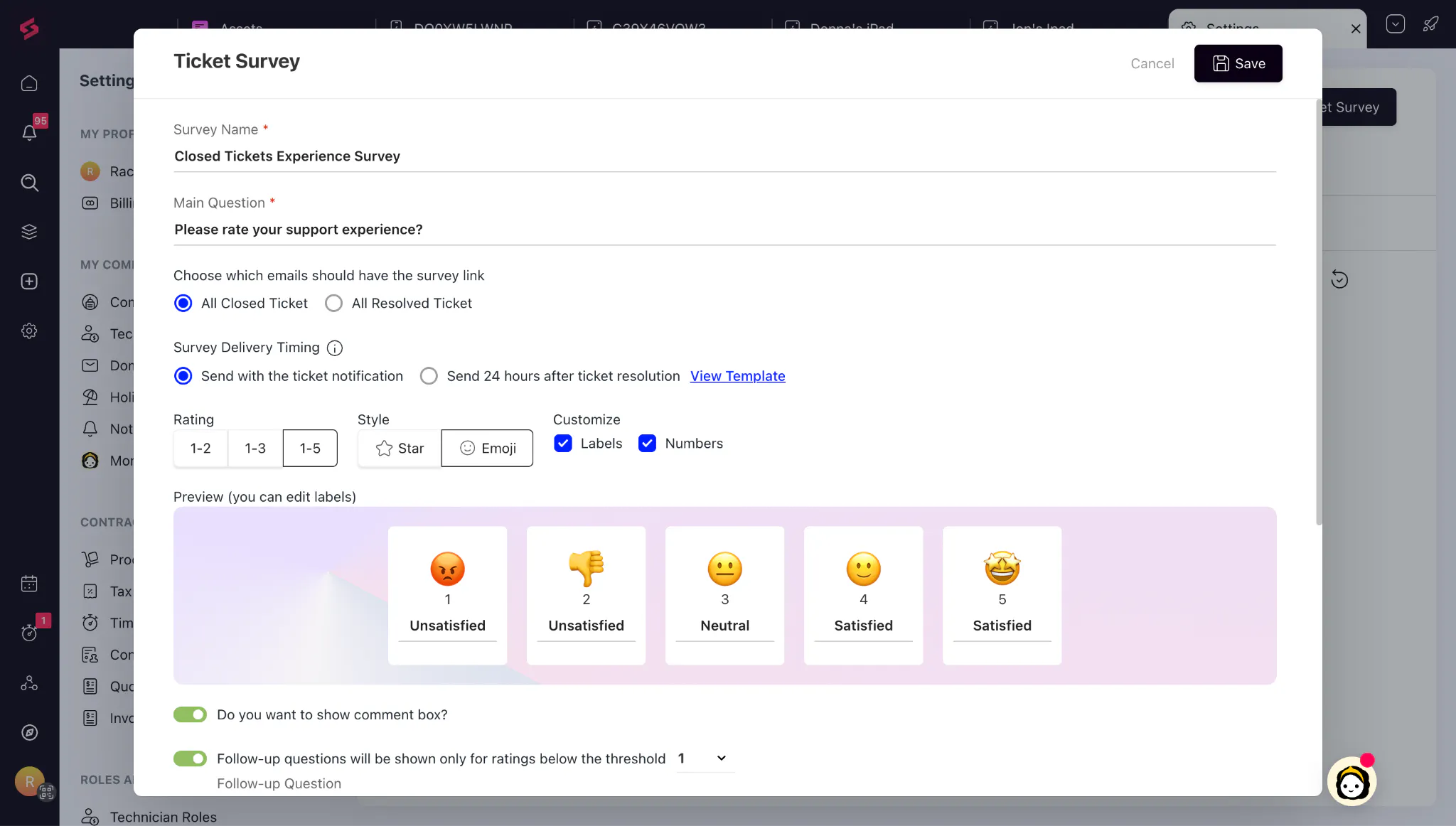
Revamped CSAT Module: The CSAT module has been completely revamped, giving you greater control over how customer feedback is collected with customizable survey formats, automated workflows based on responses, instant escalation of poor ratings, and richer reporting. This helps teams act on customer sentiment faster and turn feedback into measurable service improvements.
👉🏼 Learn more!
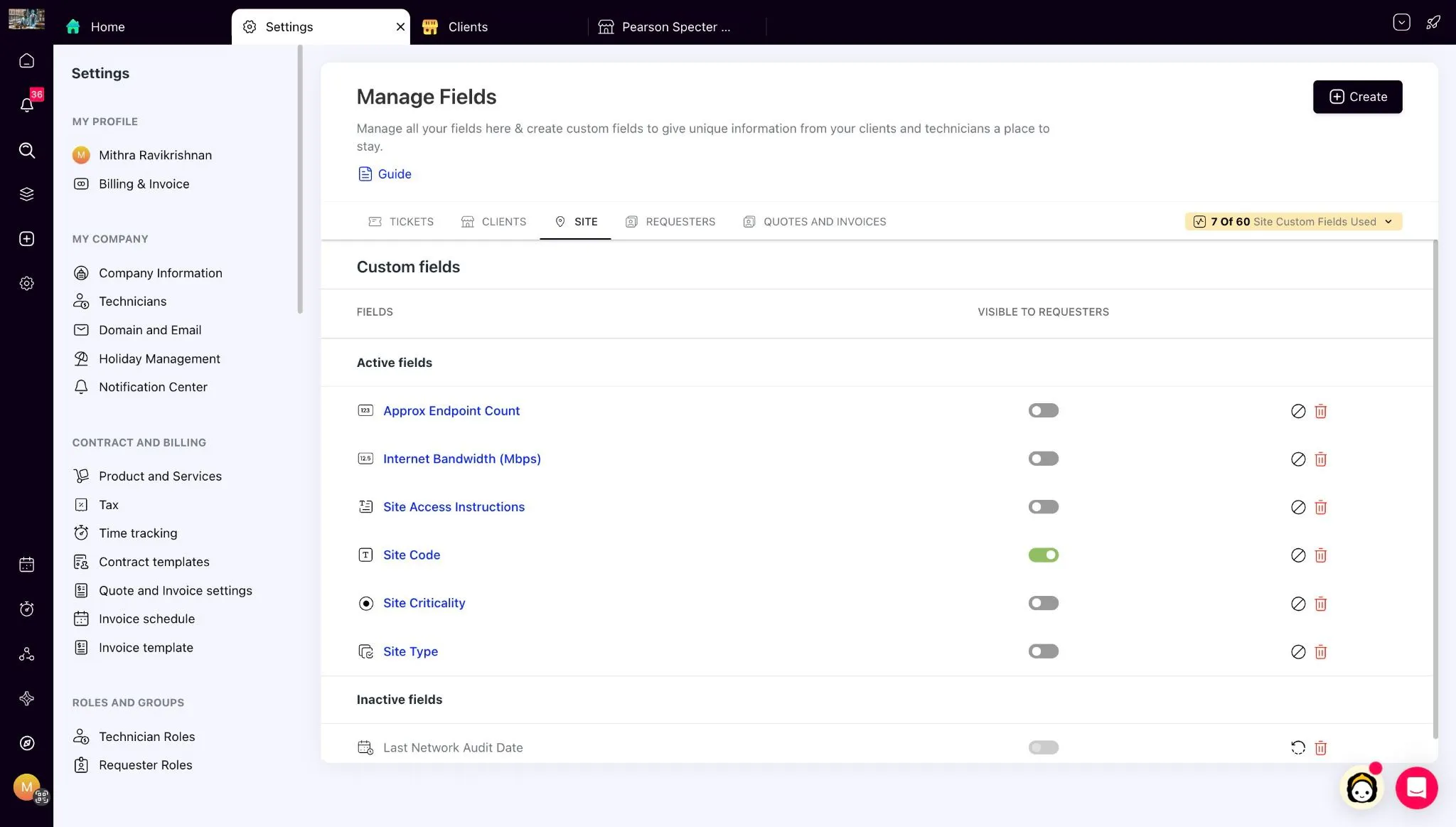
Site-Level Custom Fields: Site-Level Custom Fields allow MSPs to capture and manage location-specific information for customers operating across multiple sites. This gives technicians better context, reduces manual information tracking, and supports more scalable site management.
👉🏼 Learn More!
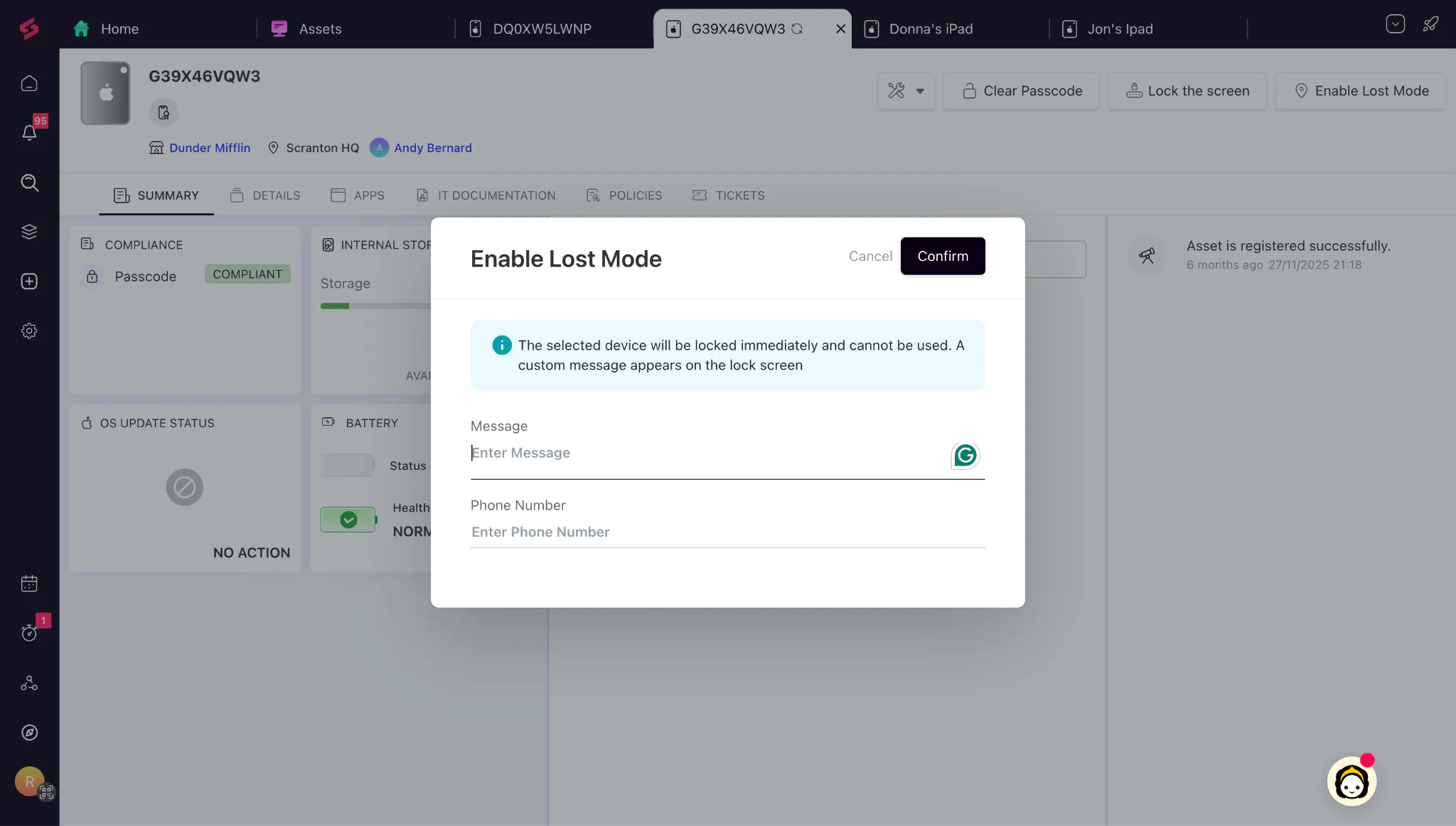
Lost Mode Location Tracking for Apple Devices: SuperOps now automatically retrieves and displays the GPS location of supervised iPhones and iPads when Lost Mode is enabled, directly from the asset page. This makes it easier to locate lost devices quickly while ensuring location data is automatically cleared once the device is recovered.
👉🏼 Learn More!
Enhanced Alert Cooling-Off Behaviour: Alert cooling-off periods are now tied to the lifecycle of an alert rather than its trigger time, ensuring that once an issue is resolved, future occurrences generate new alerts and notifications. This prevents recurring problems from being missed and keeps teams informed when issues reappear.
👉🏼 Learn More!
Custom Software Update Behaviour Improvements: Software update execution now varies based on patch configuration, with URL-based updates running on every scheduled policy cycle and file-based updates running only when the file is newly uploaded or updated. This provides more predictable patch management and reduces unnecessary update executions.
👉🏼 Learn More!
Splashtop Notification Controls: Administrators can now customize how remote session notifications appear to end users by choosing between popups, banners, or both, and controlling whether banners can be dismissed. This offers greater flexibility to balance user awareness, compliance requirements, and overall user experience.
👉🏼 Learn More!
HaloPSA Integration Enhancements: The HaloPSA integration now includes expanded asset support, flexible asset and custom field mapping, criticality mapping, detailed sync visibility, client and site imports, and configurable ticket creation settings. These enhancements provide greater transparency, flexibility, and control over how data flows between HaloPSA and SuperOps.
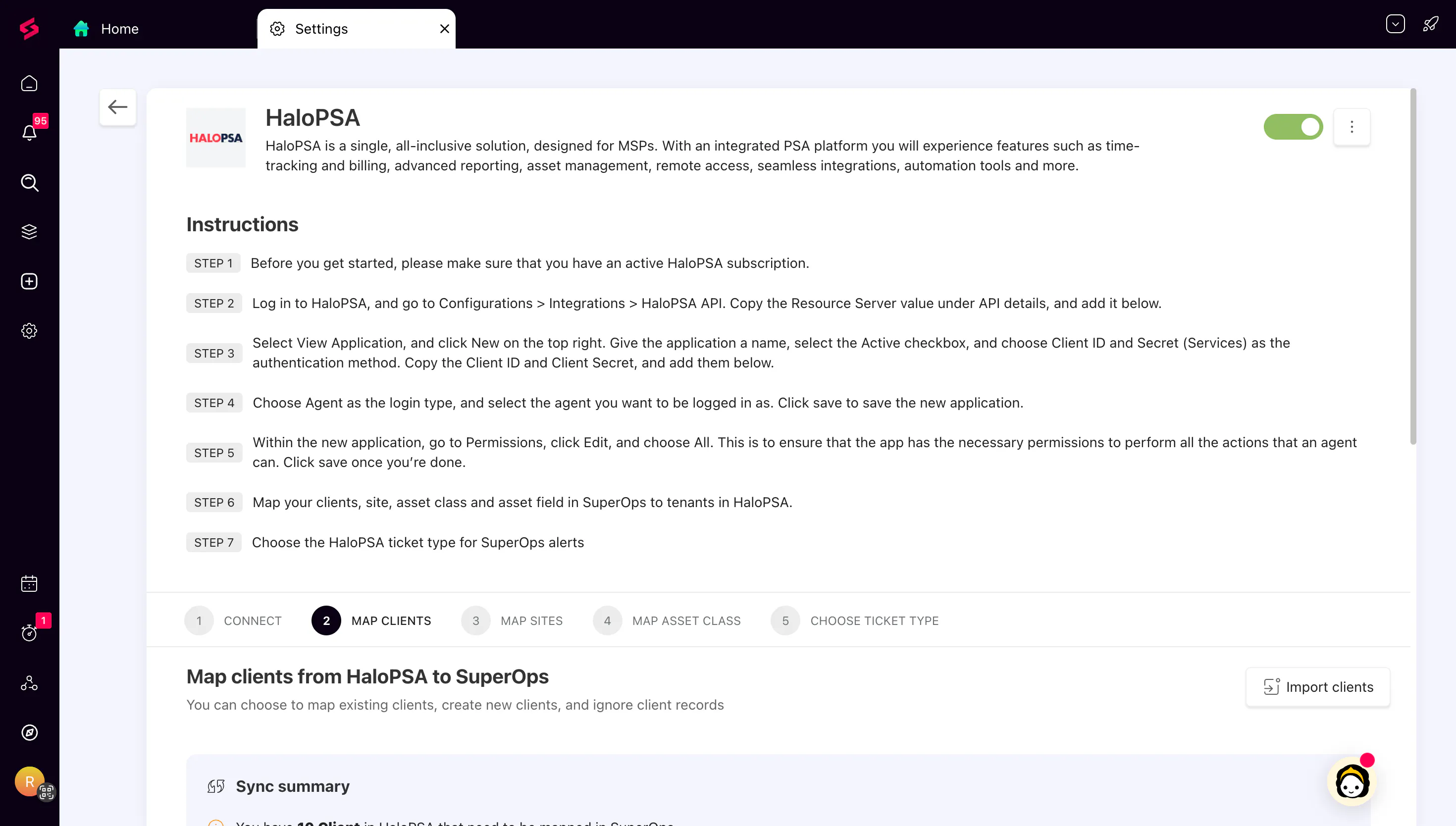
👉🏼 Learn More!
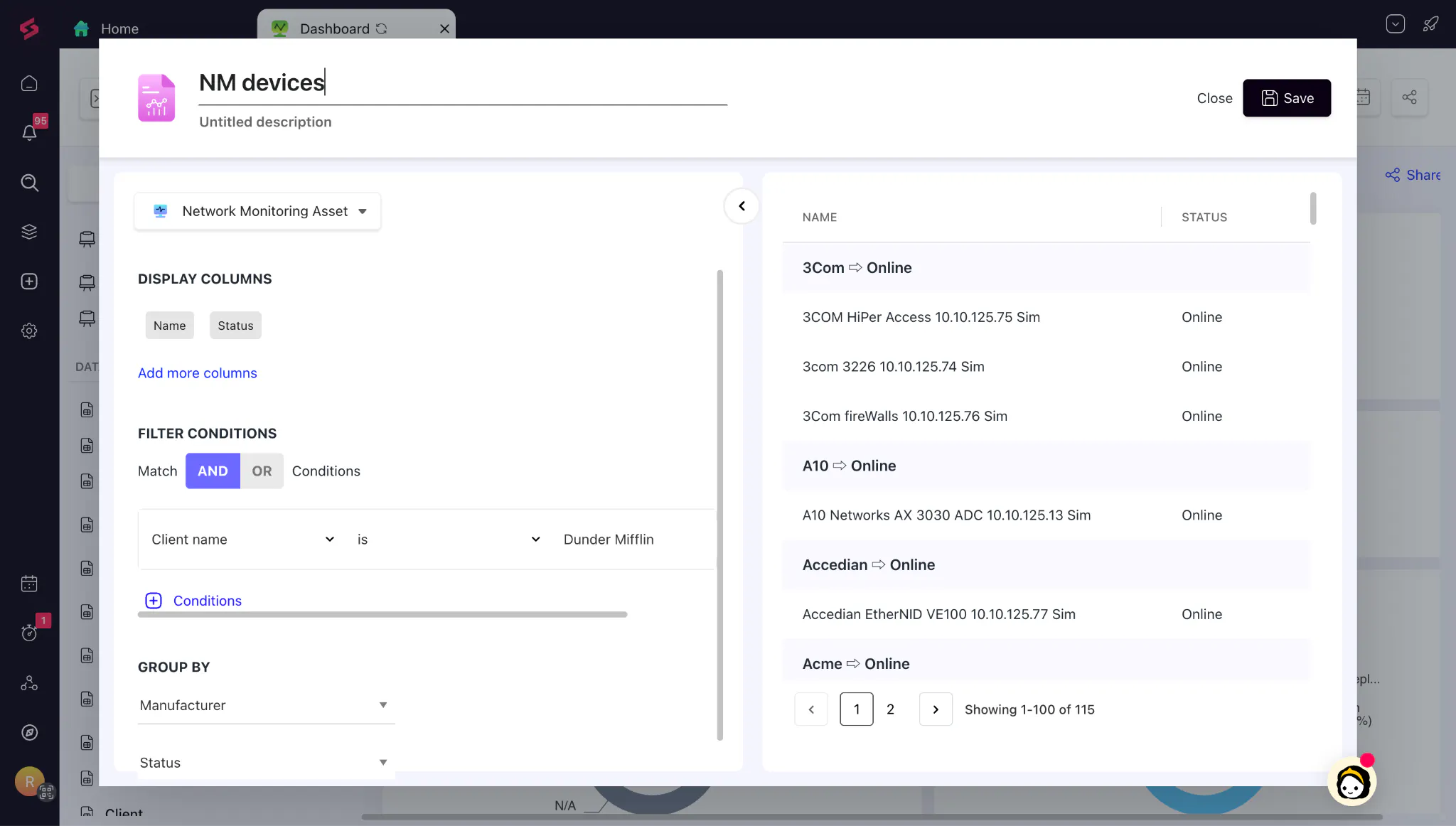
Data Reports Improvements: Building asset-based data reports is now faster with upfront asset type selection, support for custom asset types, and additional grouping options, including client custom fields. This makes reporting more flexible and allows you to generate insights that better reflect your business structure.
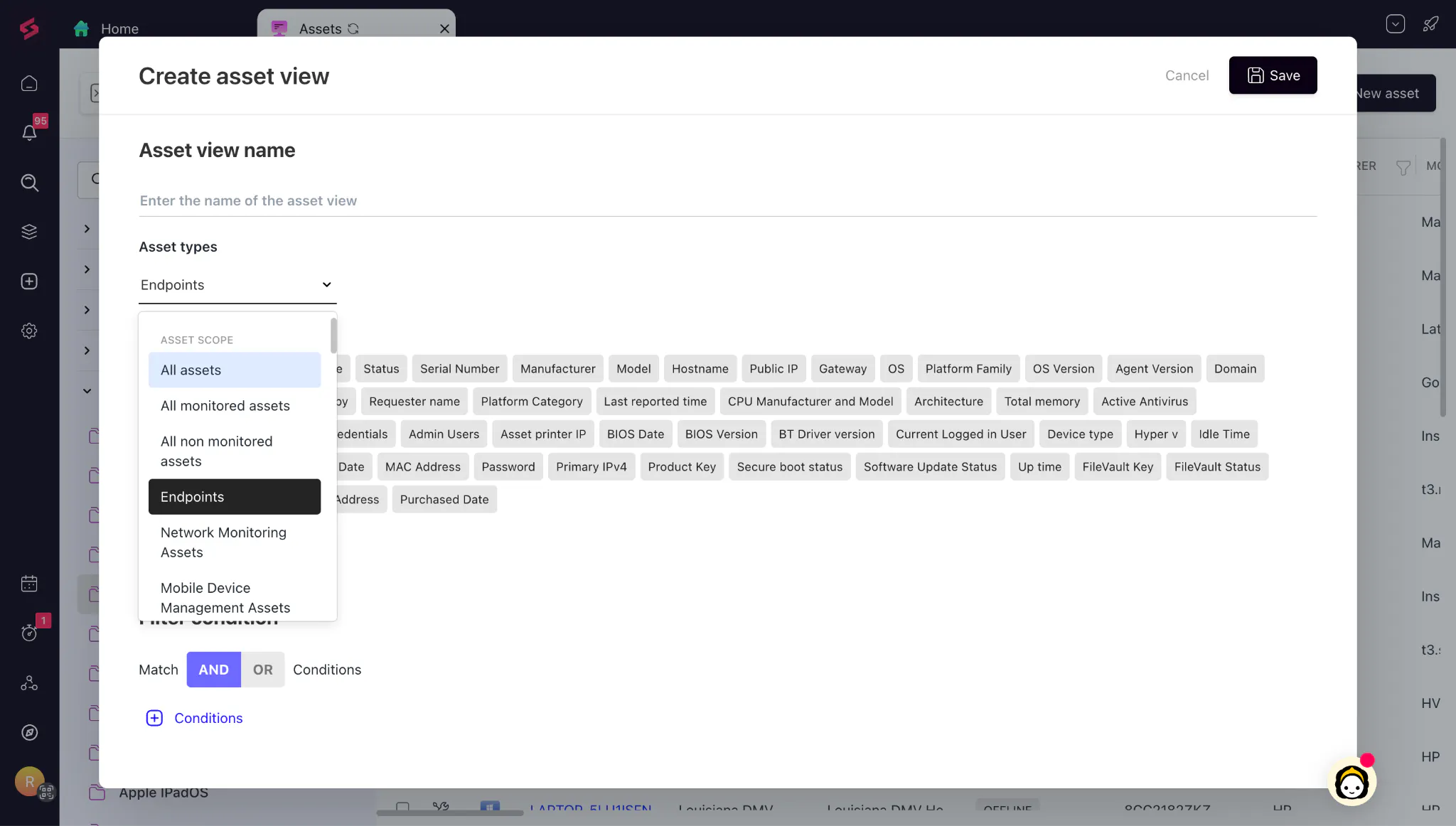
Custom Fields in Asset Views: Asset Views now support filtering by asset scope, asset class, and custom asset fields, making it possible to search and organize assets using business-specific attributes. This enables faster asset discovery, better inventory management, and reusable views for audits and operational reporting.
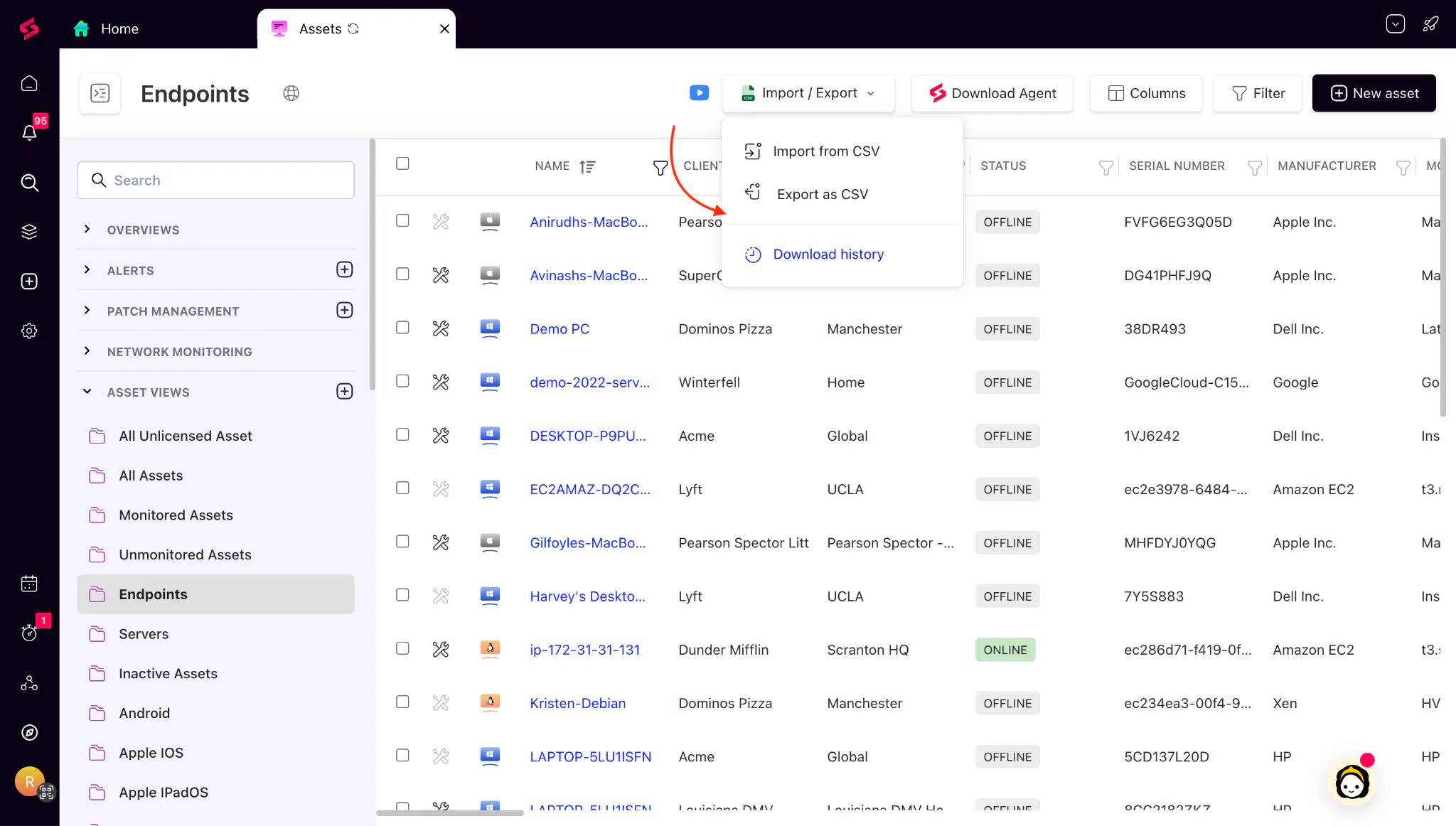
Export Asset Views to CSV: You can now export any Asset View to CSV, with downloads reflecting the exact filters and columns applied in the view, along with a downloadable history log for tracking exports. This simplifies audit preparation, external reporting, and inventory sharing while providing clear accountability for exports.