

What’s New:
Mobile Device Management (MDM) for MSPs:
SuperOps is officially a Unified Endpoint Management (UEM) platform. You can now manage, secure, and monitor mobile devices alongside desktops, laptops, and servers—all from one unified system.
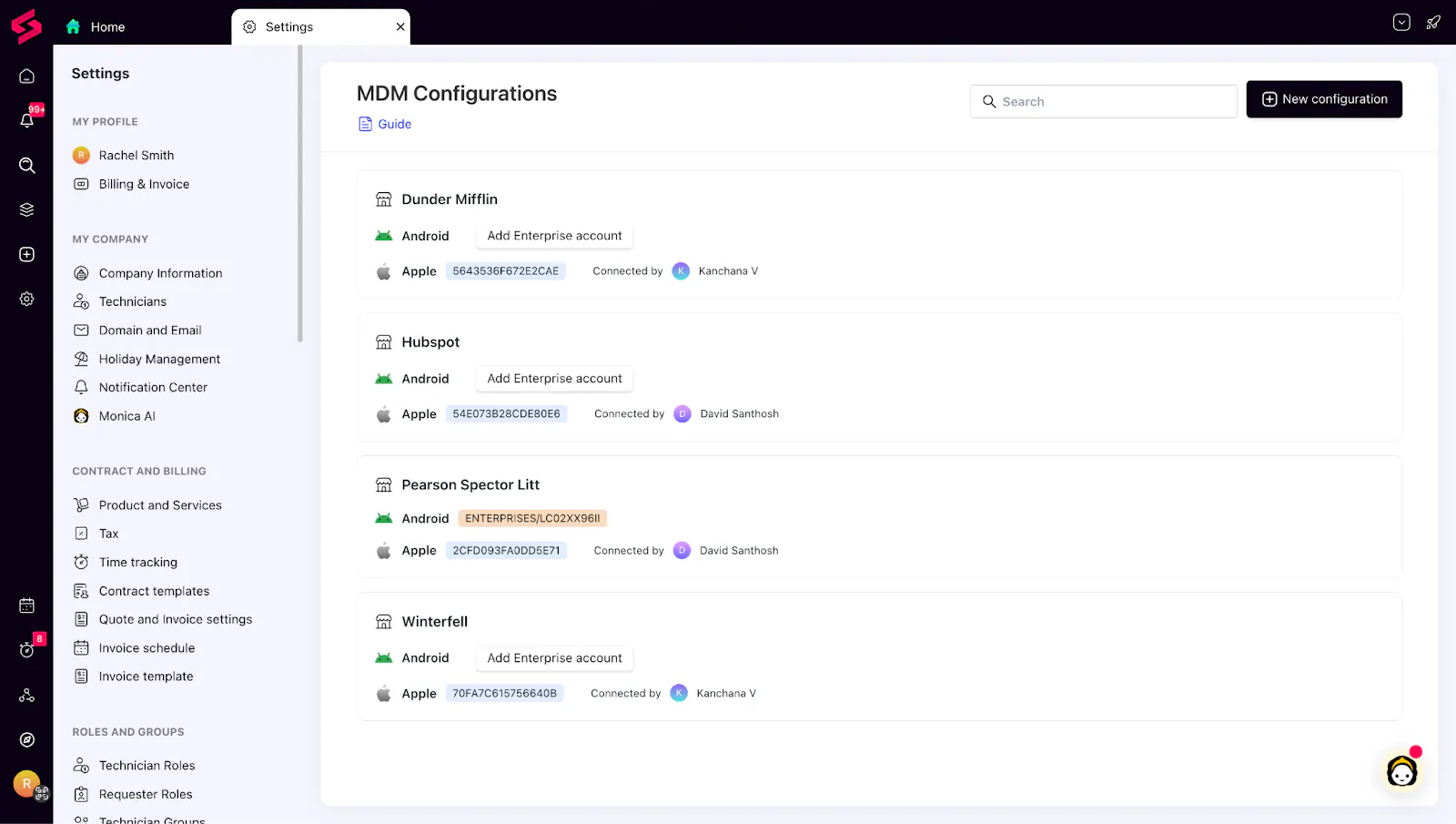
With consistent policy controls, real-time visibility, AI-powered automation, and flexible enrollment methods, MSPs get a scalable, modern approach to managing every endpoint their clients rely on.
Things we’ve improved:
Patching & Policy Improvements
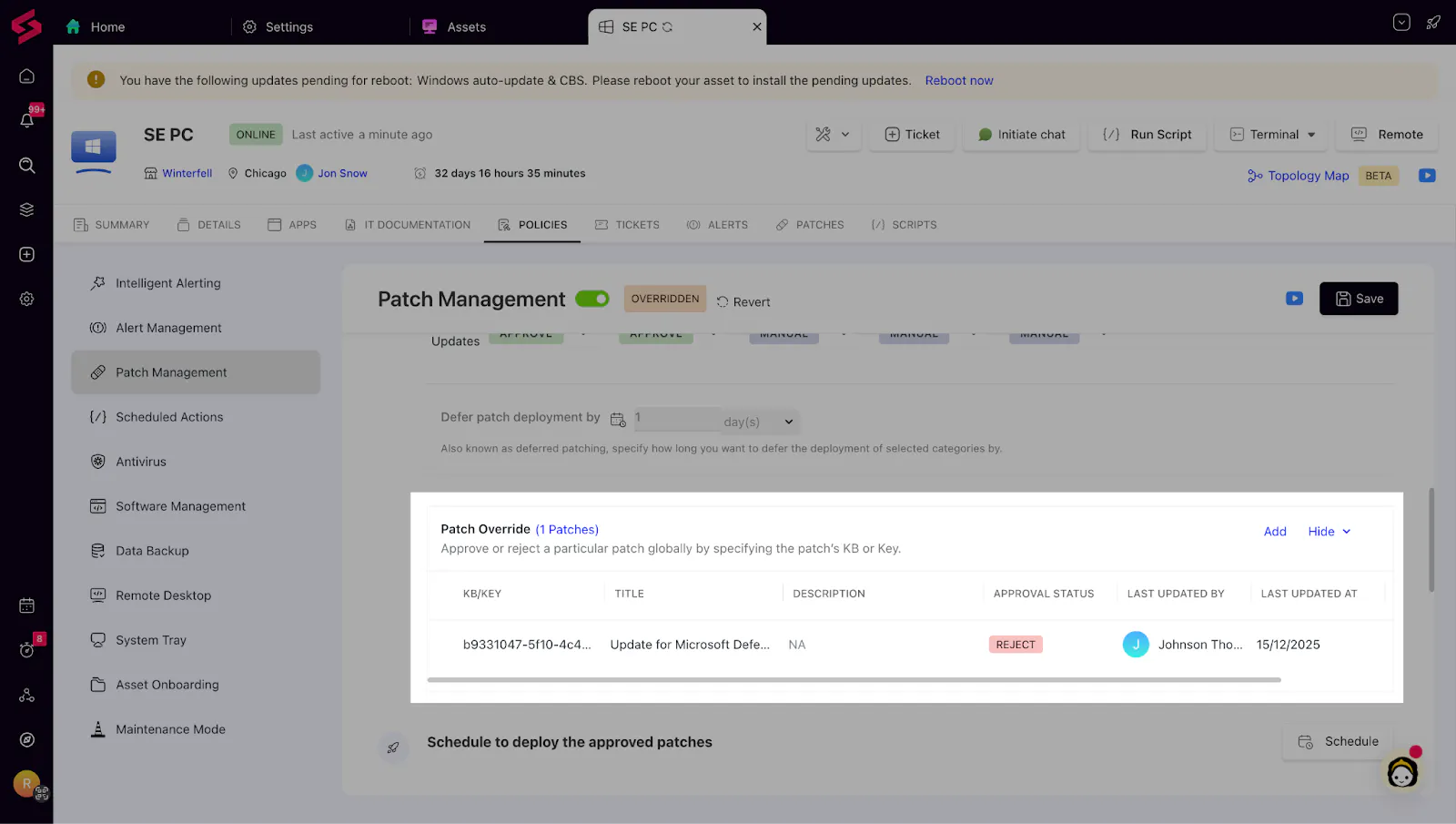
Patch name now visible in overrides: Wherever a KB/key appears in patch override approvals, the patch name/title is now displayed alongside it for quick identification.
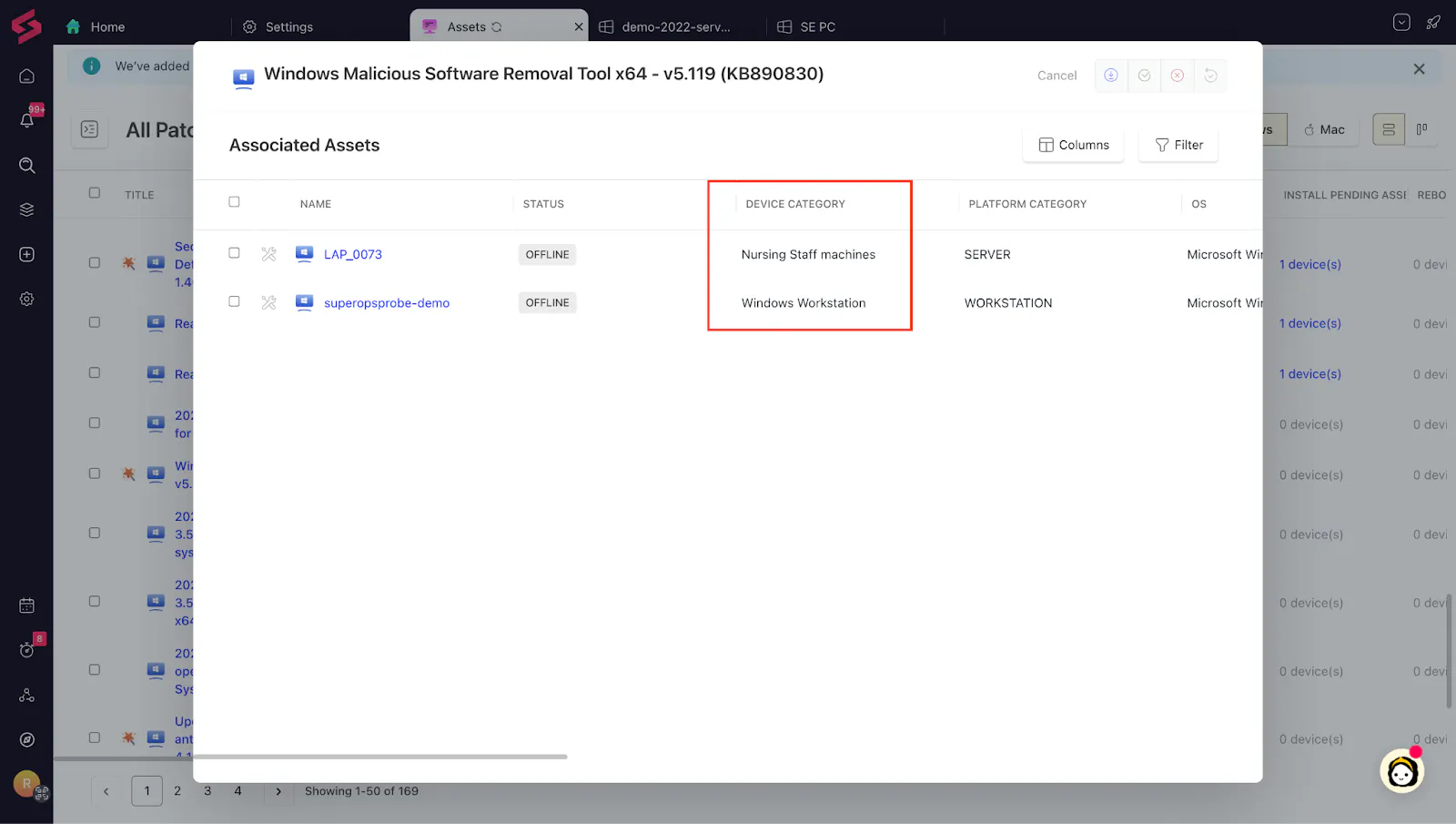
Device Category column in Associated Assets: In each patch’s Associated Assets list, you’ll now see a Device Category column to filter/scan impacted assets faster.
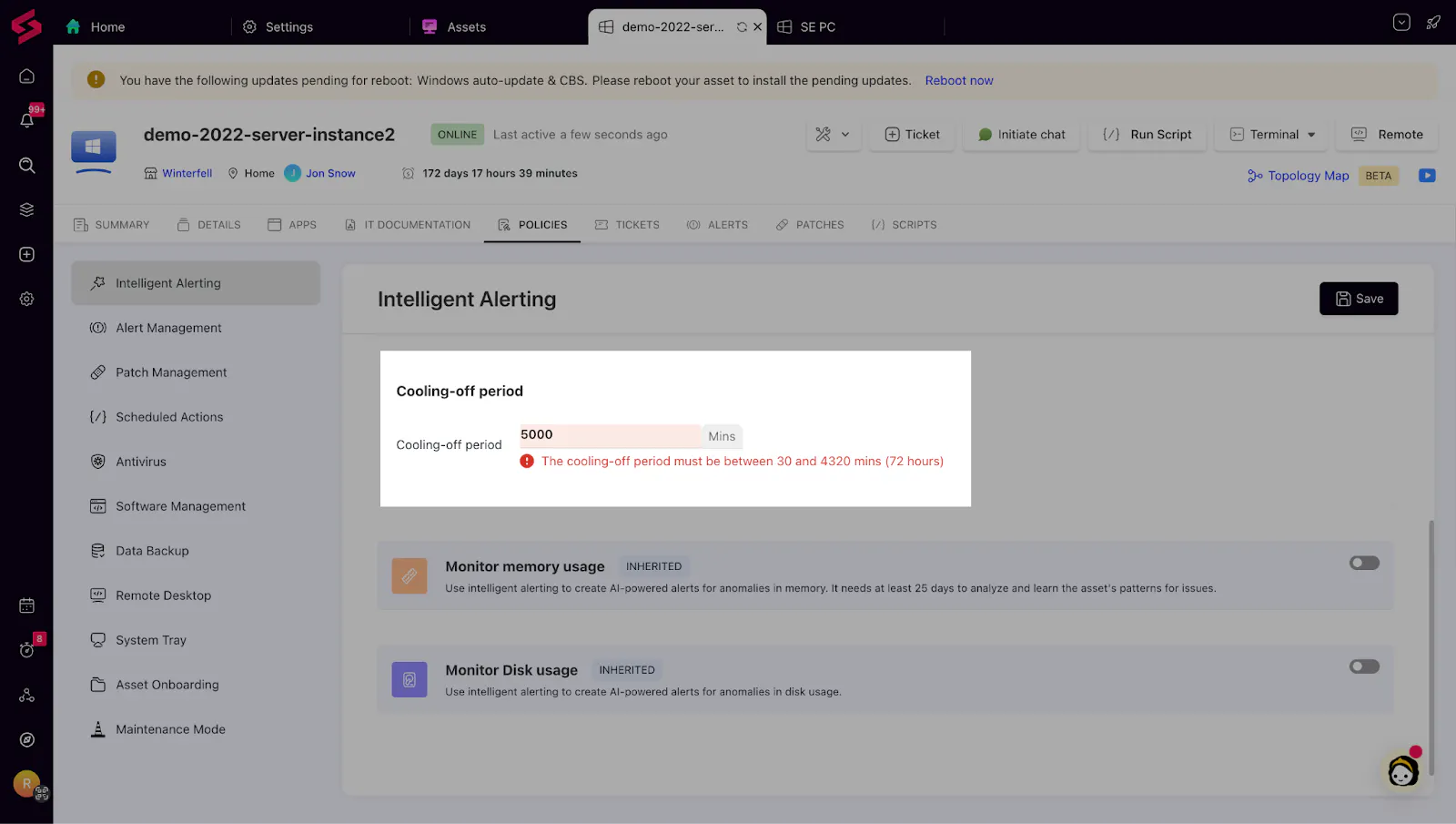
The maximum cooling-off period for alerts has been raised to 72 hours from 48 hours.
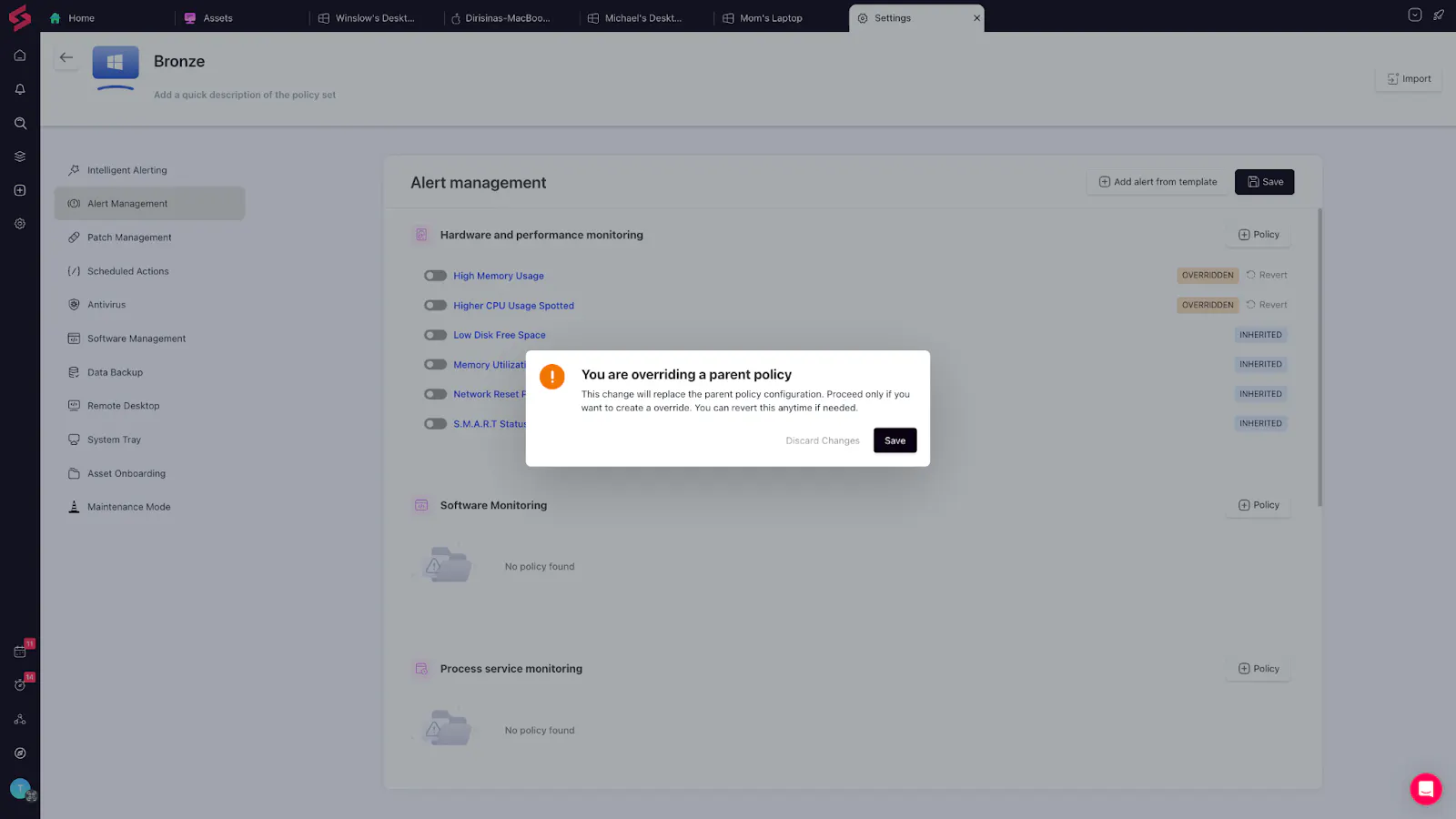
Policy Override Confirmation: When applying overrides, SuperOps now confirms the change to avoid accidental breaks in policy inheritance.
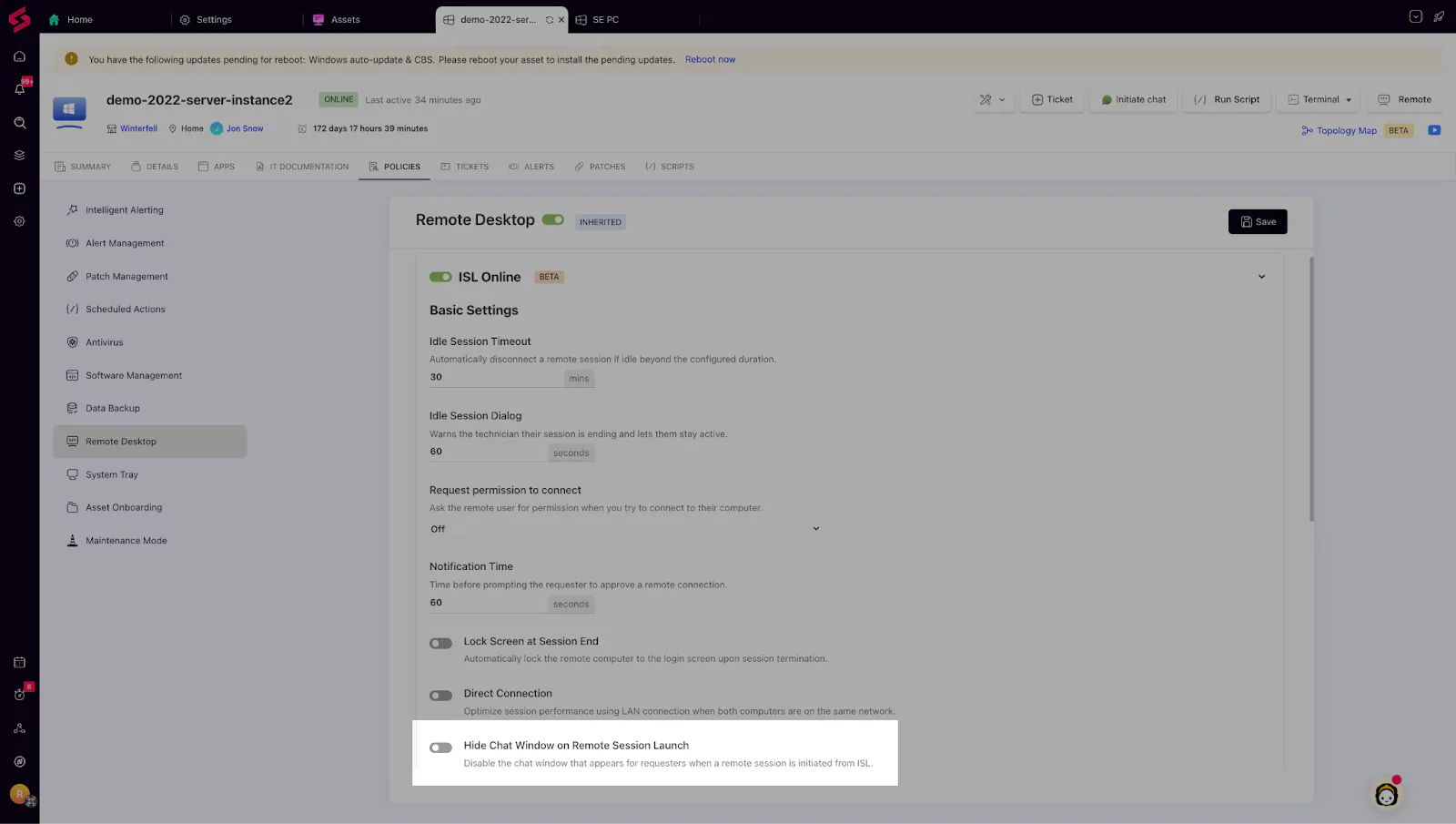
ISL Settings in Policy: Admins can now disable auto-pop-up of chat windows when technicians initiate remote sessions—giving a smoother experience for end users.
Asset Management & IT Documentation
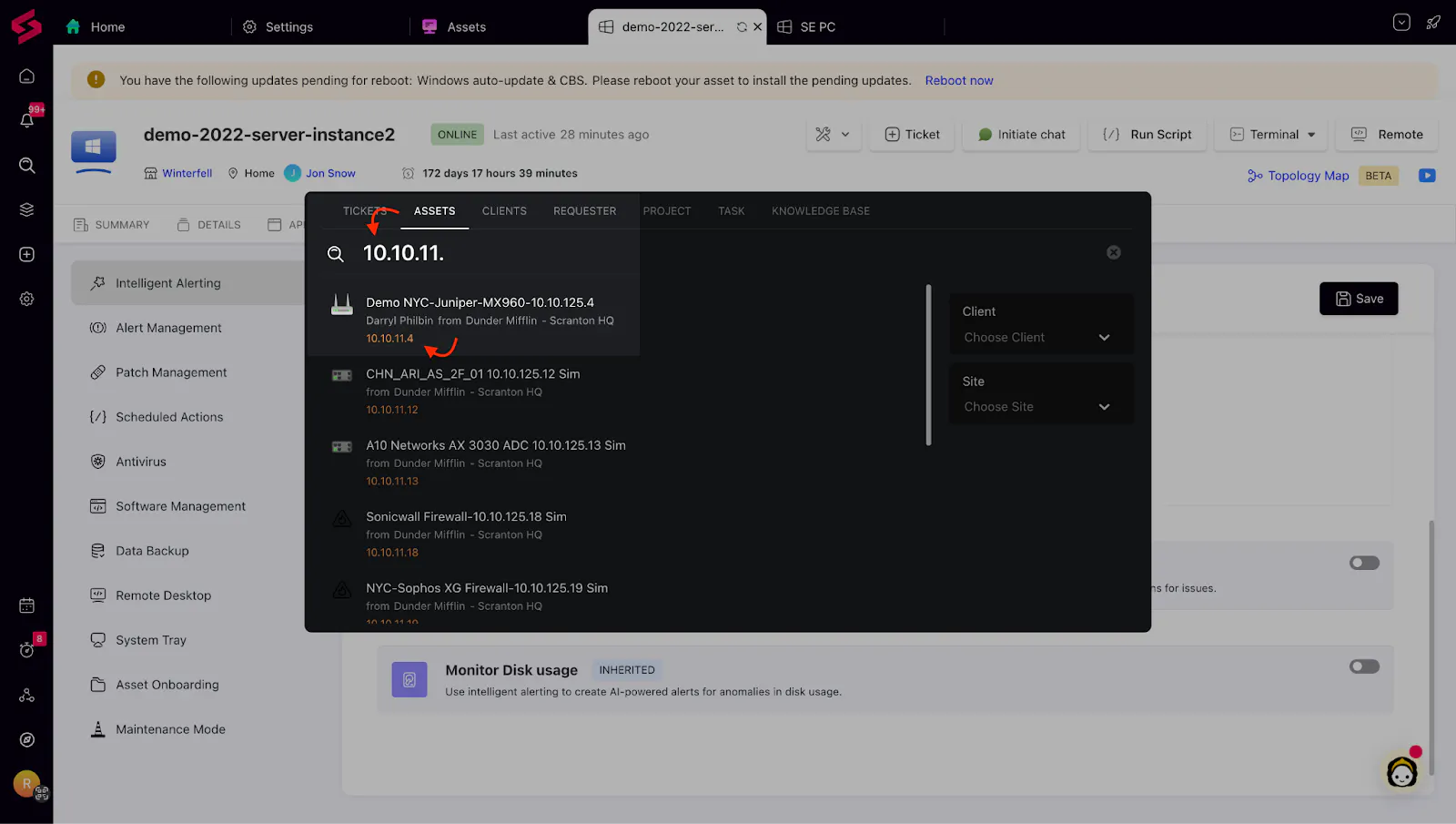
Search Assets by Private IP: Makes identifying devices significantly easier in environments where public IPs overlap or rotate.
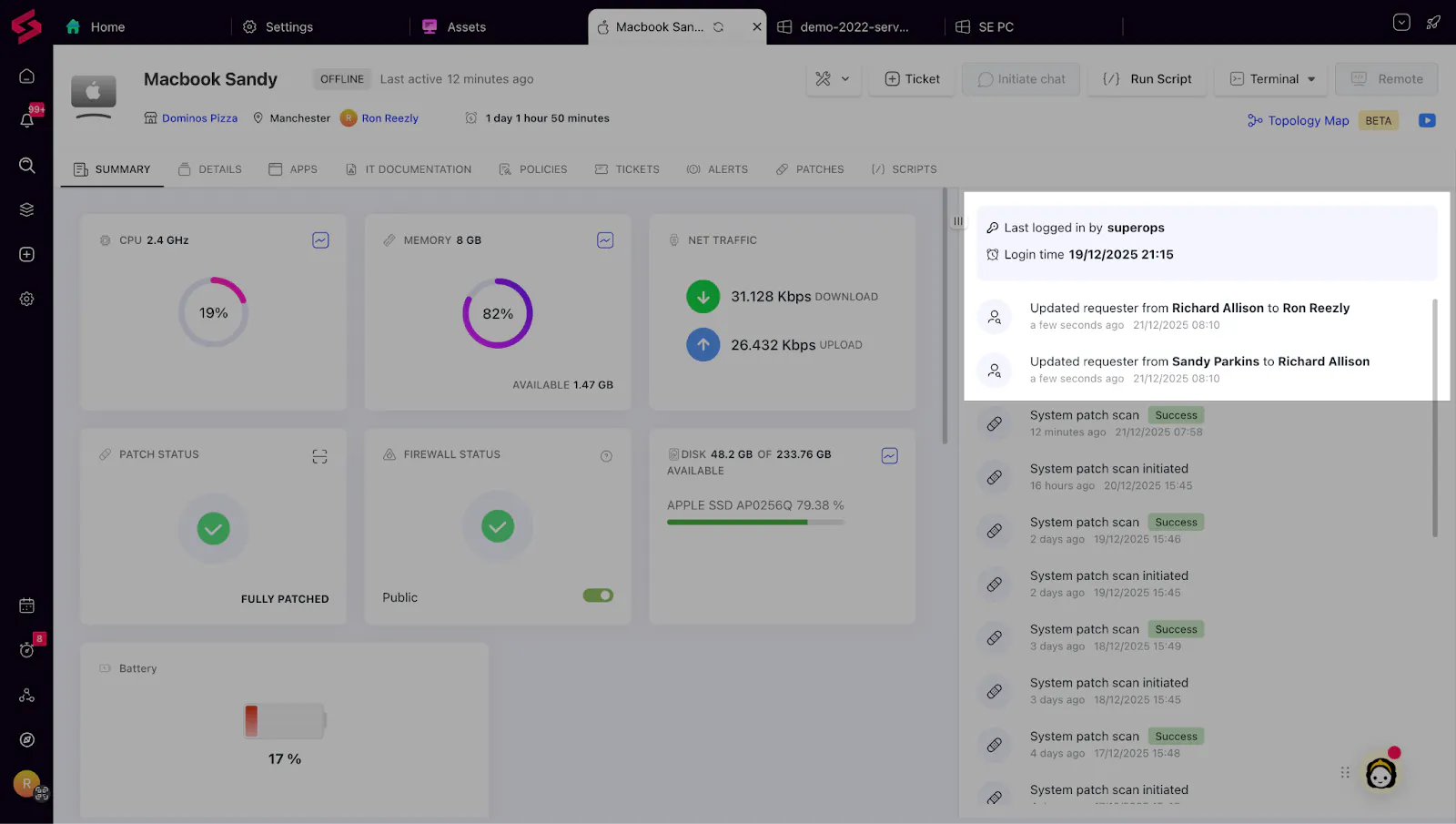
Requester Change Tracking in Asset Activity Log: Every update to an asset’s requester is now captured, improving accountability and giving technicians a clear history of responsibility changes.
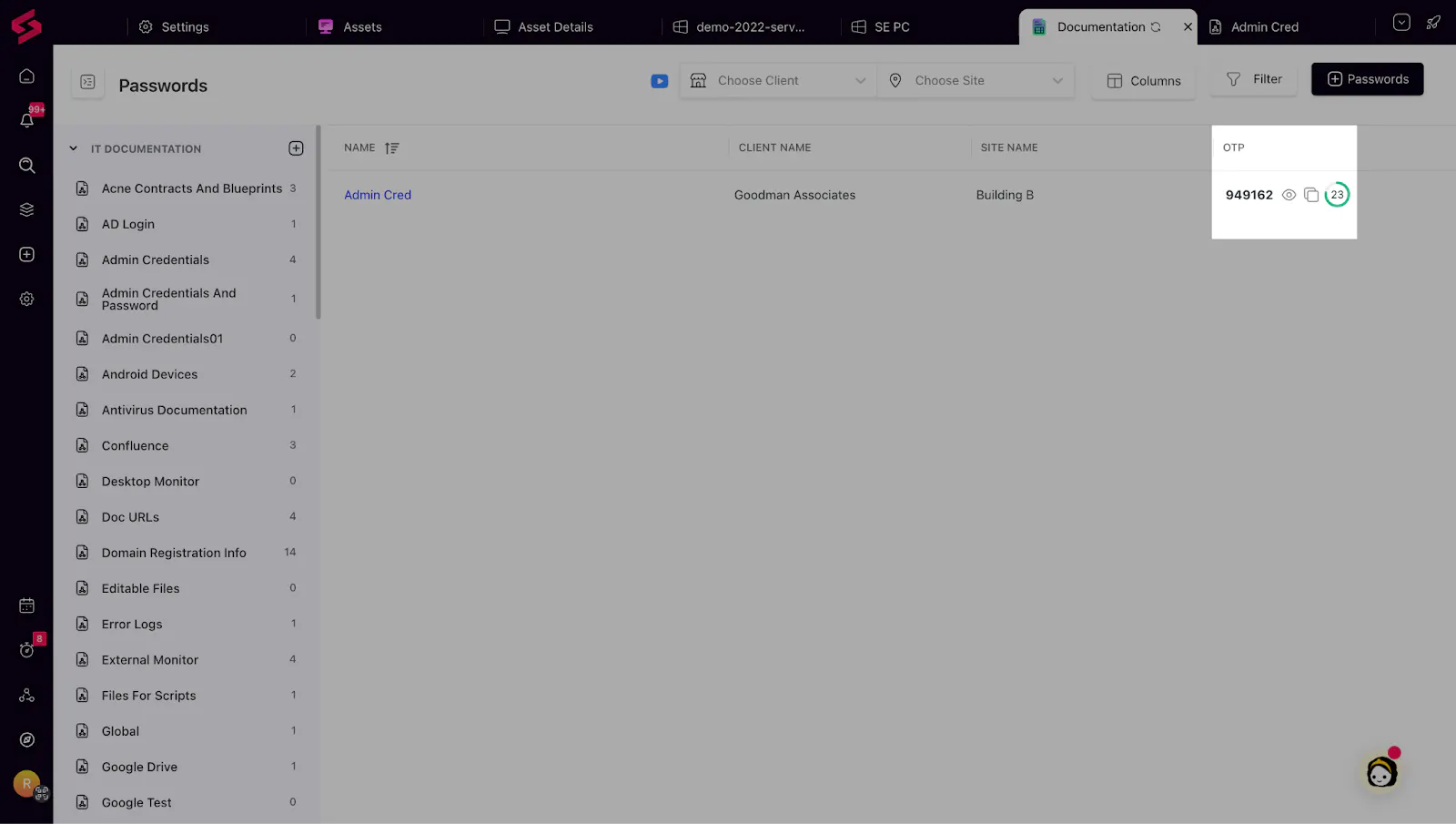
TOTP in IT Documentation: You can now securely store OTP tokens inside your documentation. With a 16-character secret key, technicians can generate TOTPs directly inside SuperOps—no external authenticator apps required. Tokens work seamlessly across web and mobile, ensuring secure and fast authentication into client systems.
CPU & RAM Details in Asset View Columns: CPU and RAM details are now available as selectable columns across Asset Views (Endpoints, Servers, and Inactive Assets) for Windows, Linux, and macOS devices.
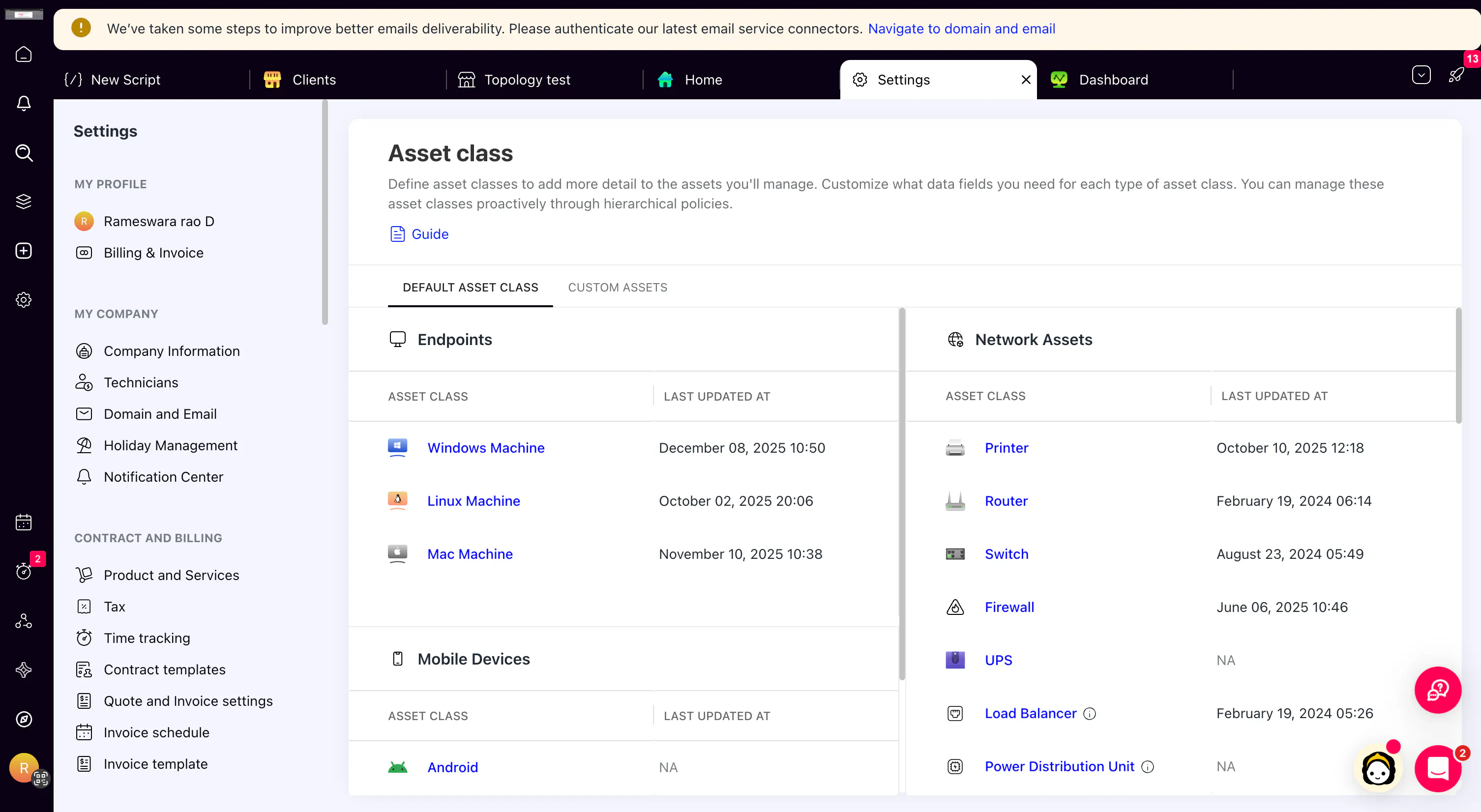
Separate Sections for Asset Class Types: Asset Classes are now organized into separate sections for Default Asset Classes and Custom Asset Classes, with clearer grouping across endpoints, network assets, mobile devices, and unmonitored assets.
Network Monitoring & Alerts
HTTP/HTTPS Reverse Proxy (Beta): Securely access client network devices over the web without VPNs or on-site presence. Technicians can remotely troubleshoot routers, switches, and other network devices using a secure HTTP/HTTPS proxy.
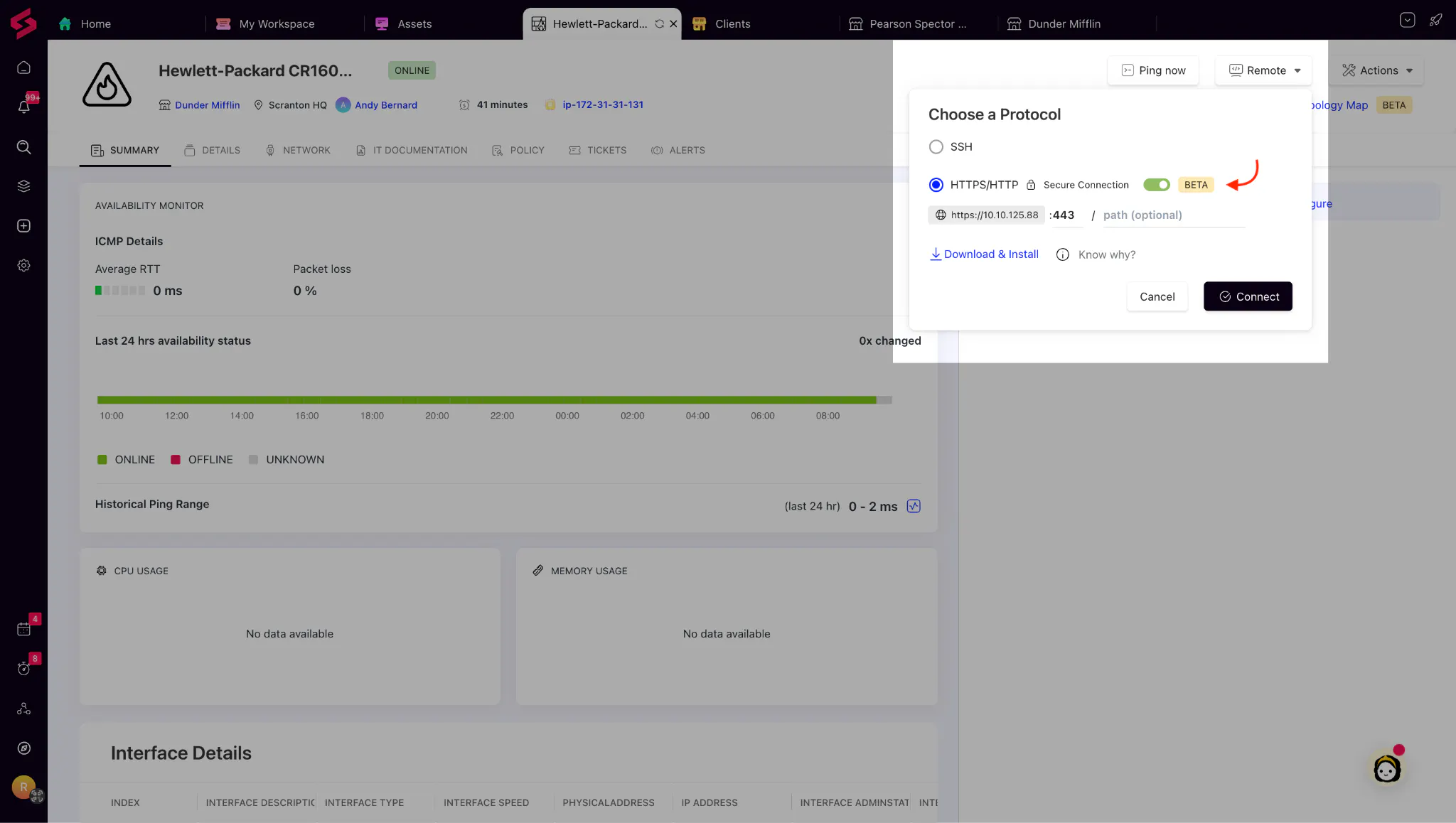
(Please note that this feature is currently available as a Beta rollout under the Network Monitoring add-on, for all plans that include Network Monitoring.)
North Star Topology Map – Asset-to-Internet Route: View the complete network route from a specific asset to the Internet subnet directly from the Assets page, including intermediate hops.
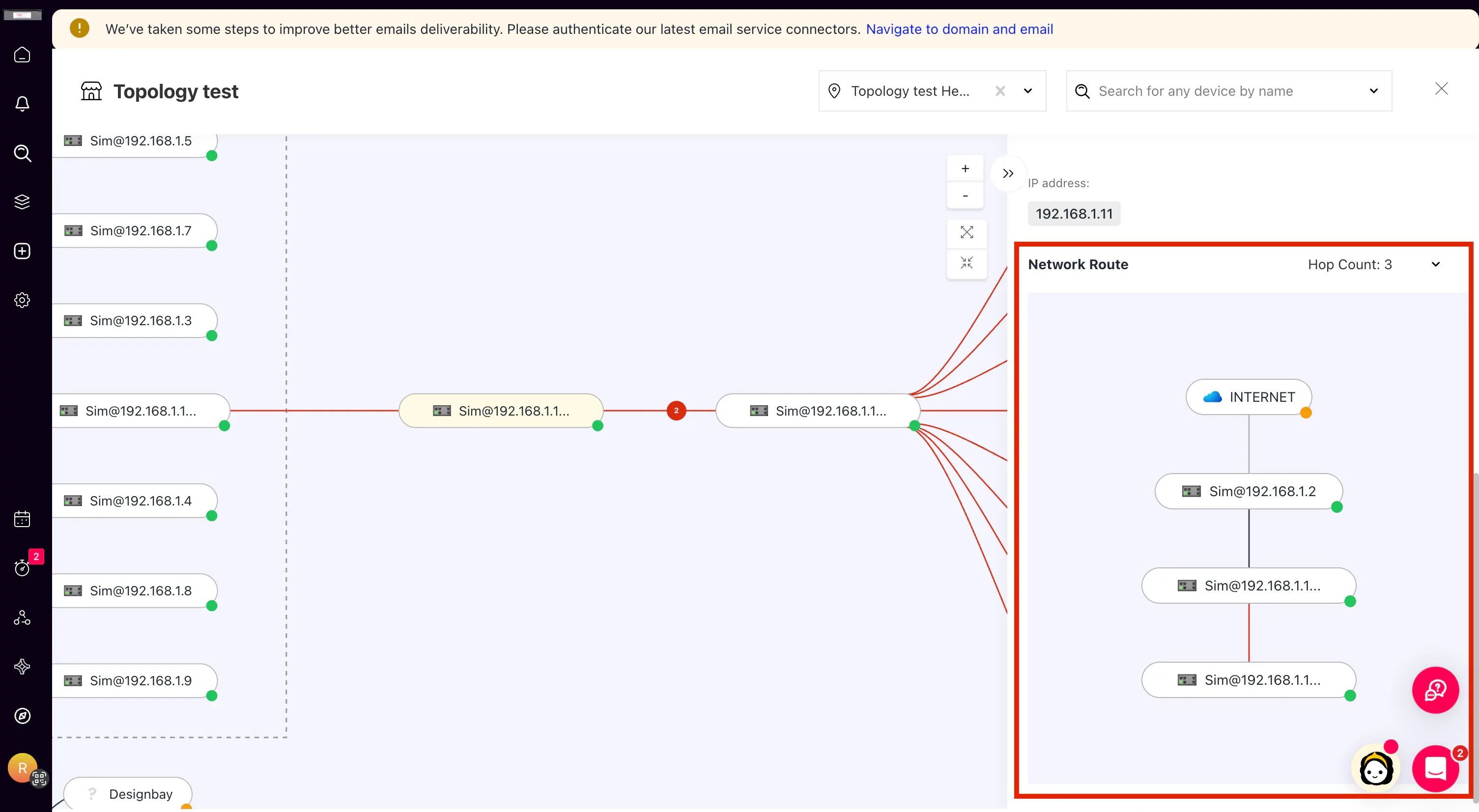
(Available on all plans with the Network Monitoring add-on.)
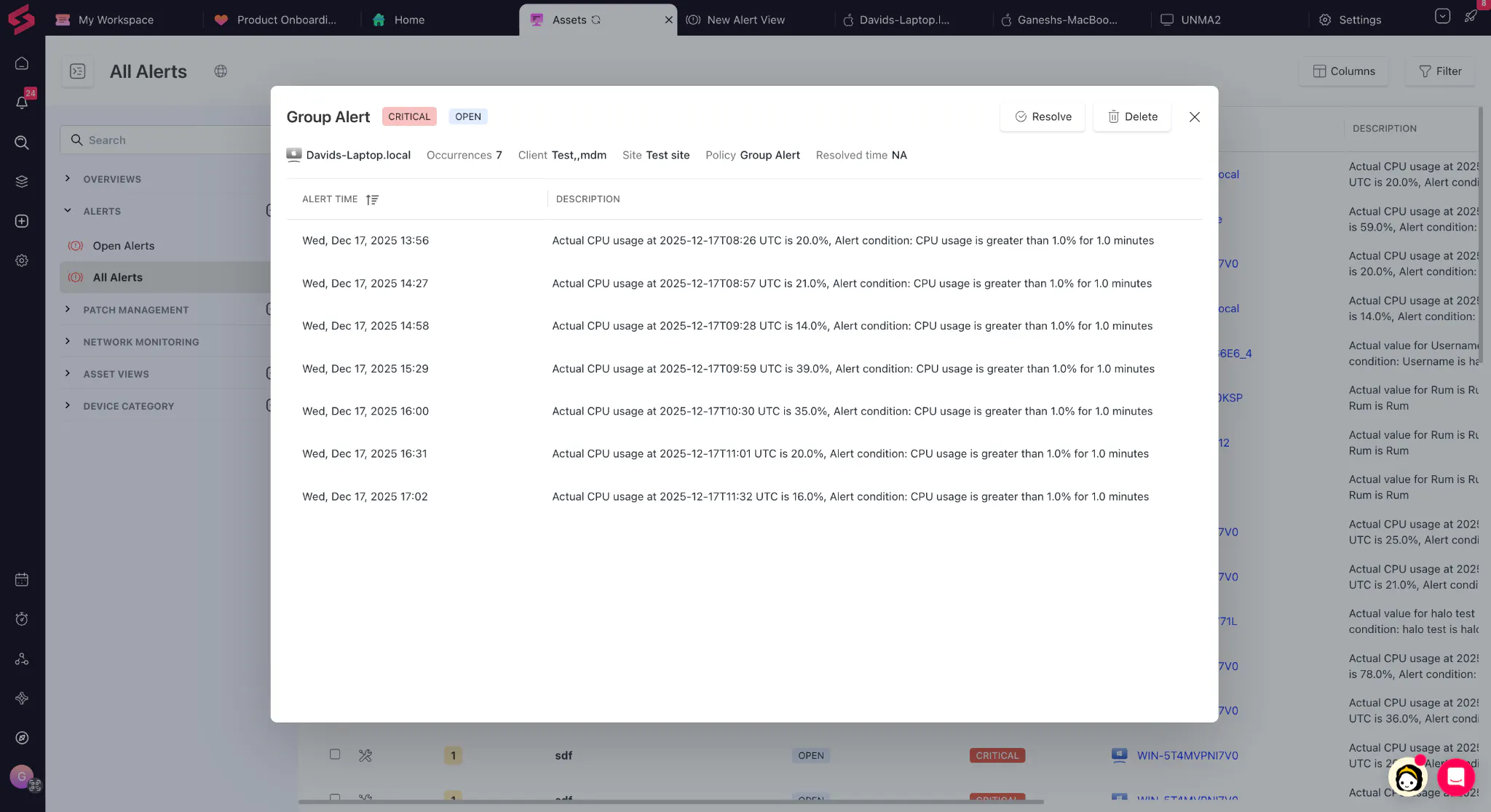
Alert Grouping for Repeated Alerts: When the same alert reoccurs for an asset after the cooling-off period, it is grouped into the existing alert instead of creating a new one. Each repeat is logged as an occurrence with updated timestamps and counts.
PSA Improvements
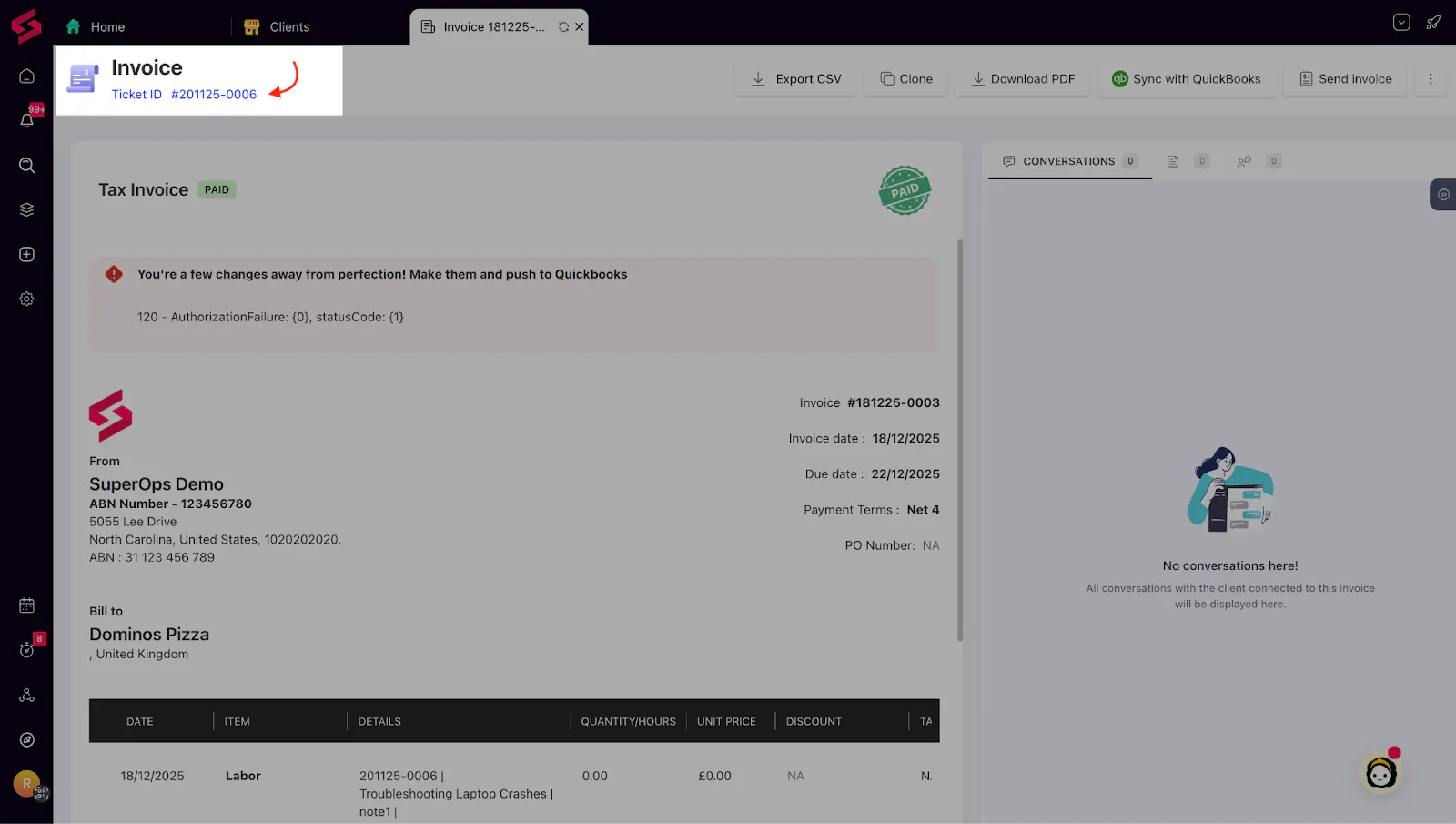
Ticket/Project in Billing & Quoting visibility: Invoices and quotes now stay linked to the exact ticket or project they originated from. This gives you a clean audit trail, easier billing reviews, and alignment between sales and service
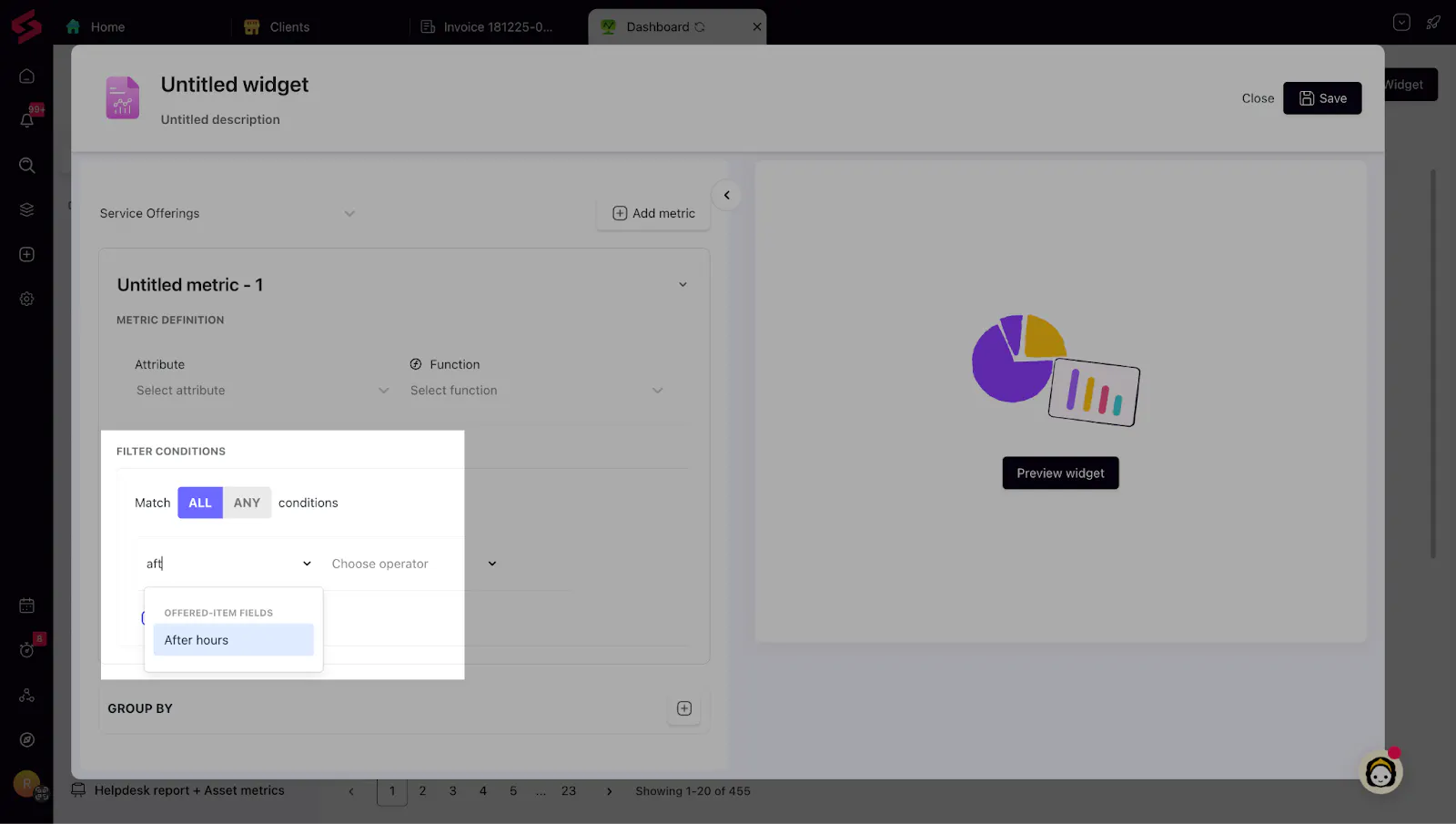
After-Hours Time Logged in reports: Clearly distinguish work done outside business hours — overtime, weekends, urgent response, etc. Makes conversations about after-hours billing more transparent and policy enforcement easier.
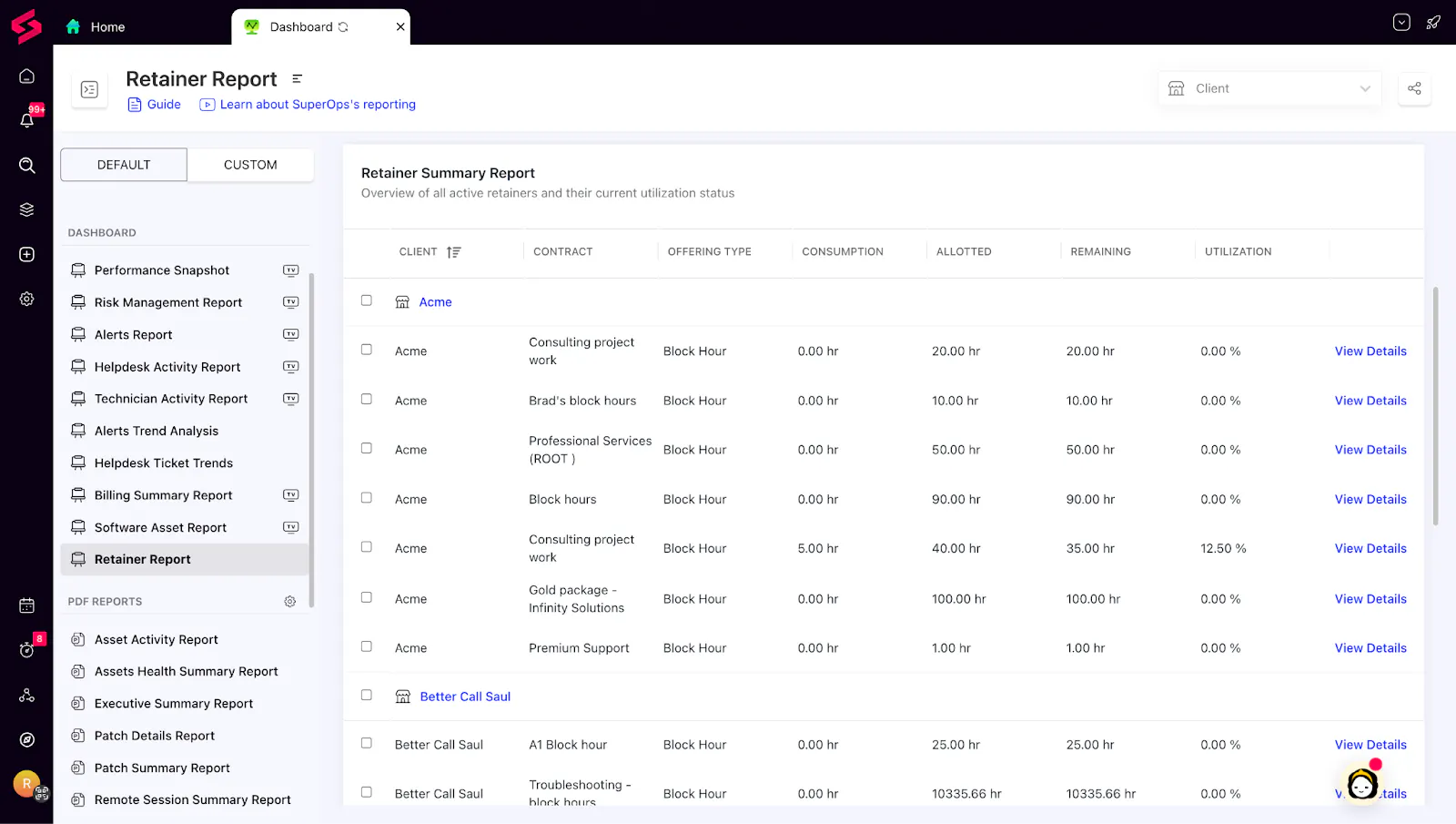
Retainer Summary Report: A brand-new report showing usage and remaining value for block hours/block money retainers. Helps MSPs justify renewals, prevent overuse, and give clients clarity on consumption.
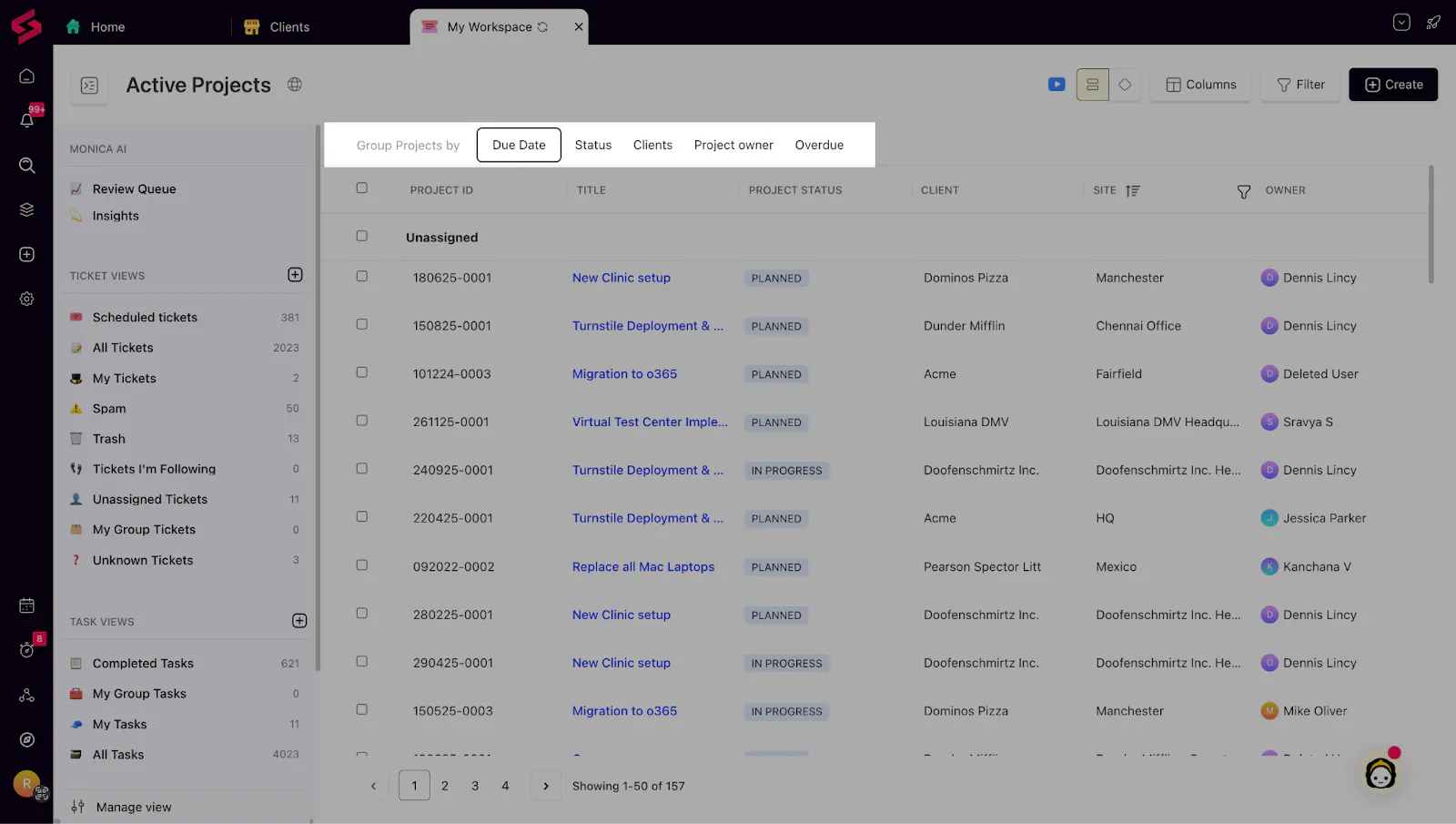
Projects Table View: A new, powerful table layout that lets you scan large project lists, compare deadlines, understand workload across clients or project managers, and export the data when needed.
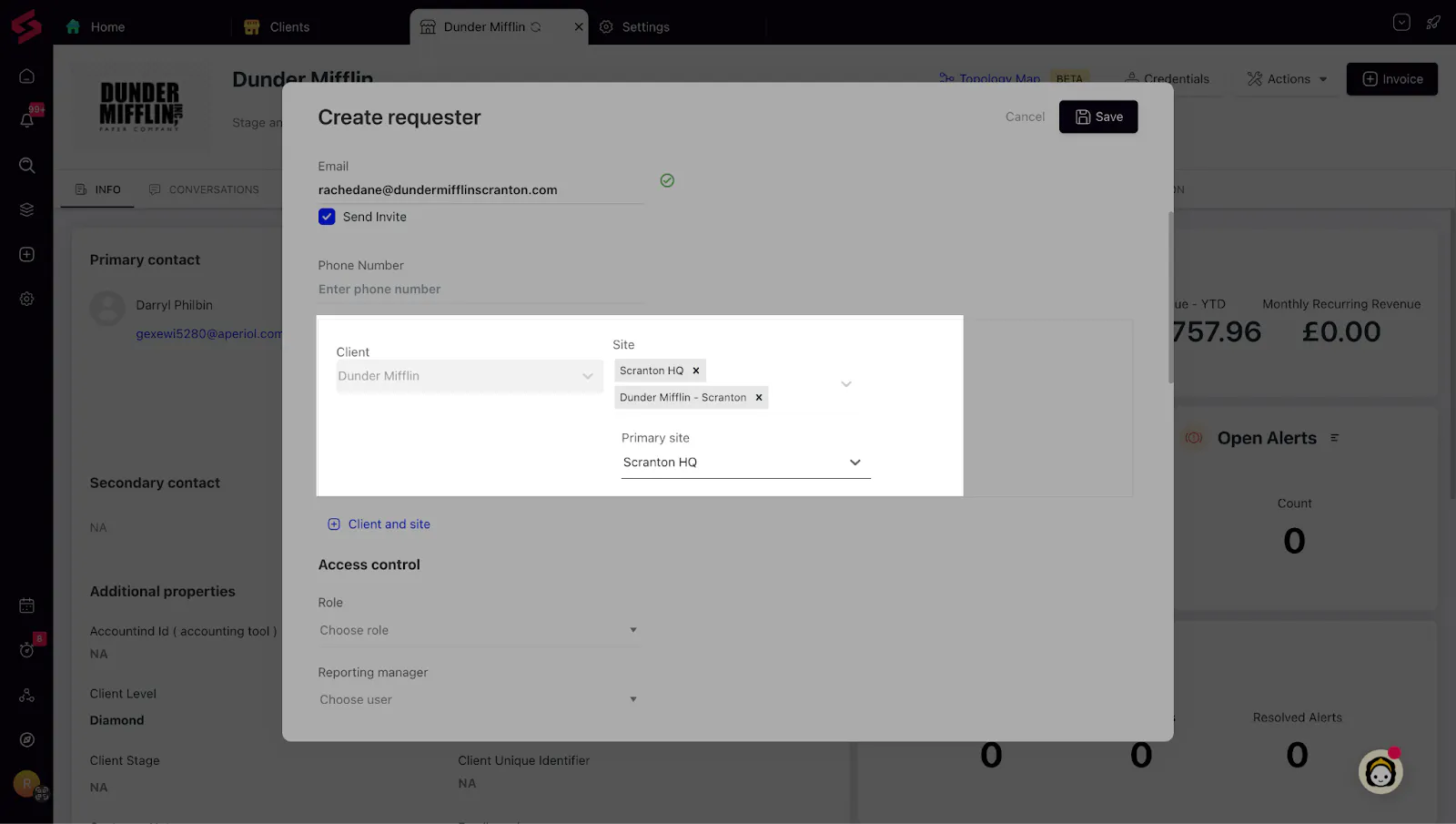
Requester → Multiple Site Mapping: Requesters can now be assigned to multiple sites with a designated primary site—a major improvement for MSPs working with multi-location organizations.
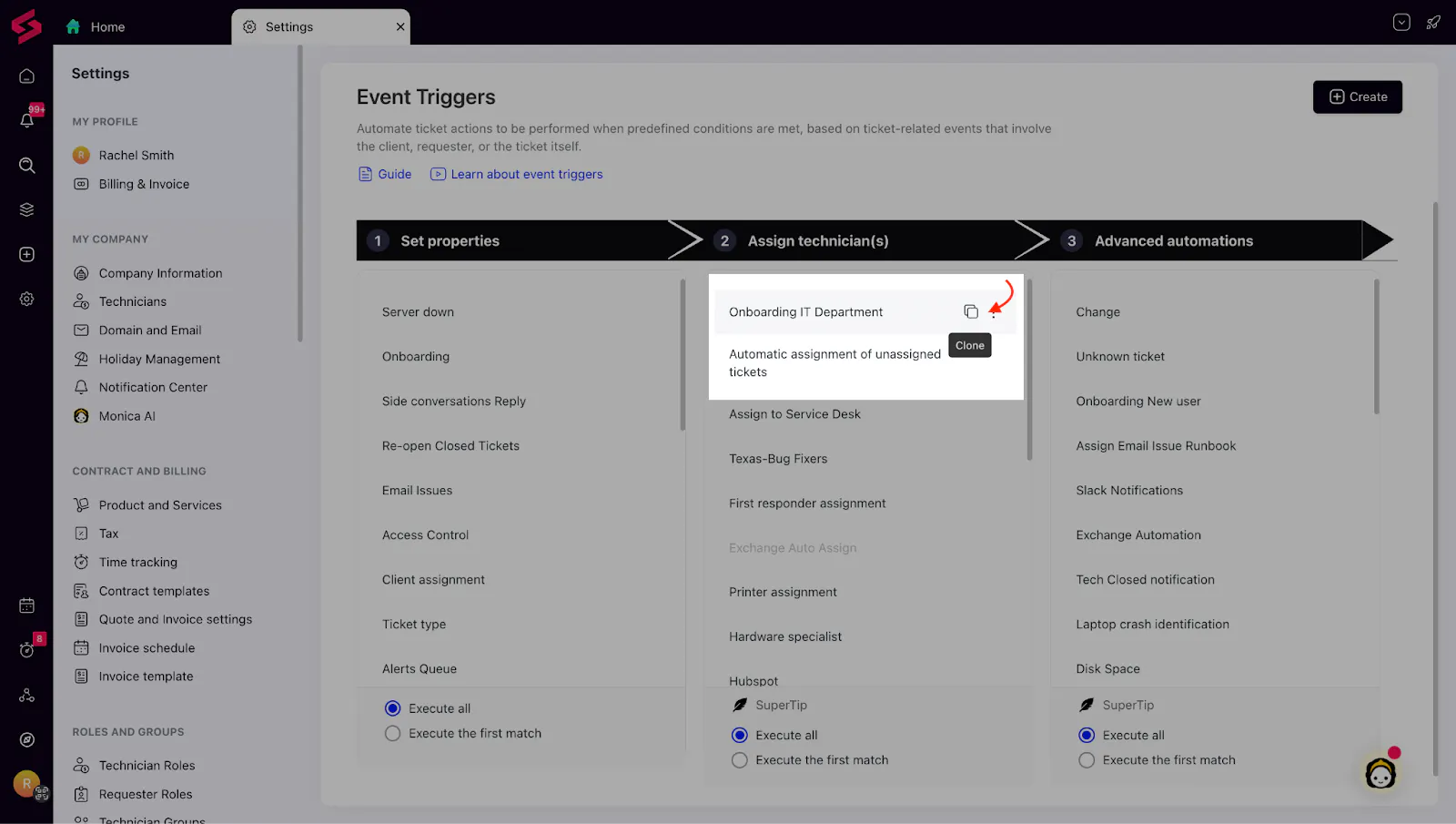
Clone Event Trigger: Build automation faster by duplicating an existing trigger with one click instead of starting from scratch.
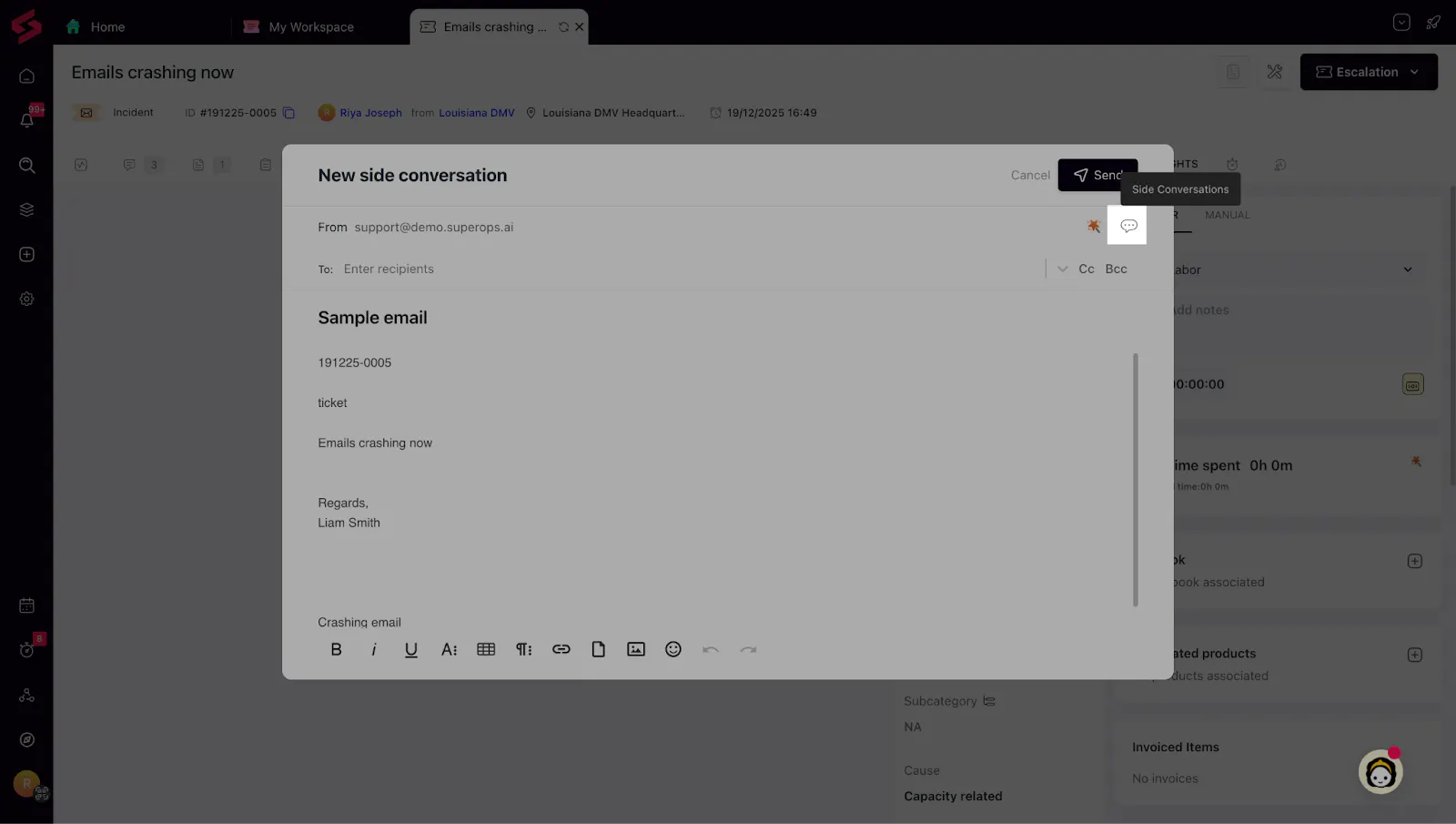
Side Conversation Templates: You can now choose from multiple side conversation templates directly from the composer. The default template auto-loads, but technicians can switch templates based on the situation.
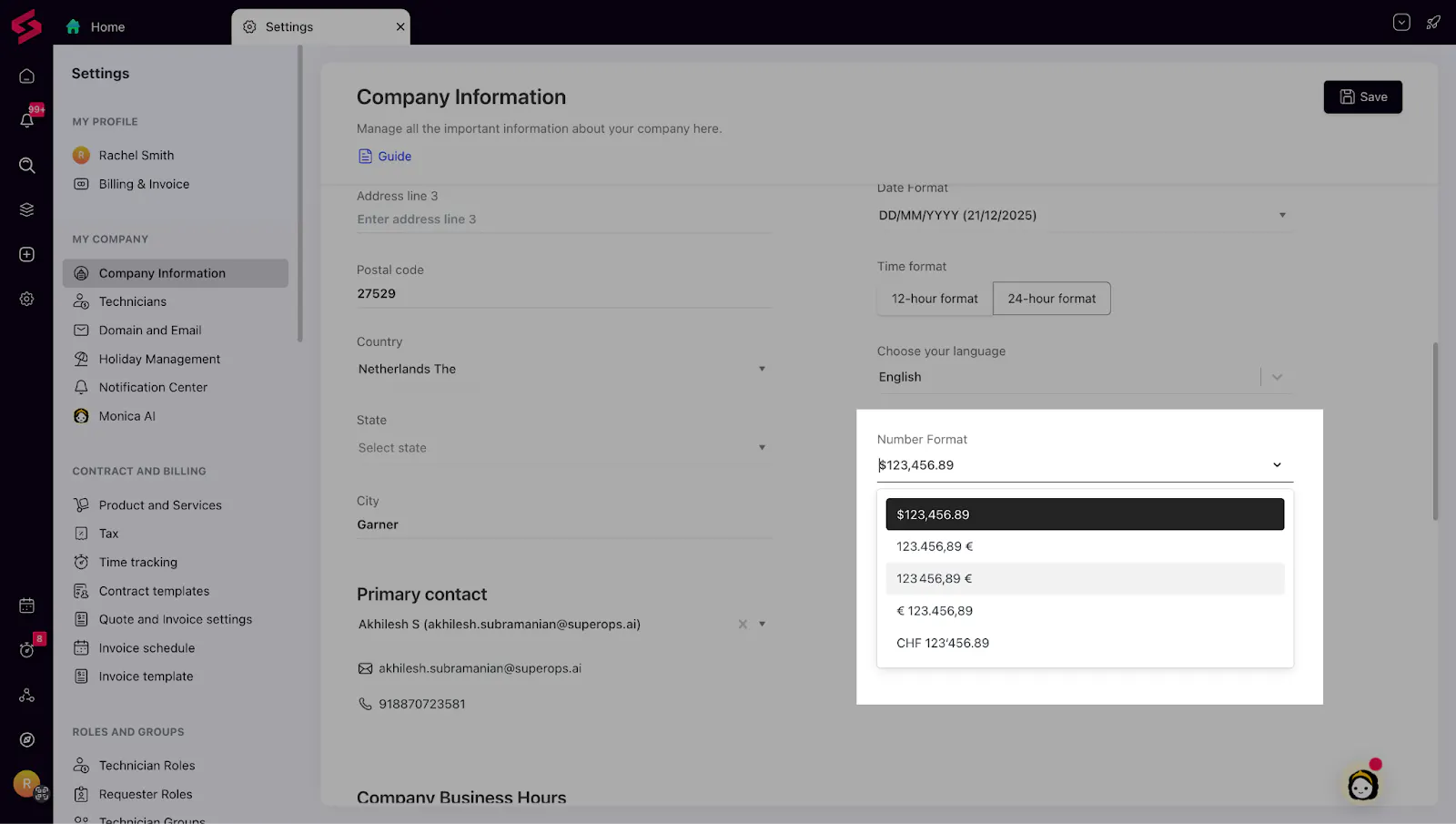
EU Number Format Support: Users in EU & LATAM can now view currency and numbers in the format they’re accustomed to — improving usability and reducing confusion.
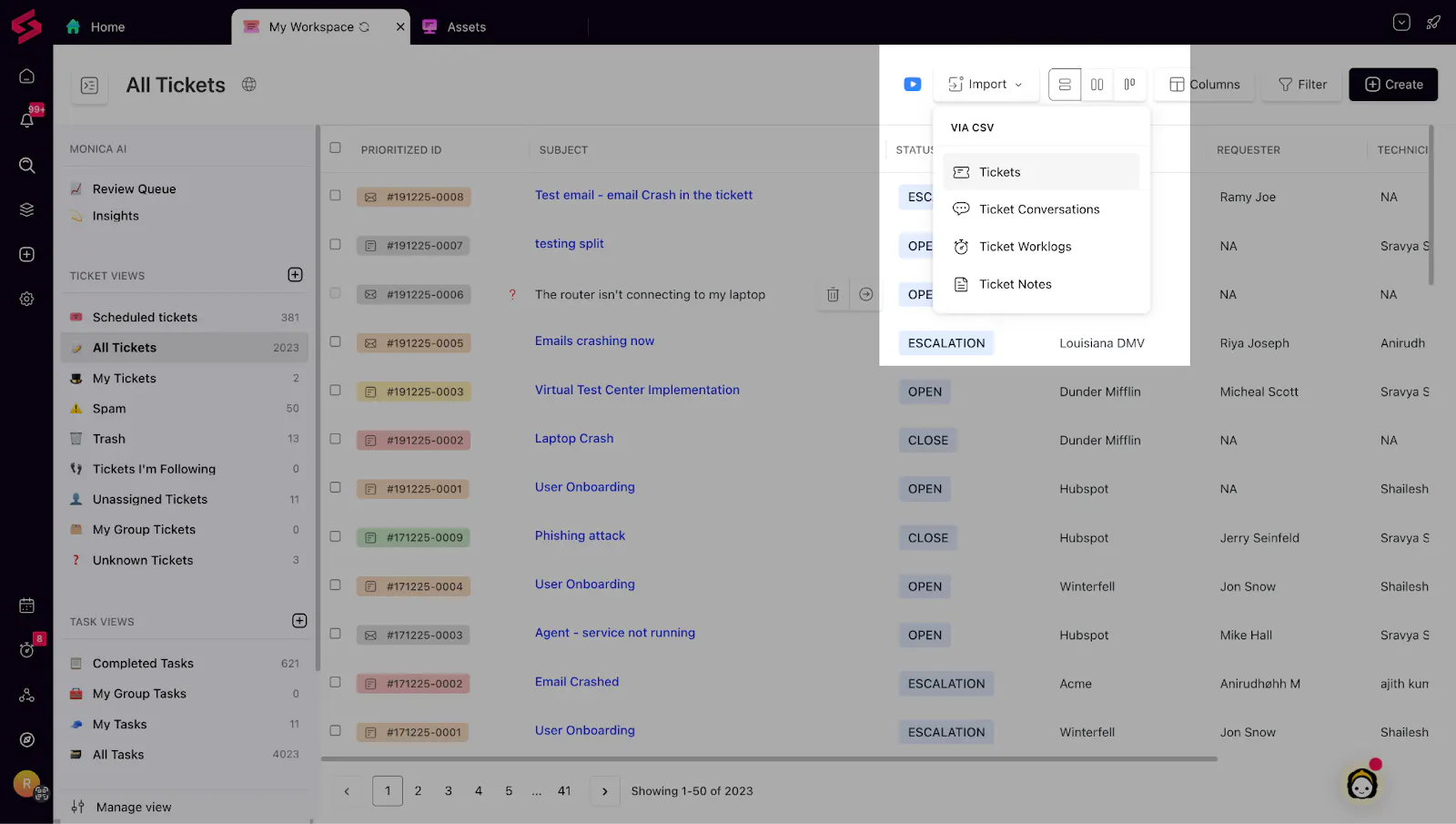
Visible Migrate / Import Options: Import actions are now available directly inside key modules like Clients, Tickets, Assets, and Subscriptions, making data migration easier to find and helping trial users get started faster.
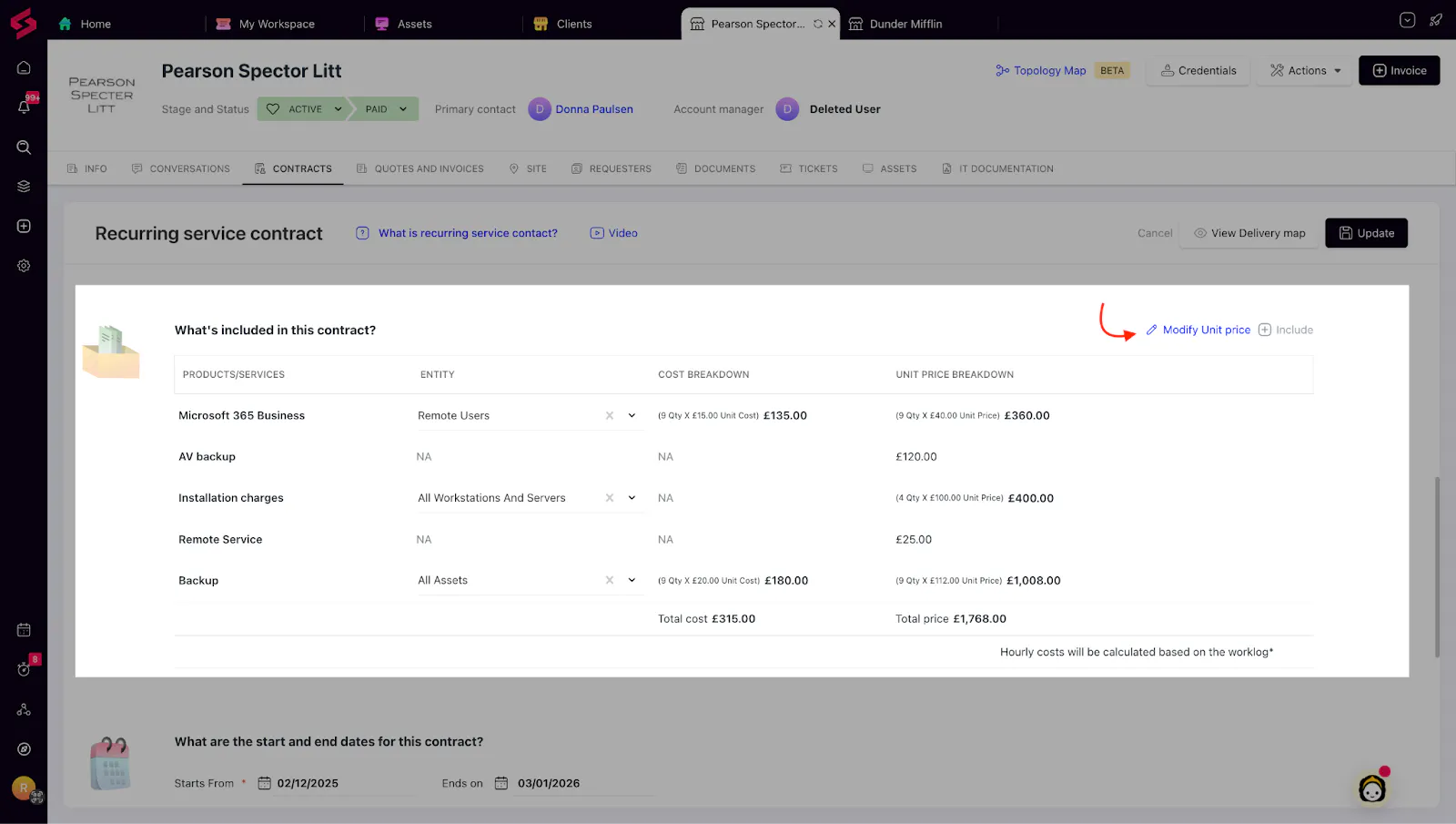
Item-Level Price Override in Contracts: You can now override unit prices for individual products or services directly within a contract under a variable pricing model without creating duplicate catalog items.
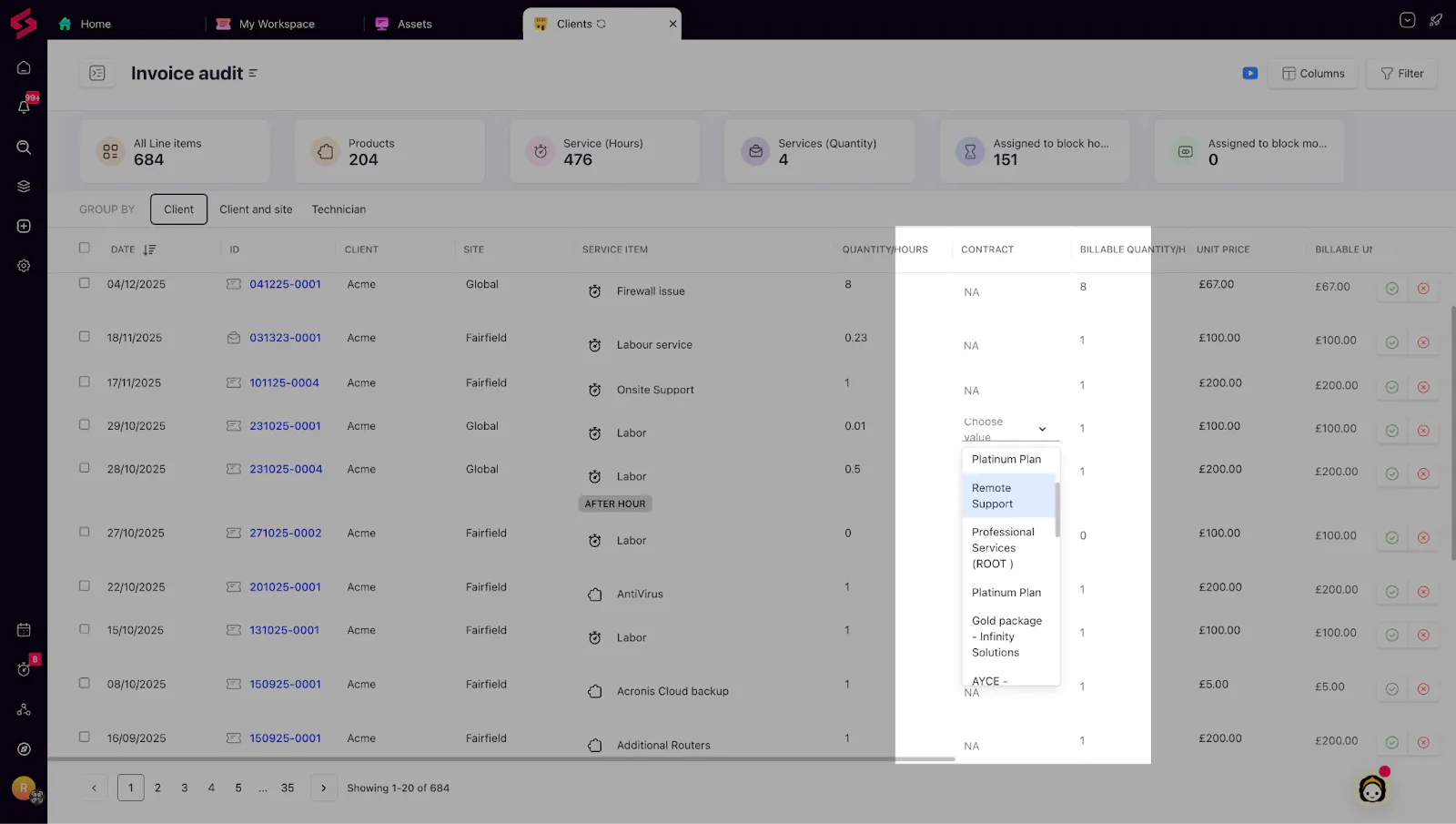
Change Associated Contract from Invoice Audit: Billing managers can now change the contract linked to a line item directly from the Invoice Audit screen, making billing corrections faster and more transparent.