


What’s New:
For IT Teams:
Mobile Device Management (MDM): Our brand-new Mobile Device Management (MDM) module is now live for IT teams. This launch expands SuperOps into a complete Unified Endpoint Management (UEM) solution, bringing mobile devices into the same management framework as your other endpoints.
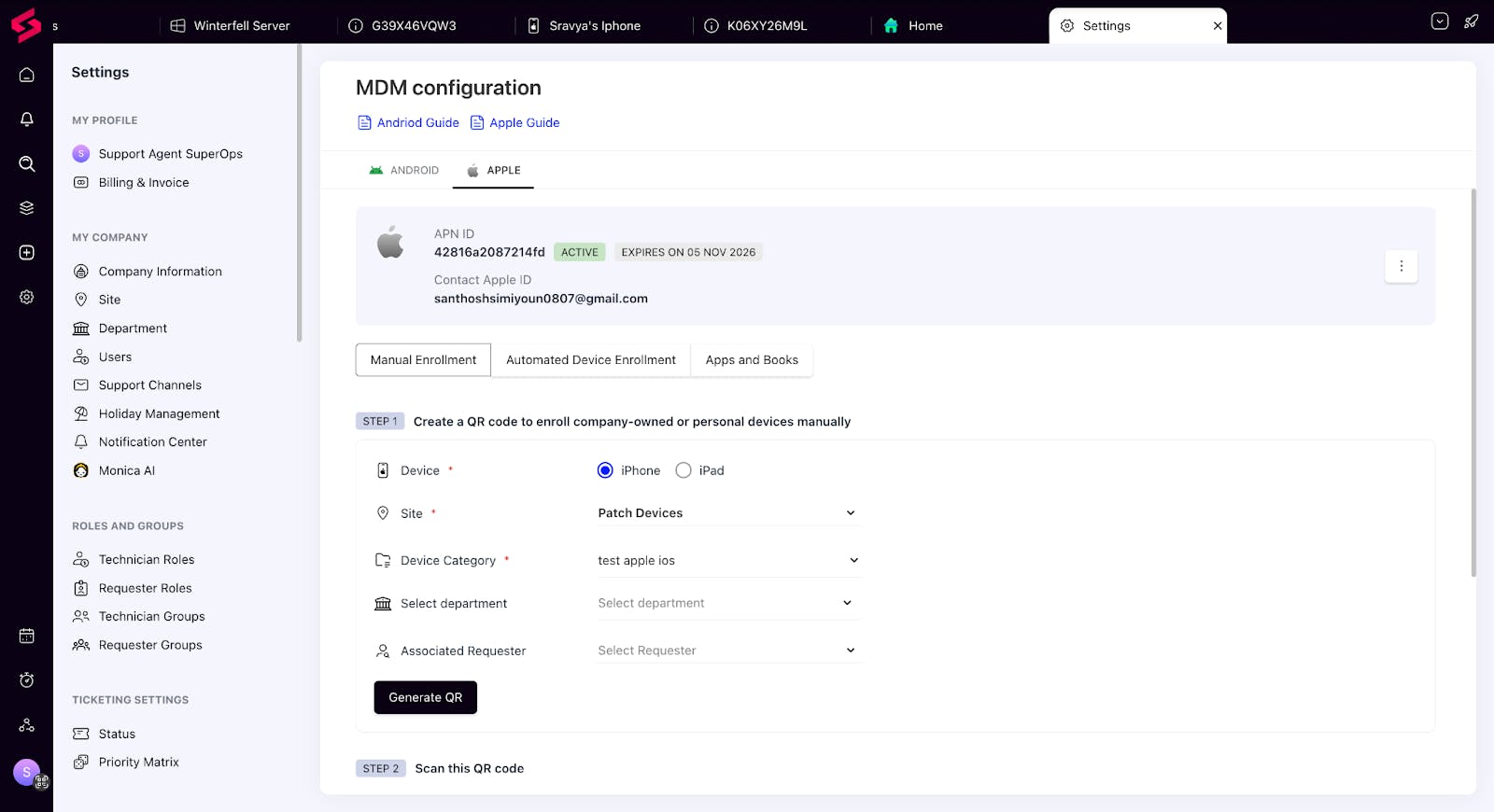
IT teams can now manage, secure, and monitor all endpoints — mobile and desktop — from one unified platform. With AI-powered automation, consistent policy control, and deep visibility, SuperOps continues its evolution as the operating system for IT teams.
SLA Settings: Site-Level or Organization-Wide: You now have the flexibility to set business hours either at the organization (HQ) level or per site under SLA configurations. This ensures accurate SLA tracking across distributed teams and sites—no matter how your IT operations are structured.

For MSPs:
Invoice Templates: You can now create professional, branded, and client-specific invoices directly within SuperOps. With the new Invoice Templates feature, MSPs have complete flexibility over how invoices look and what data they include.
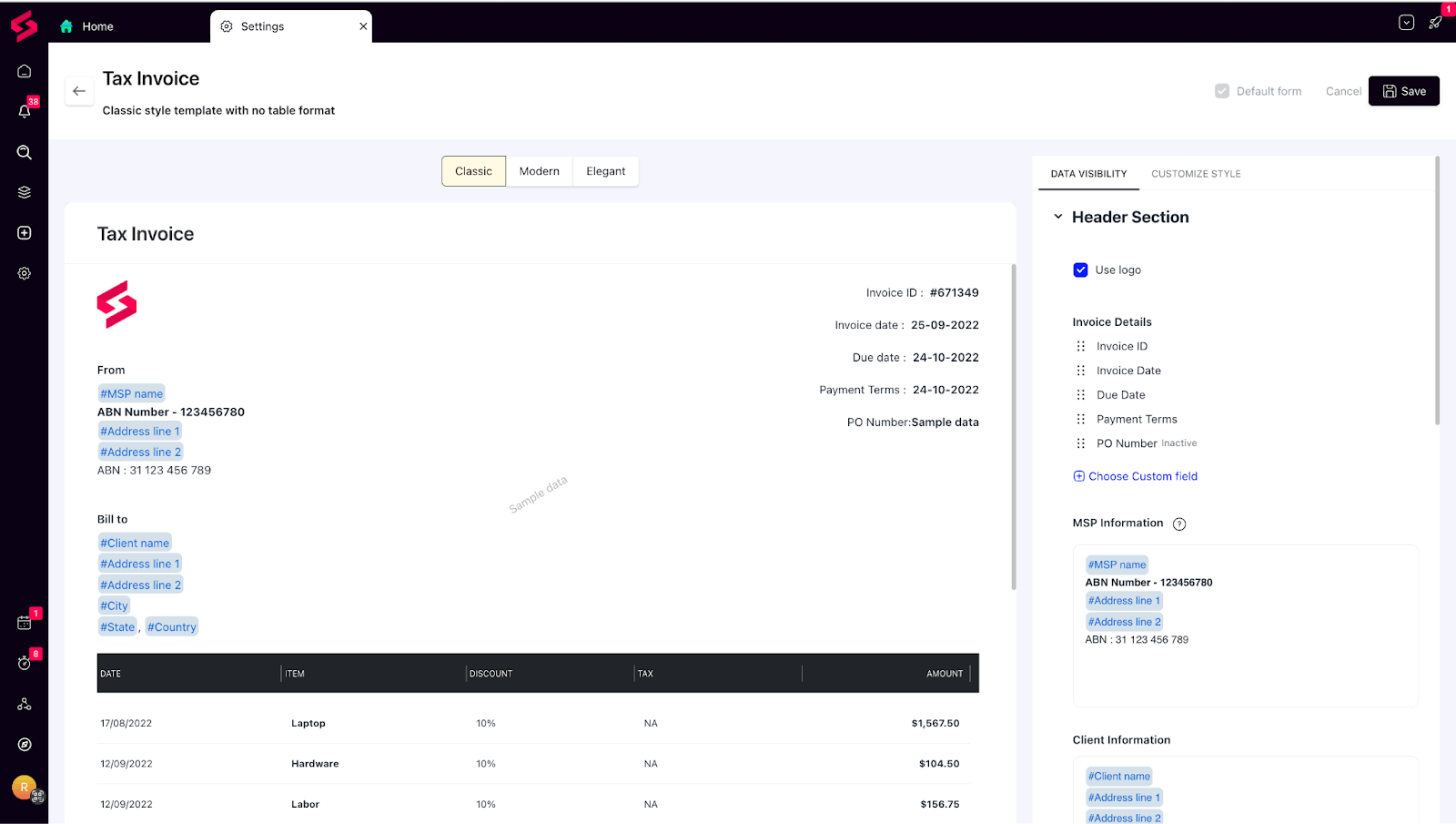
Build multiple templates with unique layouts and data visibility options, add “Ship To” and “Bill To” addresses, customize watermarks and brand colors, and send e-invoices right from SuperOps.
For MSP and IT users:
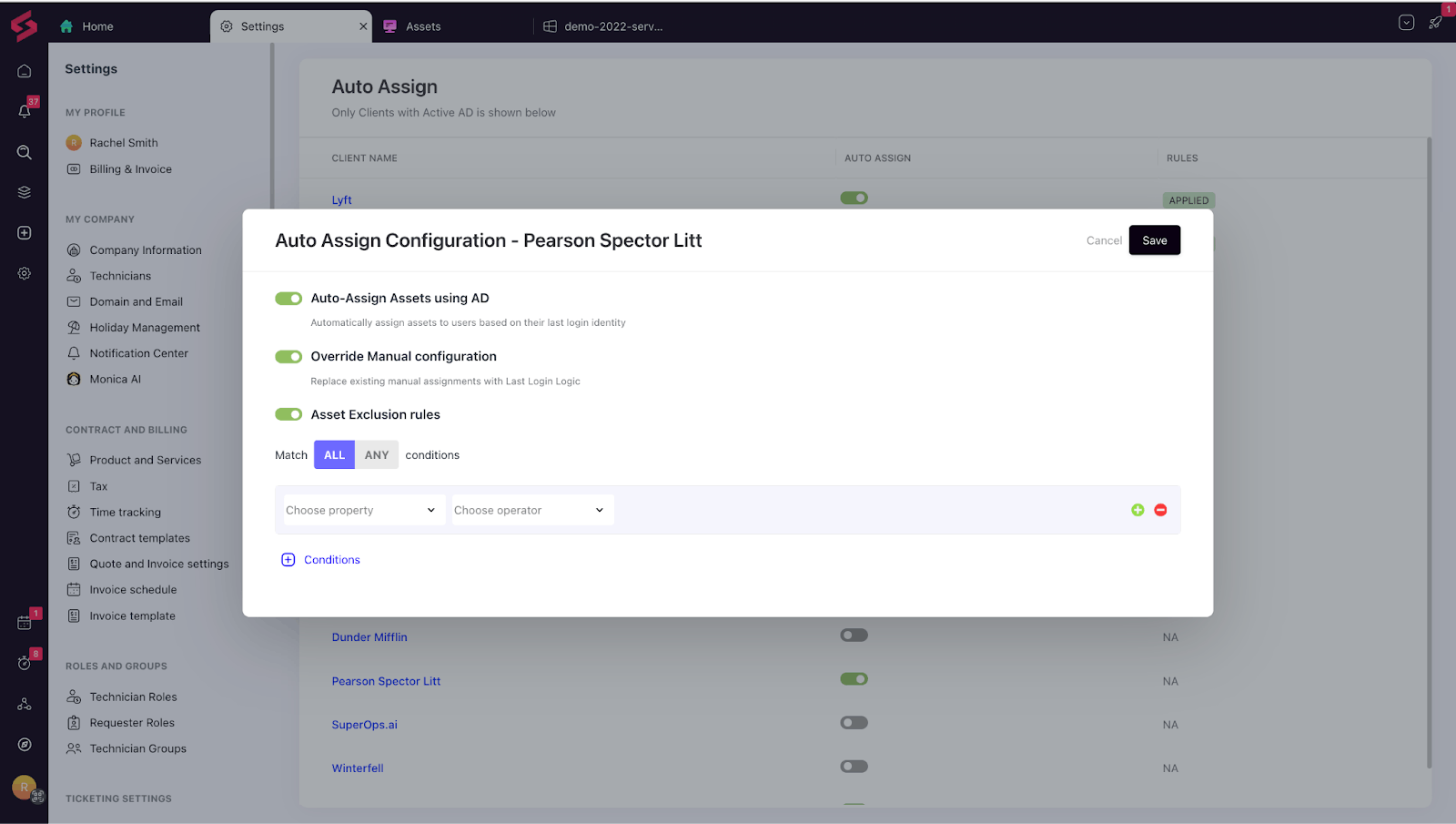
Auto-Assign Assets via AD: We’ve made asset ownership smarter and more accurate. SuperOps can now automatically assign devices to the last logged-in Active Directory user, eliminating the need for manual mapping or guesswork.
For IT teams, assets are auto-assigned based on the last Azure AD login.
For MSPs, you can configure this individually for each client, with options to enable auto-assignment, set exclusion rules, or override assignments manually.
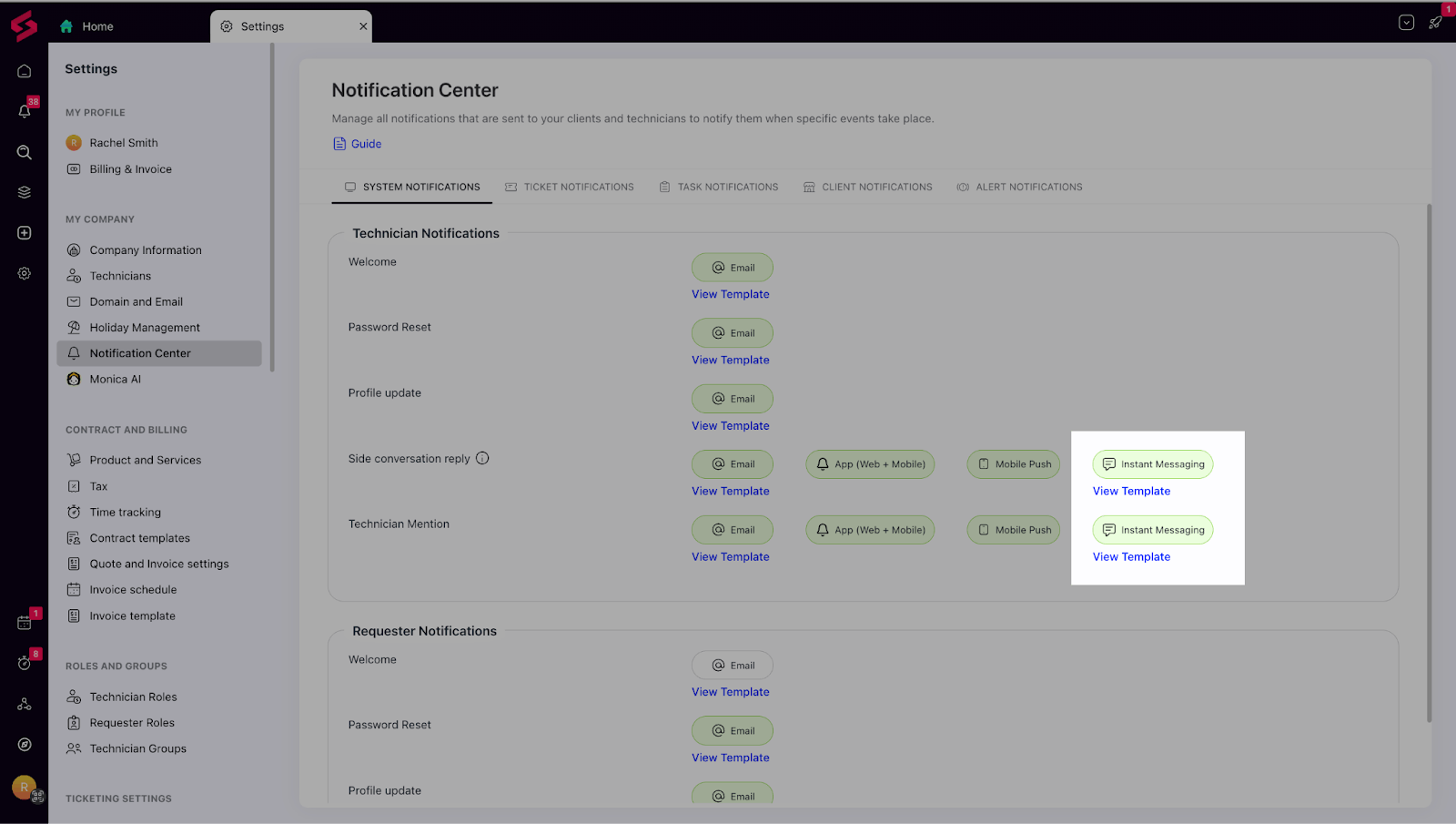
Instant Notifications for Microsoft Teams & Slack: Never miss an important update again. With Instant Messaging Notifications, technicians can now receive real-time alerts for tickets, tasks, and system events directly inside Microsoft Teams and Slack via the SuperOps bot. This means your team can collaborate faster, respond instantly to customer needs, and stay in the loop without constantly switching between tools.
Things we’ve improved:
Simplified Actions Menu: We’ve streamlined the actions menu to make it easier for technicians to find and execute the most common actions quickly. Frequently used options now appear upfront, improving navigation and reducing clicks during daily operations.
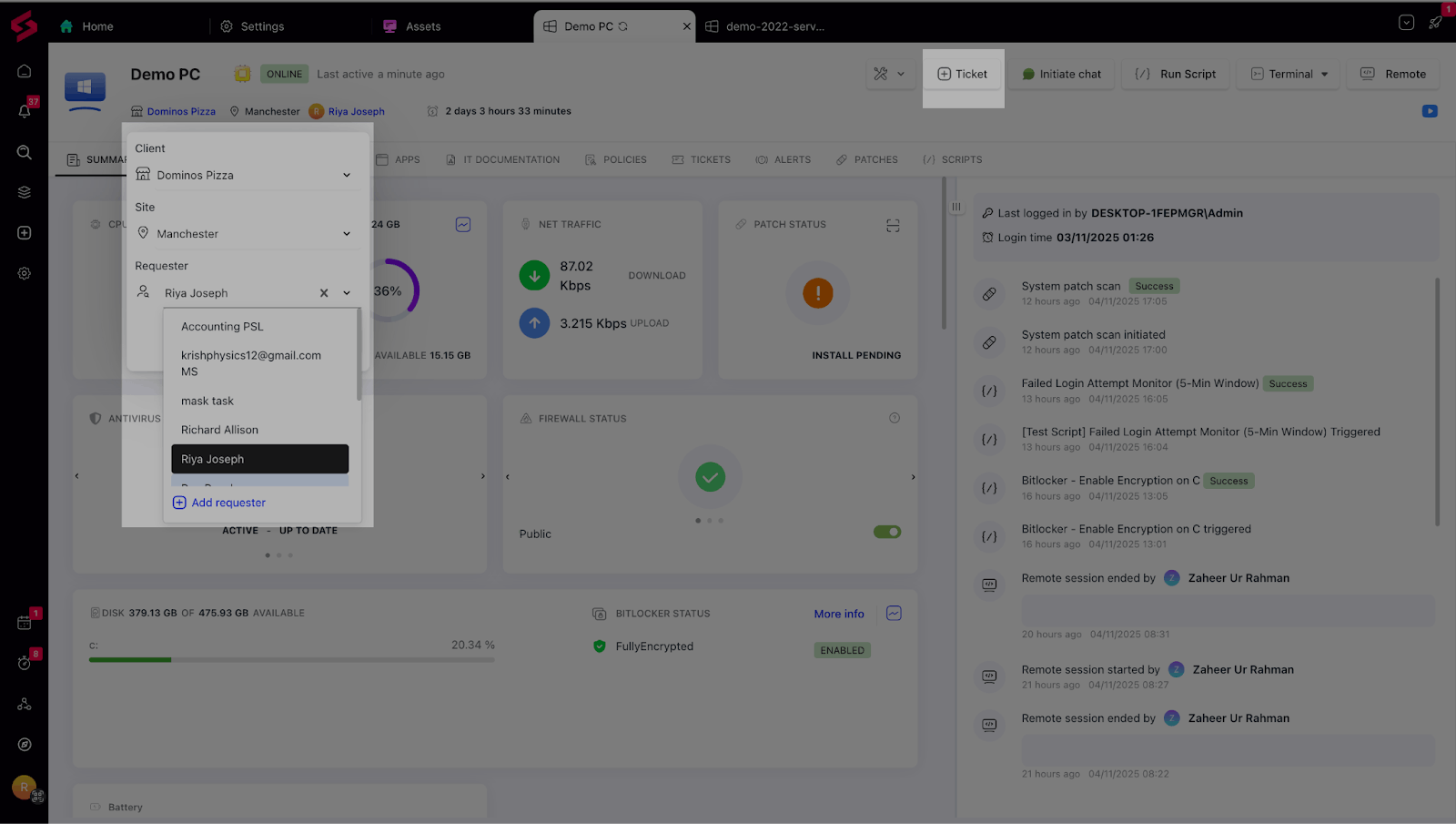
Revert Option for AV and Backup Integrations: We’ve added a Revert option to integration pages (AV/Backup) so that technicians can easily roll back to inherited policies when overrides are no longer needed. This ensures continuity, simplifies policy management, and helps maintain alignment across hierarchies.

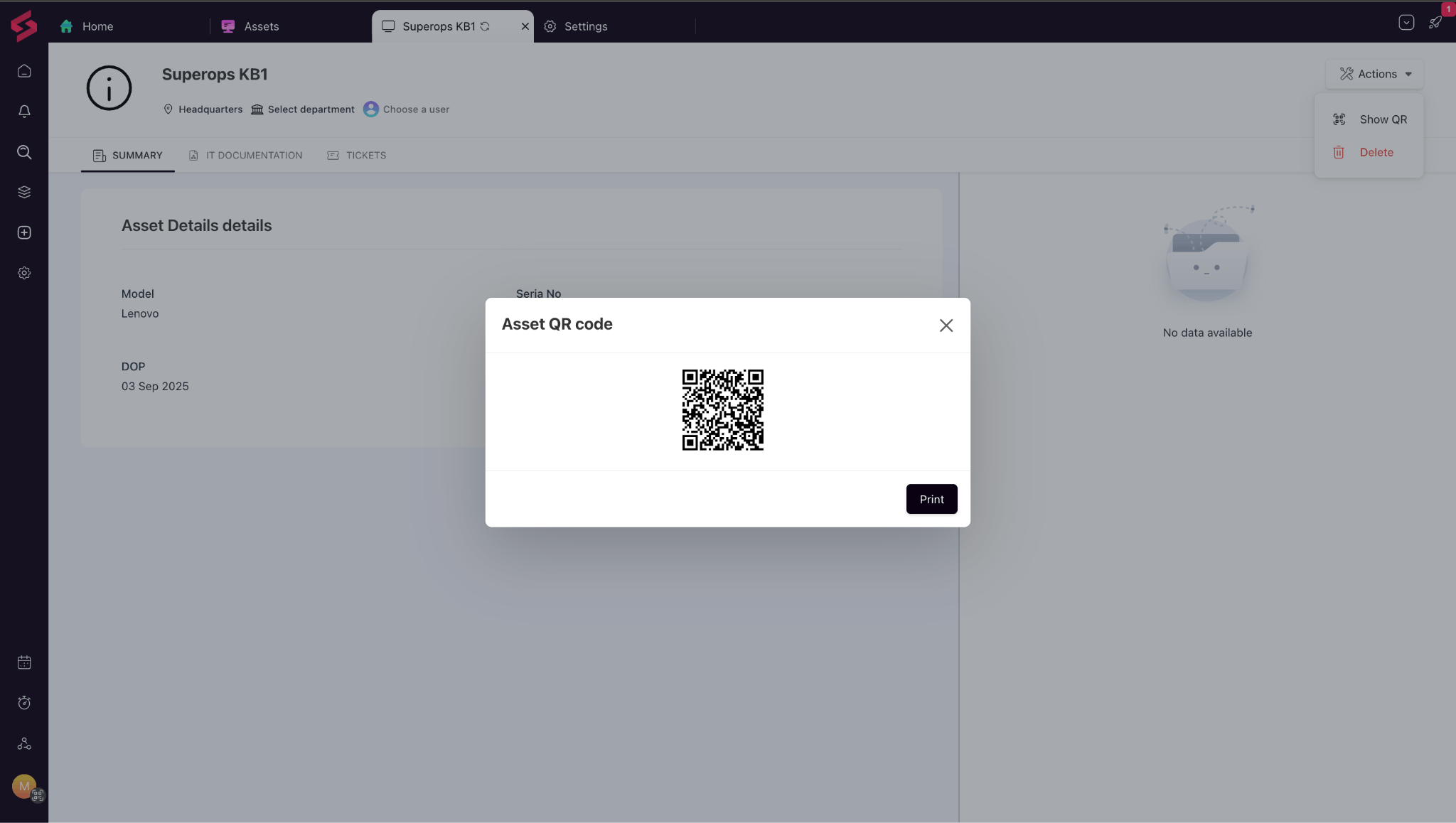
QR Codes for Unmonitored Assets: Each unmonitored asset now comes with a unique QR code—making it easy to scan, identify, and track assets during audits or site visits.
Integrations:
Acronis AV: SuperOps now integrates with Acronis AV. Technicians can trigger quick, full, or custom AV scans directly from the asset view in SuperOps RMM and view detailed scan logs, including the last initiated scan time.
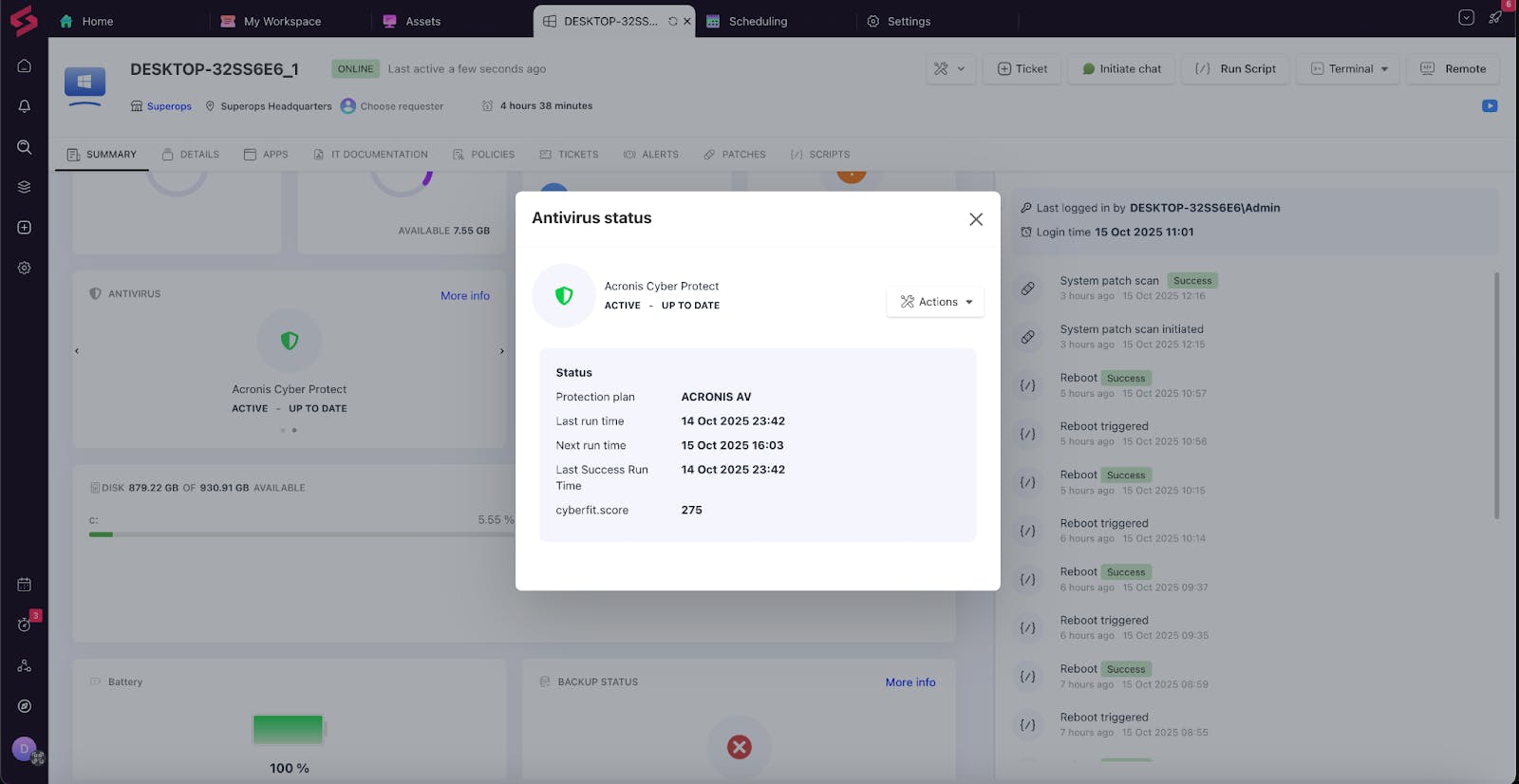
Acronis agents can be auto-deployed via policies, and AV health is now clearly reflected on the device dashboard — showing statuses such as Up to Date, Outdated, or Inactive. Acronis alerts are also automatically synced into SuperOps for full visibility. These enhancements make endpoint protection more proactive, unified, and effortless to manage.