


Integrations:
For IT Teams:
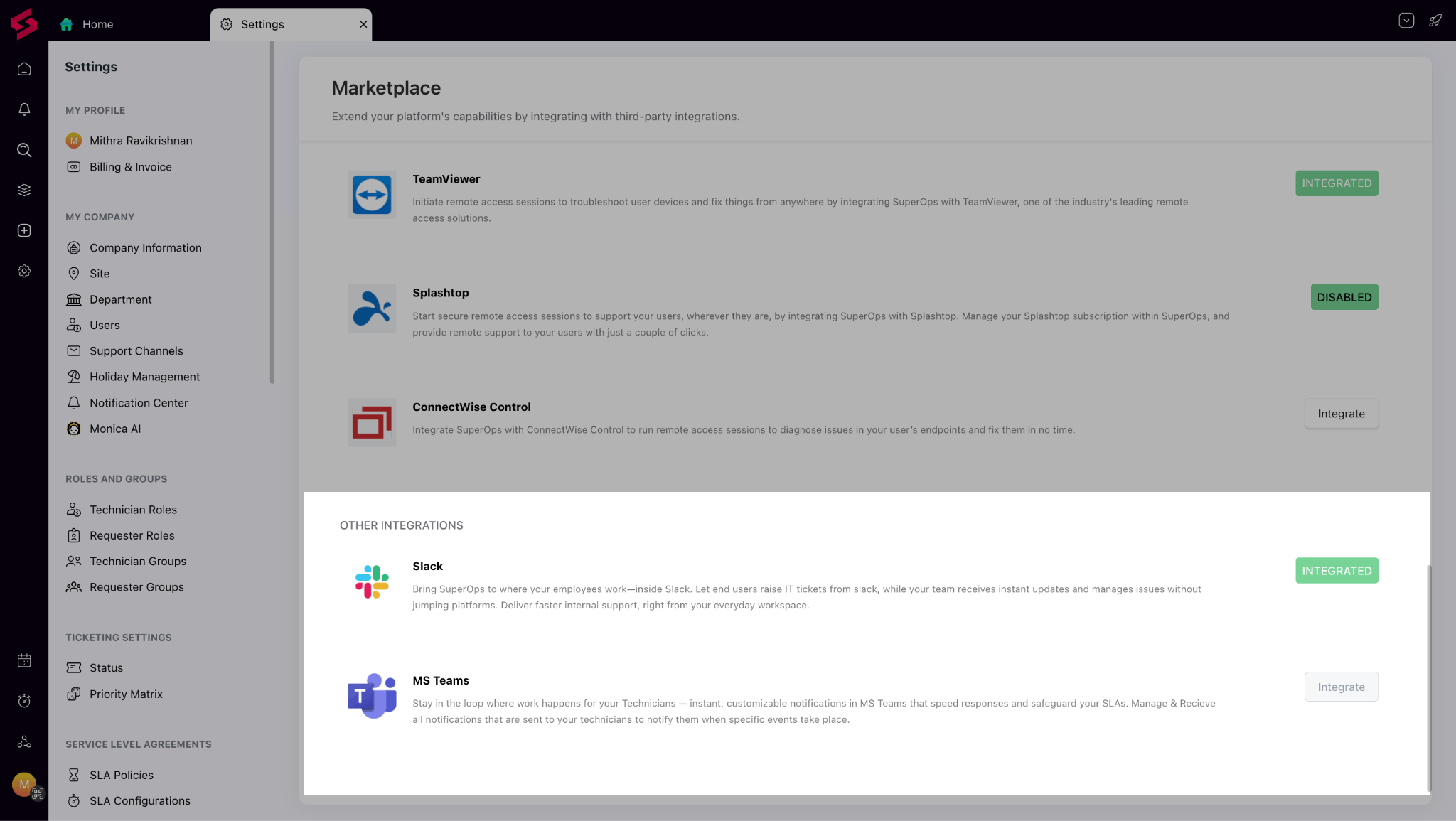
MS Teams & Slack: Bring IT support closer to where work happens. Employees can raise and track requests directly in Teams or Slack, while technicians can manage and resolve them without leaving chat. It keeps your support operations fast, efficient, and in sync with daily workflows.
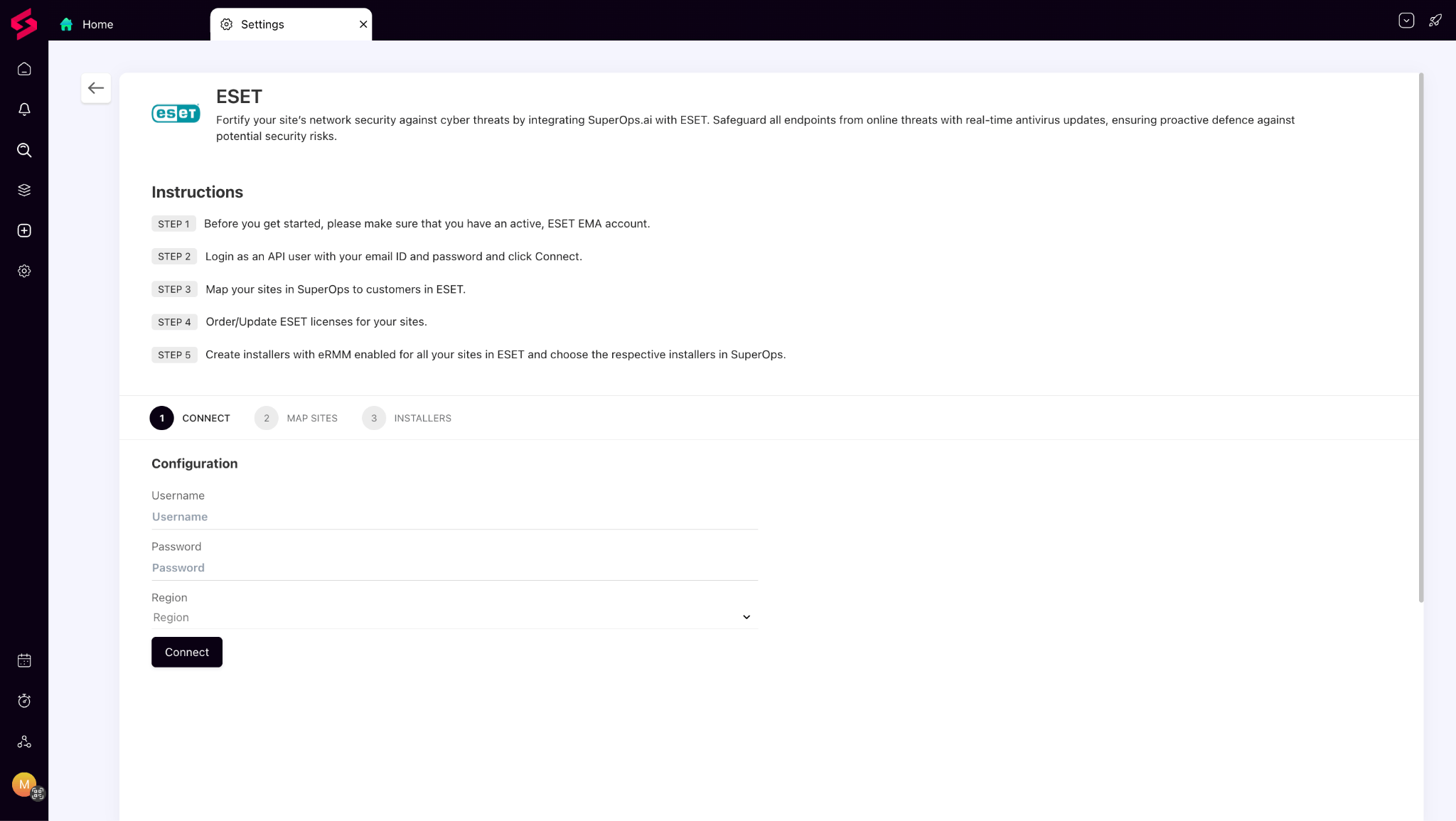
ESET: SuperOps now integrates with ESET, allowing you to monitor and manage antivirus protection across all devices from one place. This unified view makes it easier to ensure endpoints stay secure without needing to switch between multiple tools.
For MSP and IT Teams:
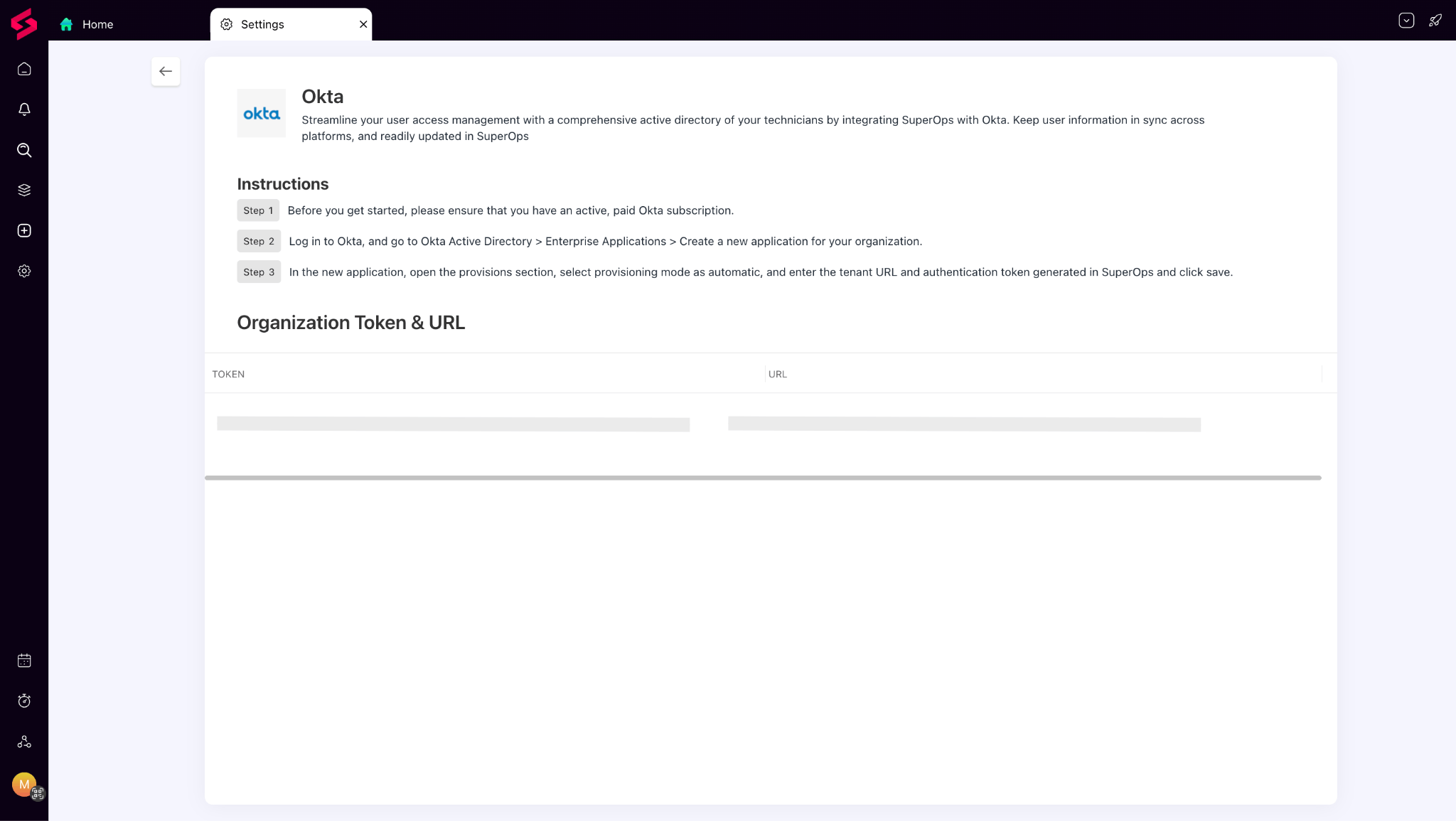
Okta: With the new Okta integration, you can simplify identity management across your organization. Enable single sign-on and secure access control, ensuring your users enjoy a seamless login experience while IT maintains strong authentication policies.
Things we’ve improved:
Invoicing Improvements:
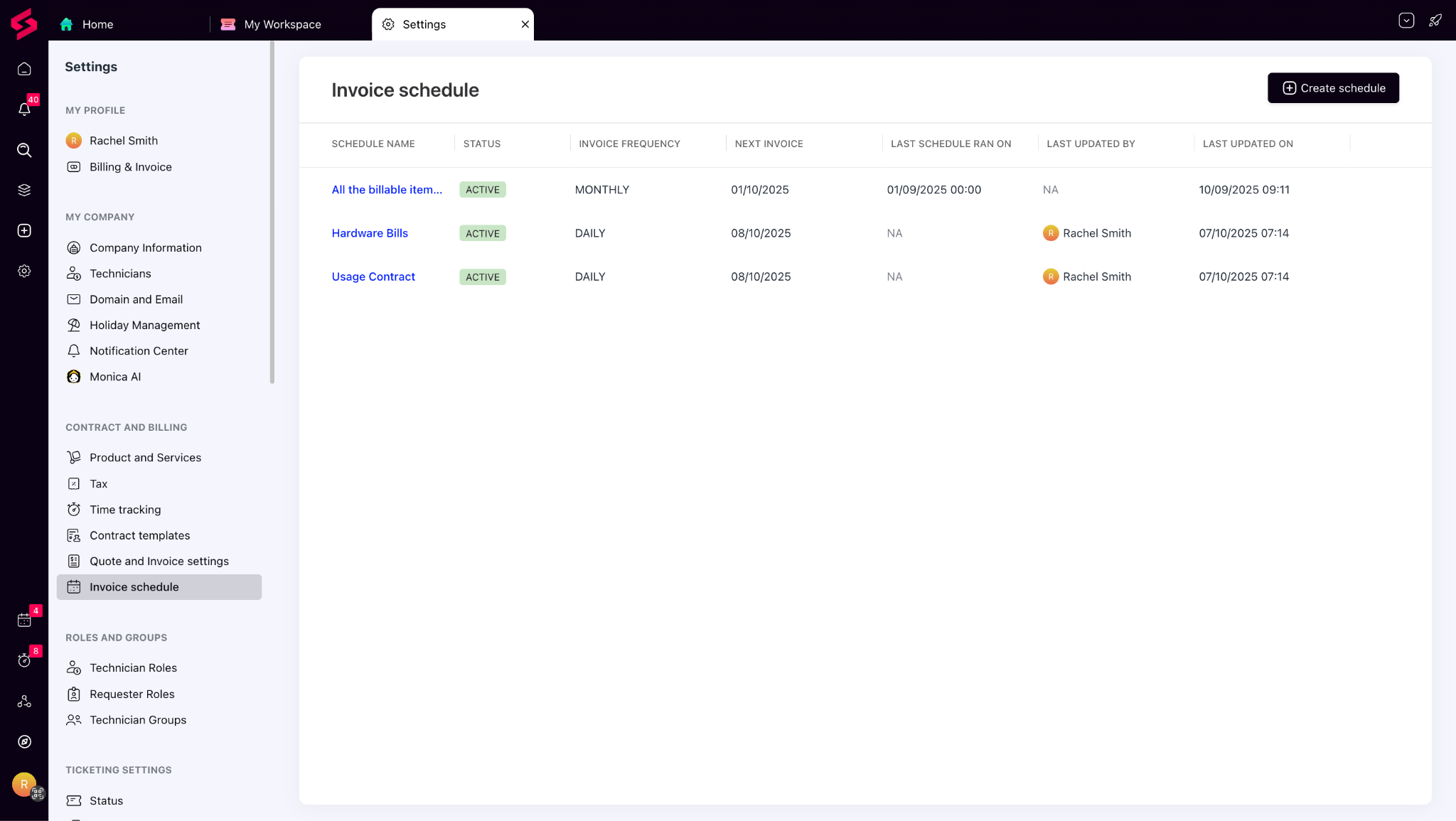
Multiple invoice schedules: SuperOps now lets you create multiple invoice schedules to match your clients’ unique billing needs — bill recurring contracts on one date, overages or worklogs on another, and stay fully in control.
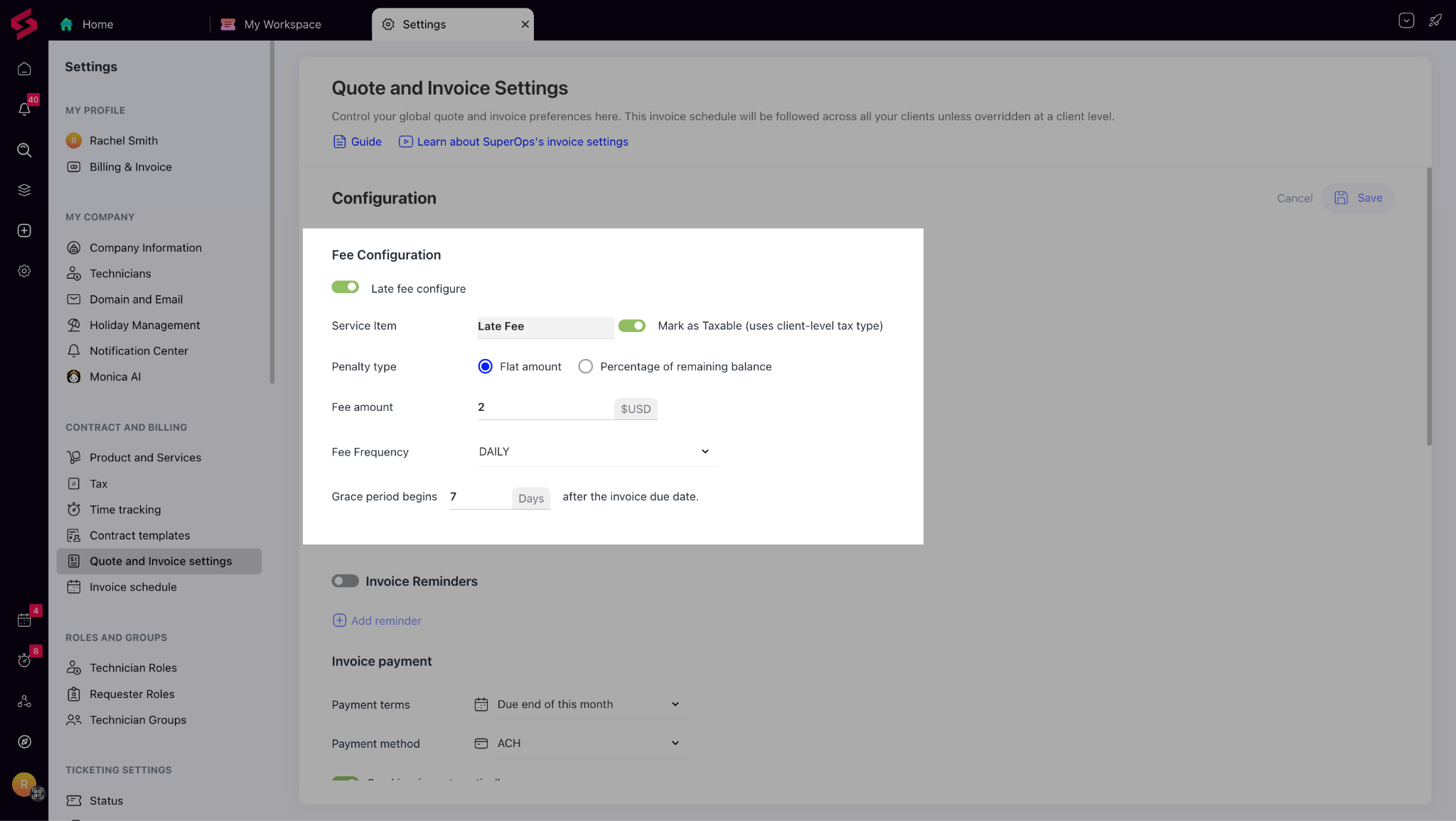
Late fee automation: Late payments are now easier to manage. SuperOps automatically applies late fees to overdue invoices based on your predefined rules, helping you enforce payment discipline without manual effort. It’s a simple way to encourage timely payments while protecting your margins.
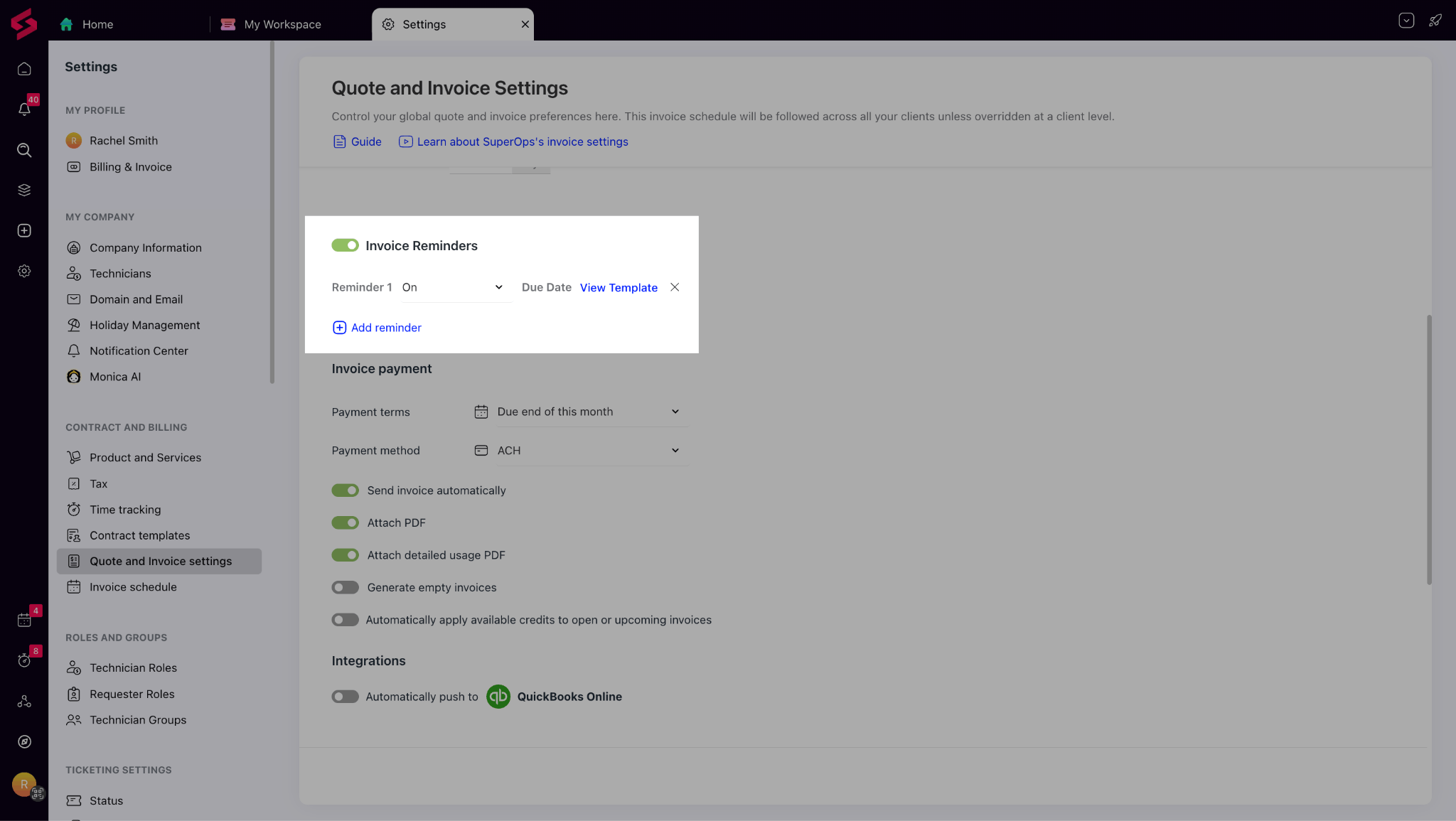
Invoice Reminders: Following up on unpaid invoices just got easier. Instead of chasing clients manually, SuperOps now lets you automate up to three payment reminders per invoice. With customizable templates and client-level overrides, you can maintain consistent communication and accelerate collections without adding extra work.
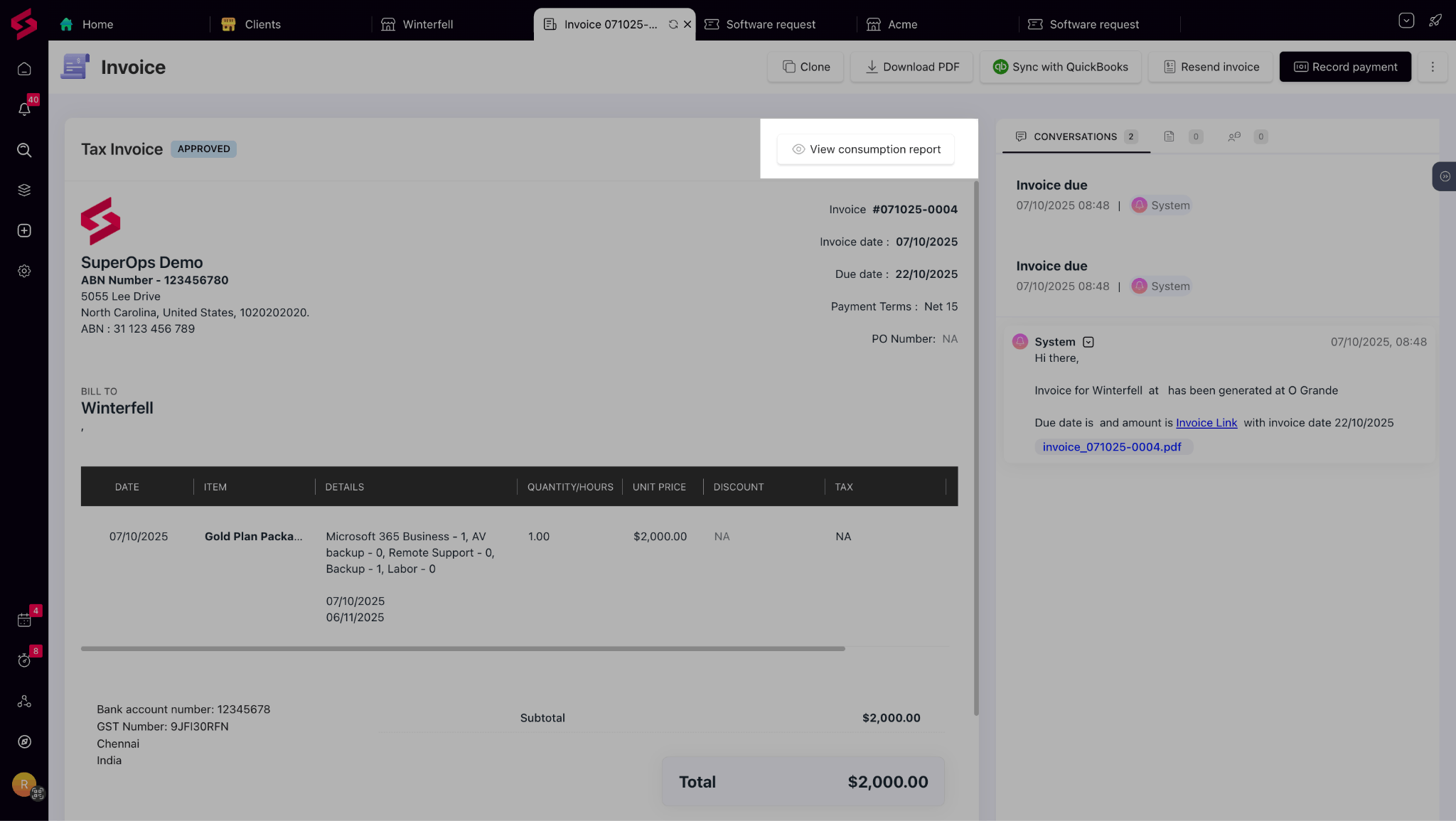
Consumption Reports: Get better visibility into what your clients are being billed for with Consumption Reports. Each invoice now shows a detailed breakdown of all under-contract items billed, so you can clearly track usage and maintain transparency in your billing process.
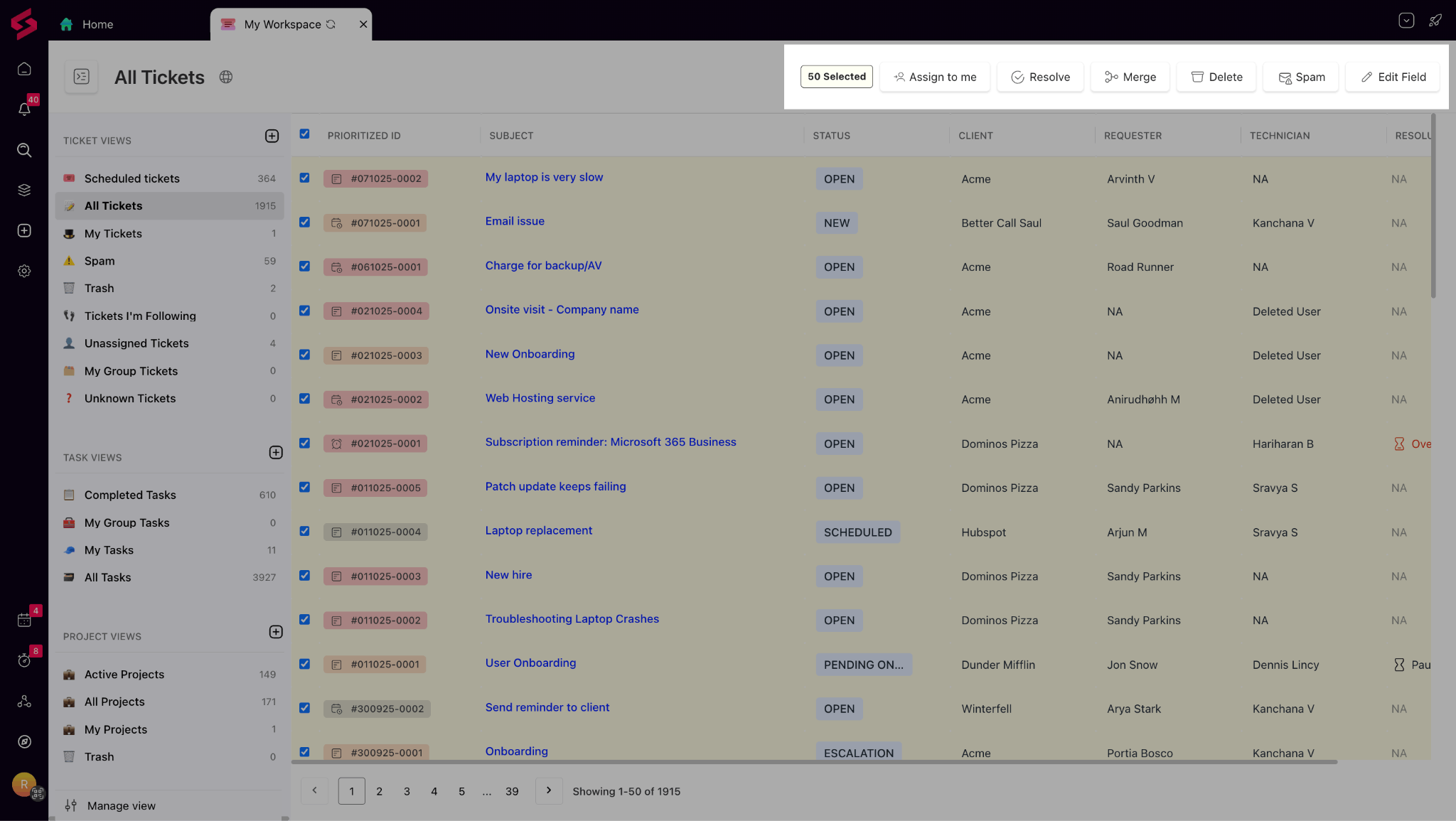
Bulk Actions on Tickets: Technicians can now handle multiple tickets at once—assign, resolve, merge, delete, or mark them as spam in bulk. Whether you’re cleaning up queues or managing vendor alerts, bulk actions dramatically cut down repetitive manual work.
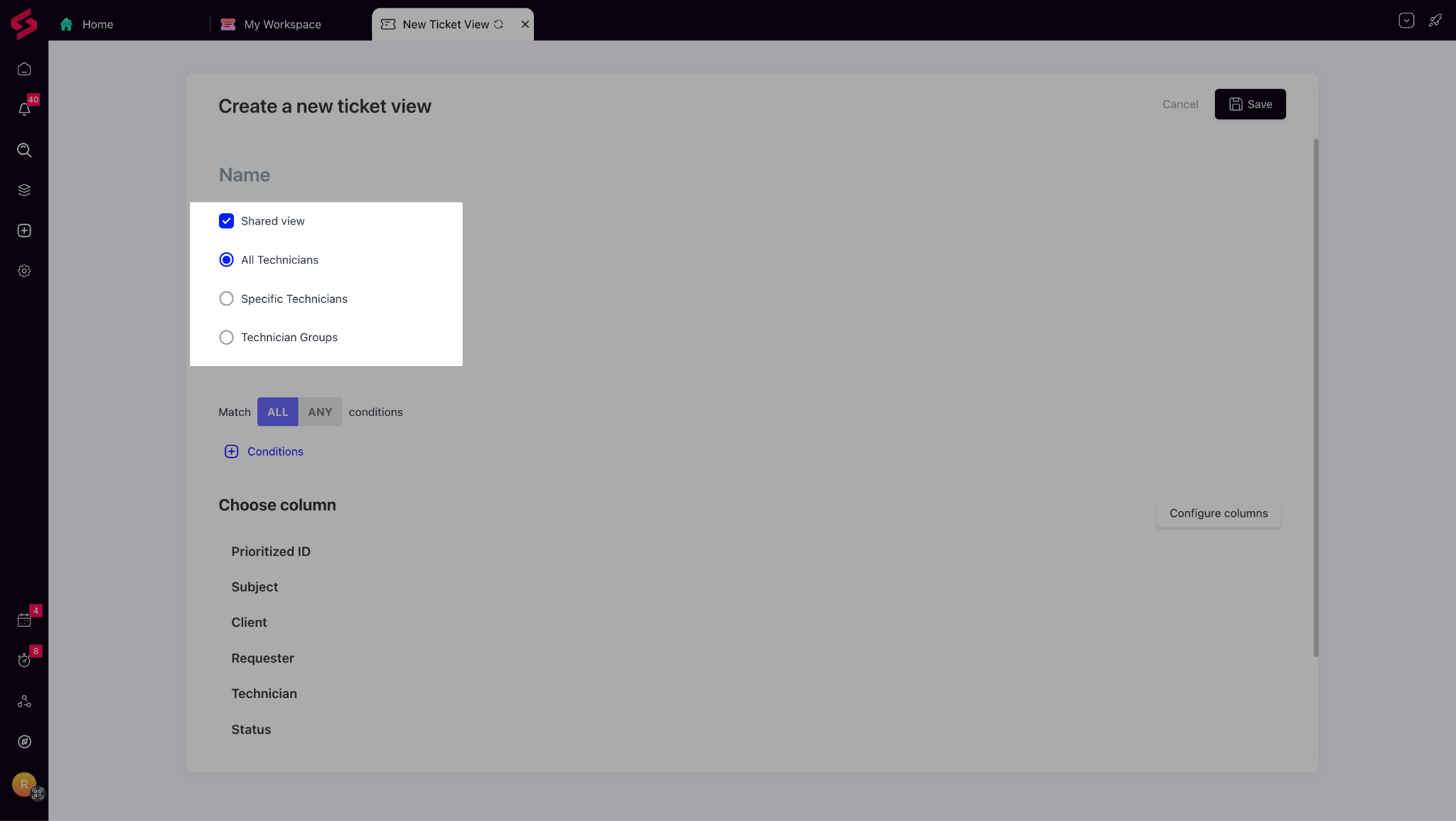
Role-Based Shared Views: Shared ticket views are now more focused and customizable. You can share ticket views with specific technicians or groups instead of everyone, keeping workspaces uncluttered and ensuring each user only sees what’s relevant to them.
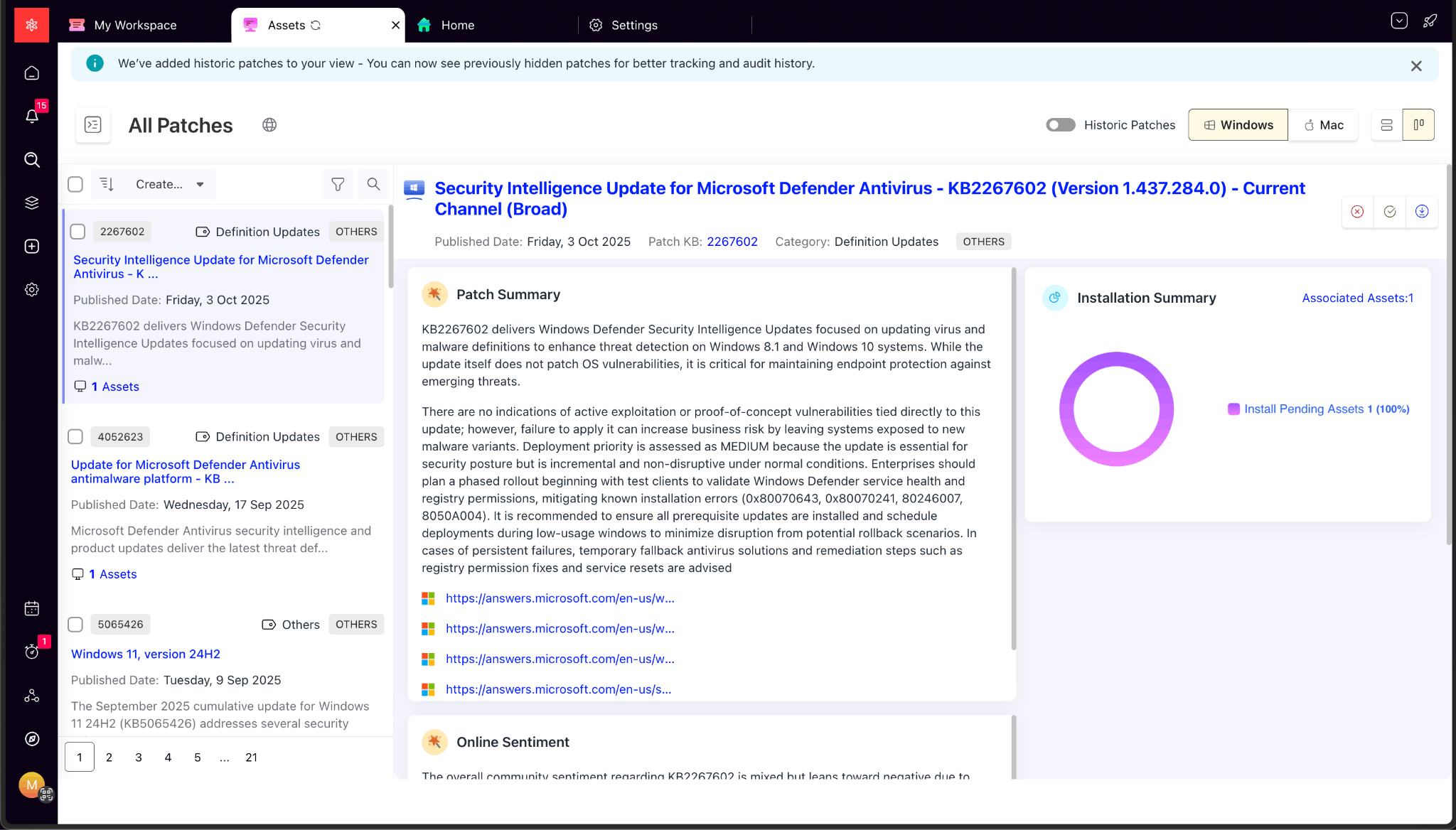
Historic Patches in Patch View: The patch view now includes historic patch data, giving you full visibility into past updates in addition to recent ones. With this, you can track patch history for compliance and audits, or quickly diagnose issues with better context into what’s been installed over time.
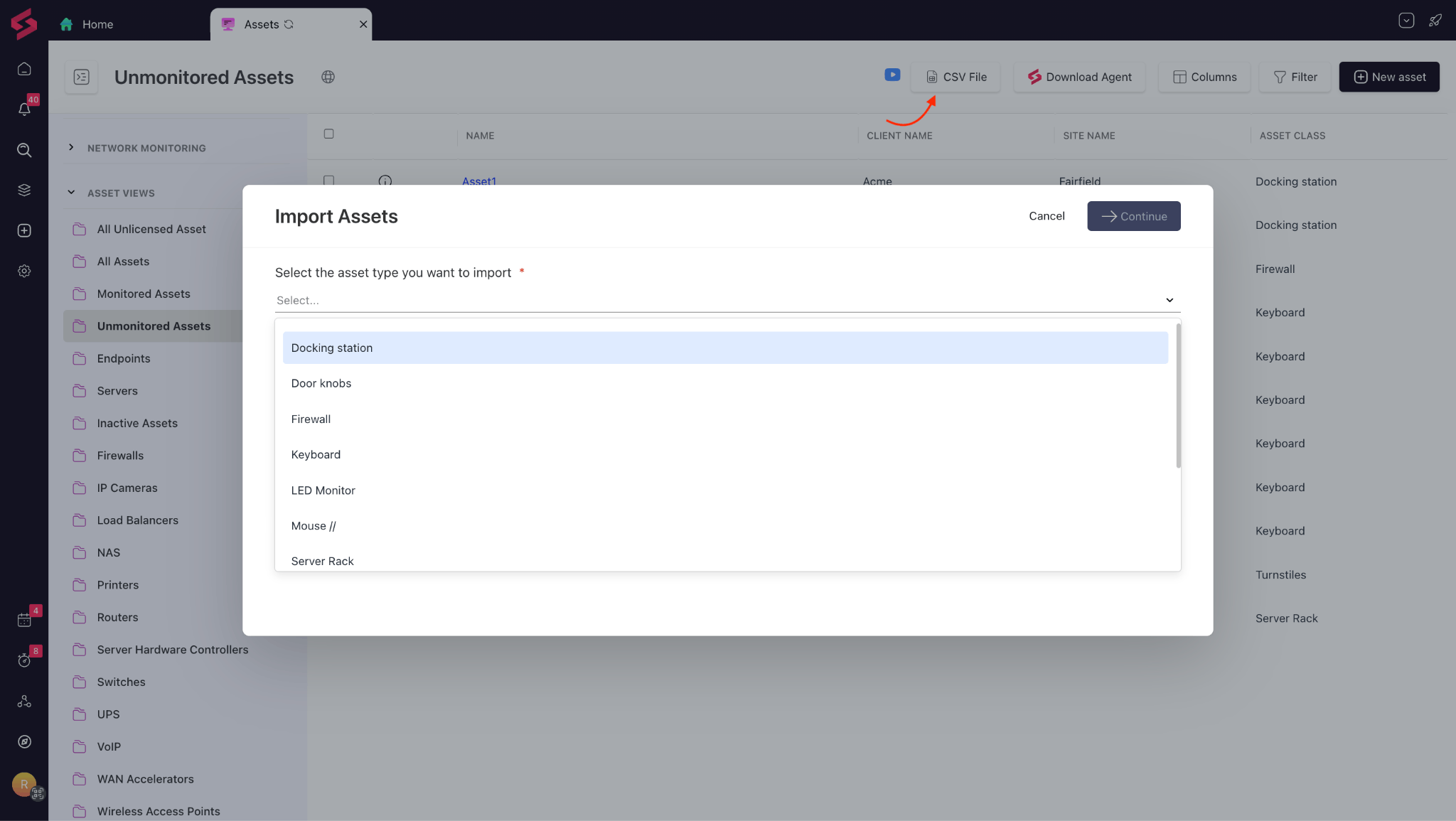
Onboarding Unmonitored Assets: Adding unmonitored assets to SuperOps is now easier than ever. Instead of manually entering each record, you can now bulk import unmonitored assets using a CSV file. As long as the asset class already exists, you can upload all your offline or unmanaged devices in one go—making your asset onboarding process faster, simpler, and more consistent.
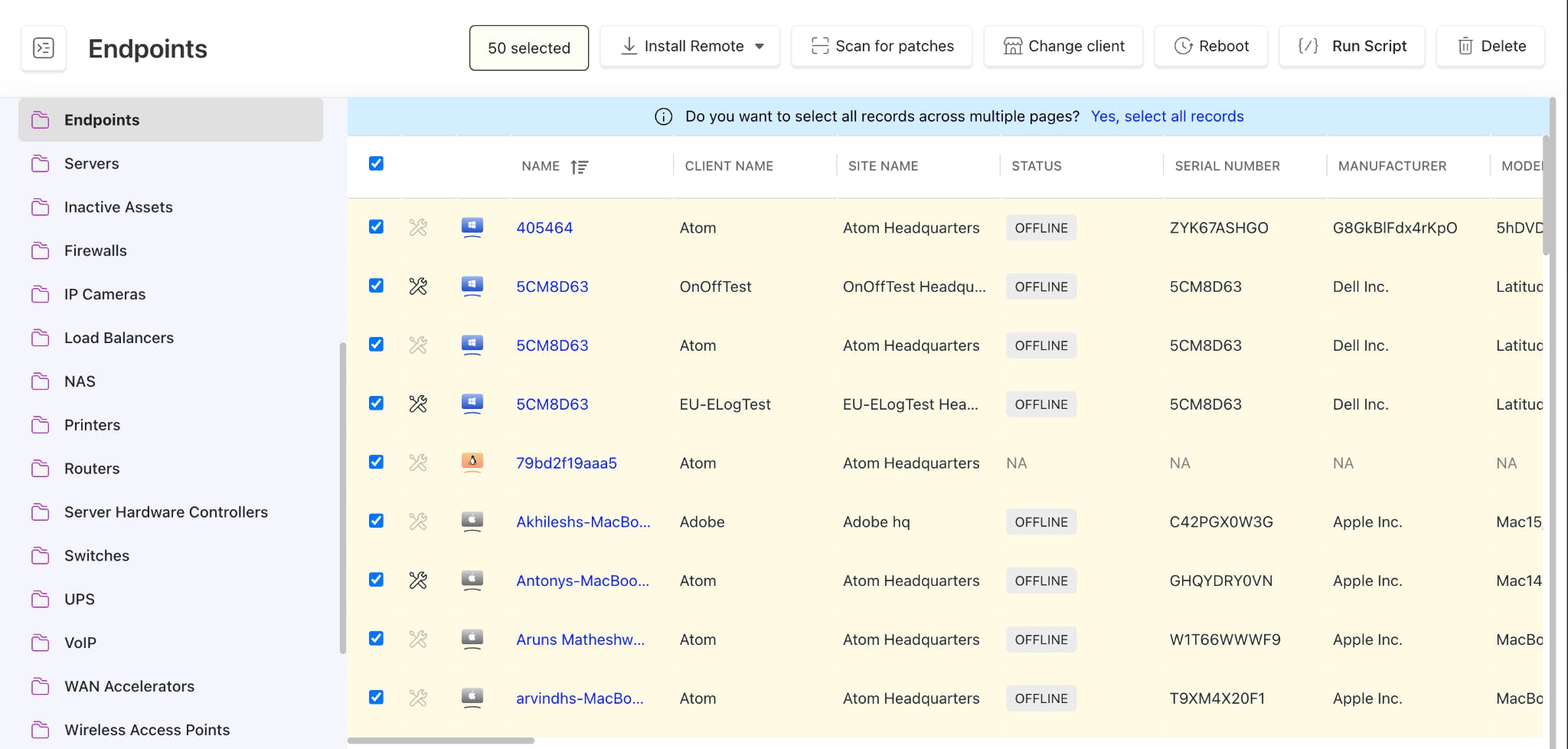
Bulk Actions on Asset Views: Managing large asset lists is now simpler. You can perform bulk updates across multiple pages and filtered views, helping you maintain control over large inventories with far less manual effort.
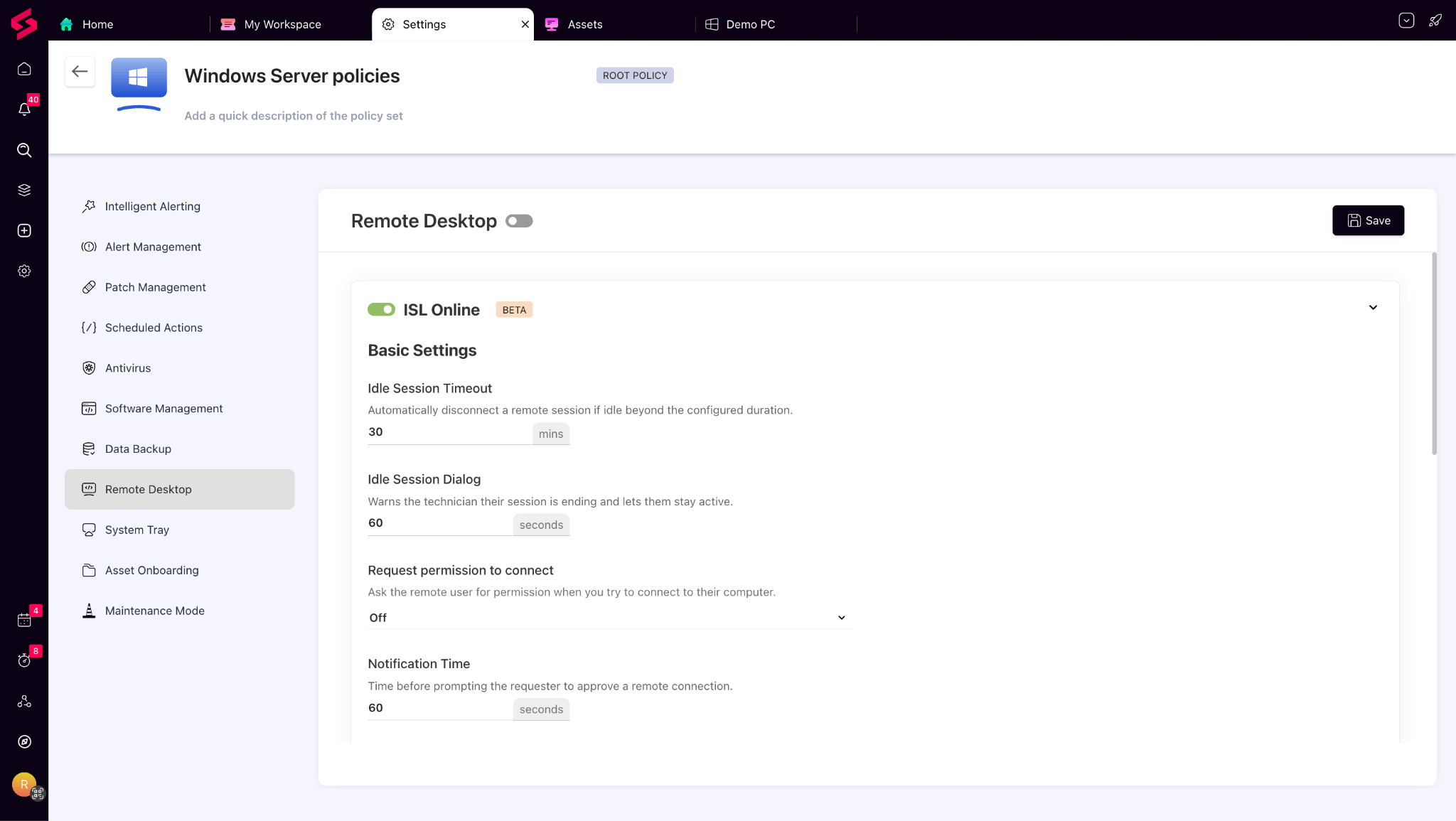
ISL Settings in Policy: Admins can now configure ISL access permissions directly within policies, similar to Splashtop settings. This makes it easier to manage technician access securely and align remote control rules with your organization’s policies.
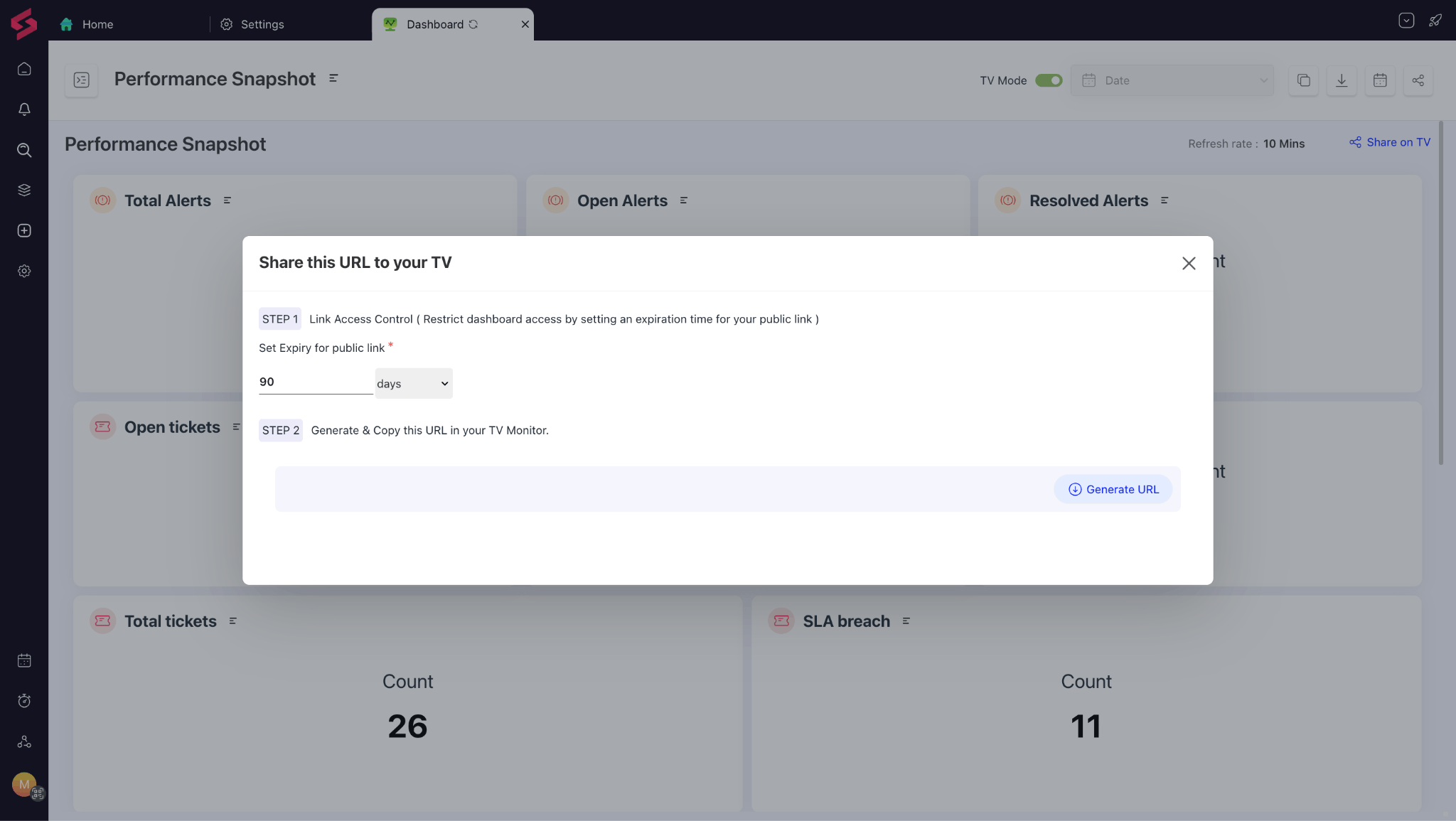
Secure Dashboard Sharing: We’ve added a secure way to share dashboards without keeping a SuperOps session logged in. Generate read-only URLs with auto-refresh and expiry controls to display dashboards on NOC TVs or share them safely with consultants or auditors. No logins, no risks—just easy, secure visibility.
API Enhancements: We’ve expanded our Asset APIs to include unmonitored assets. You can now fetch, update, and soft-delete these assets using standard queries, ensuring consistency in how you manage all asset types within your environment.
Increased File Size Support (Up to 500 MB): You can now upload and deploy custom software packages up to 500 MB, up from the previous 100 MB limit. Larger deployments are now easier to manage, with real-time visibility into upload and deployment status.
Real-Time Invoice Sync: When syncing invoices with QuickBooks or Xero, changes now appear instantly in the UI. There’s no need to refresh or wait for confirmation—your accounting syncs are now smoother, faster, and more reliable.
Asset URL in Alert Ticket Templates: You can now use the #AssetURL placeholder in alert ticket templates to automatically link tickets to the affected asset. This makes it quicker for technicians to identify the source of the issue and act on it immediately.
Early Access:
Error codes on installation failures:
Technicians will now see clear error codes with human-readable reasons whenever a software installation fails, helping them diagnose and resolve issues faster.
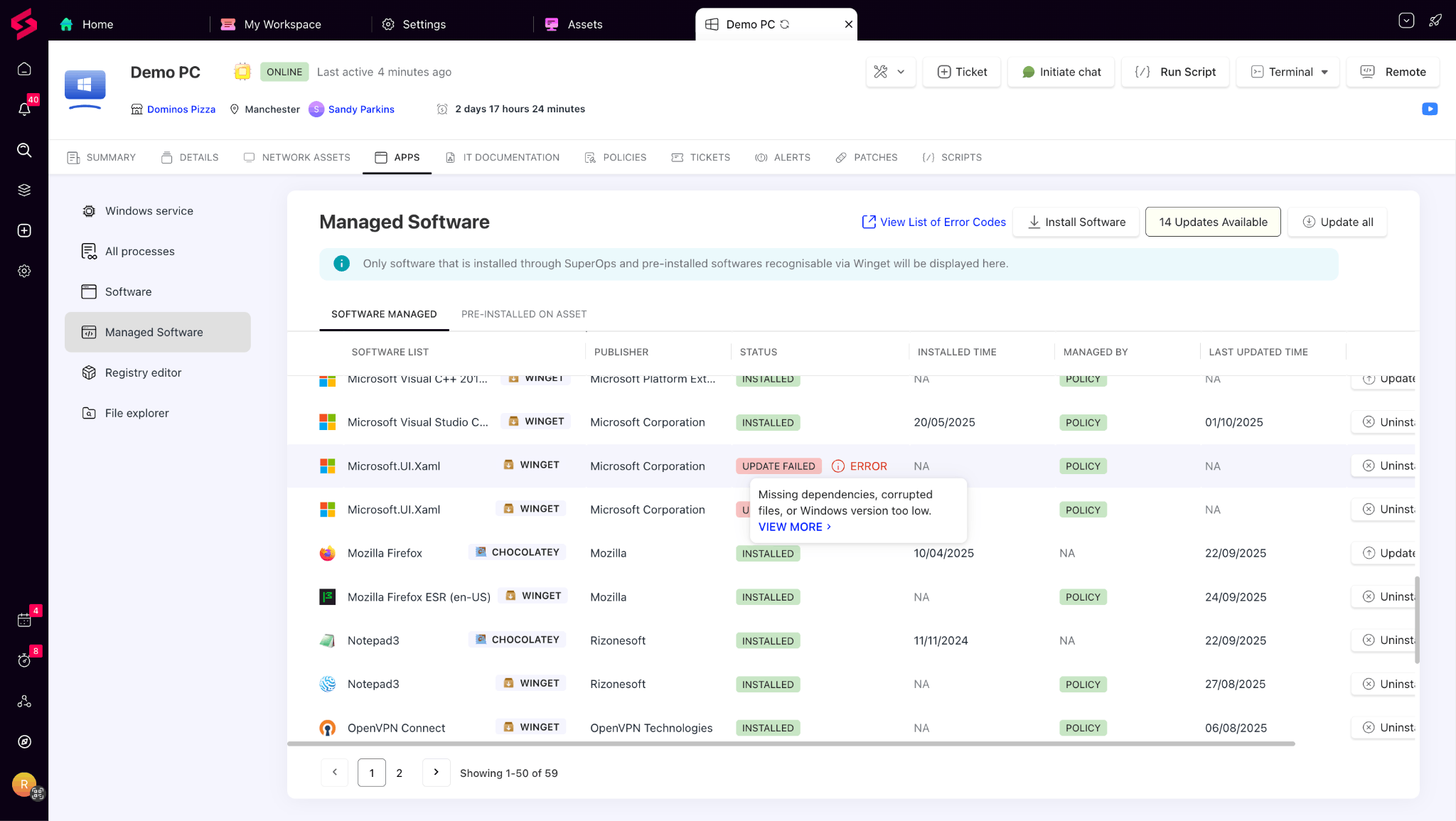
Failed installs are automatically retried up to two additional times (a total of three attempts), minimizing failures caused by transient issues such as network interruptions or locked files.